

Answered
Lightroom Classic August 2019 parent folder photo count not appearing
Lightroom Classic 8.4 August 2019 parent folder photo count not appearing!
Is there a new setting somewhere? What am I missing?
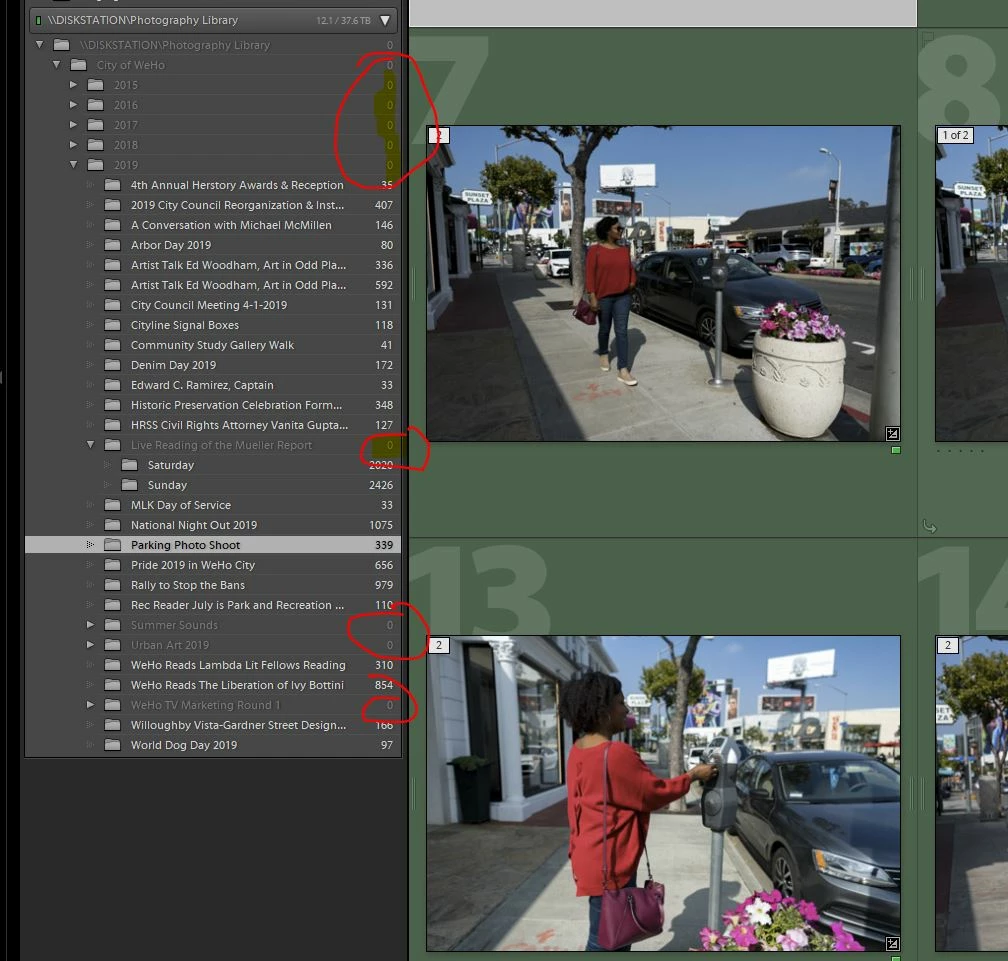


Lightroom Classic 8.4 August 2019 parent folder photo count not appearing!
Is there a new setting somewhere? What am I missing?
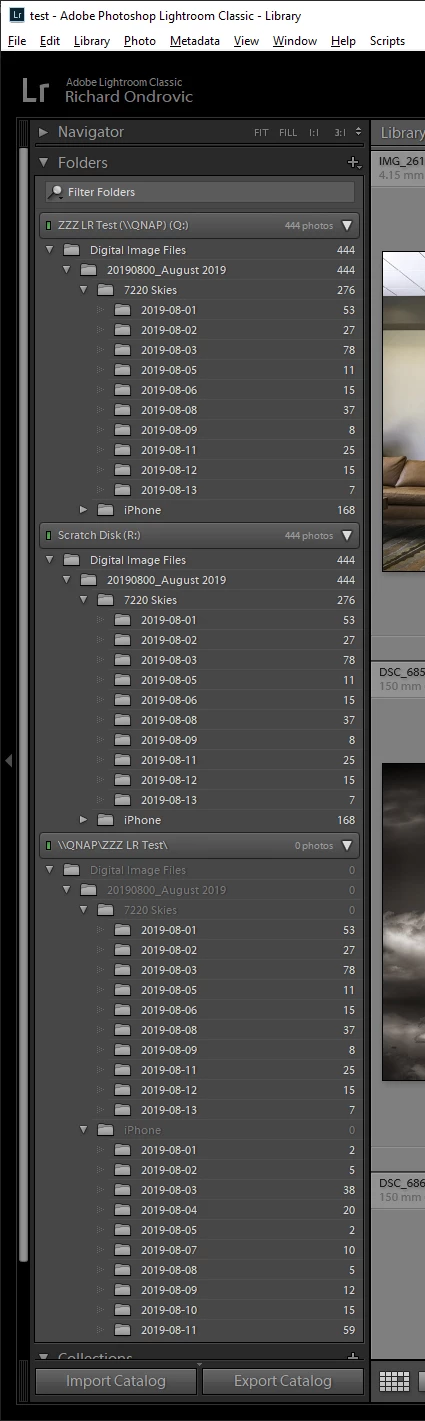
Hey Viscott - it is a UNC name vs mapped drive letter issue! Here is what I did:
1) Under LR 8.3.1 I created a new test catalog and imported some folders and files from a local drive
2) Created the same folders and files on my NAS
3) Imported the local drive folder structure as well as the NAS folder structure using its UNC name
4) Imported the NAS folder structure again using a mapped drive letter
5) All counts were correct
6) Upgraded to LR 8.4
7) Counts were correct for the local drive folder structure, counts were wrong for the NAS UNC folder structure, counts were correct for the NAS mapped as a drive letter.
Give it a try and see if that works the same for you.
Already have an account? Login
Enter your E-mail address. We'll send you an e-mail with instructions to reset your password.
 AdChoices