

Lightroom Classic Edit in Photoshop passing raw file instead of converting and passing as a TIFF
In the past when I selected edit in Adobe Photoshop 2022, Lightroom would create a TIFF file, insert it into my Collection which was then passed through to Photoshop for editing. For some reason, this has stopped happening and instead it is now passing through the actual raw file. I have tried changing my preferences between TIFF and PSD and back. Uninstalling and re-installing Photoshop (as that was the last upgrade I received). When I export to other programs like Topaz it continues to work as expected. I have even tried creating an additional external editor test export to Photoshop using exactly the same settings I use for Topaz. It still won't generate and pass a Tiff file to photoshop. Any ideas on how to fix this? My preferences are as follows
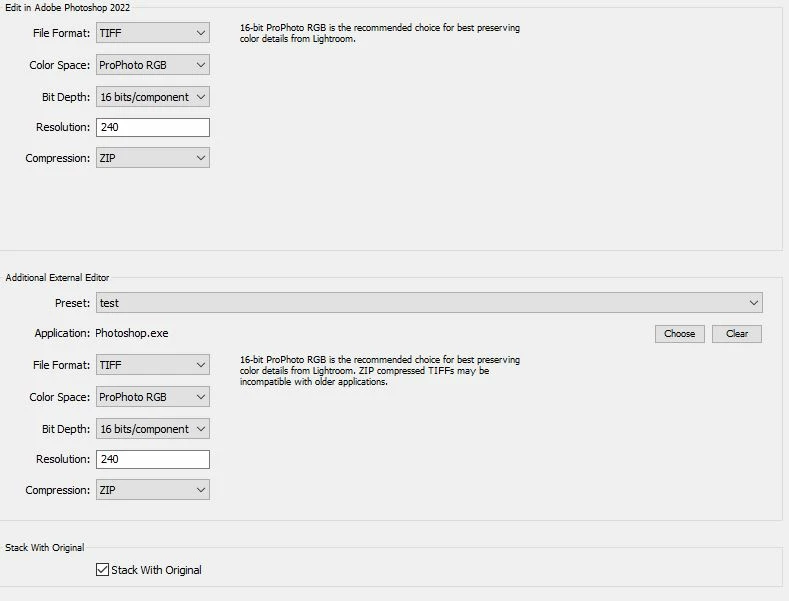
Lightroom Classic 11.3.1 Camera Ram 14.4.1 Photoshop 23.4.2. OS is Windows 10 21H2
 AdChoices