

Answered
Lightroom classic masks problem, cannot work with each mask individually. Problems with version 12.2
Masks dont work, for example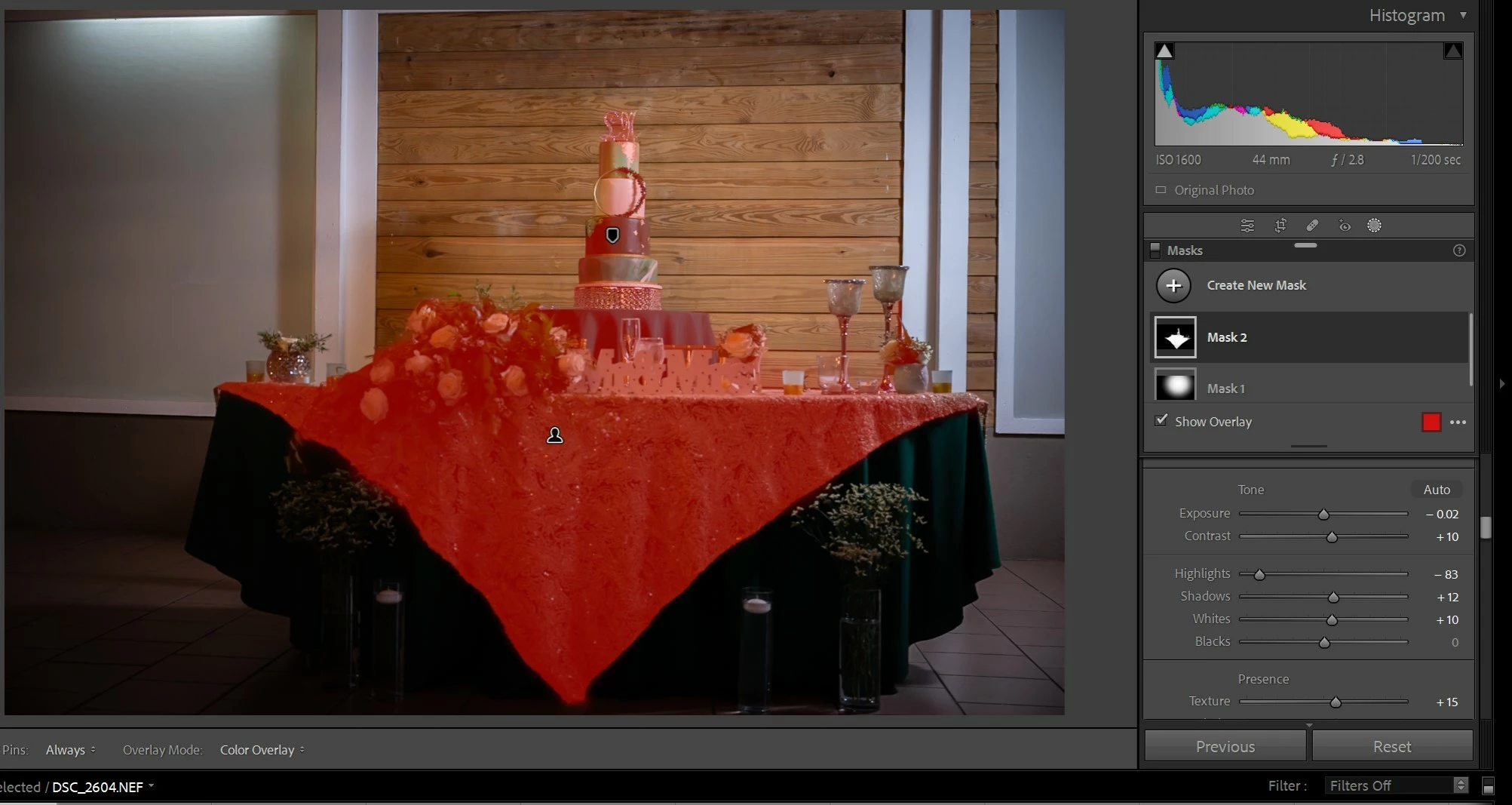
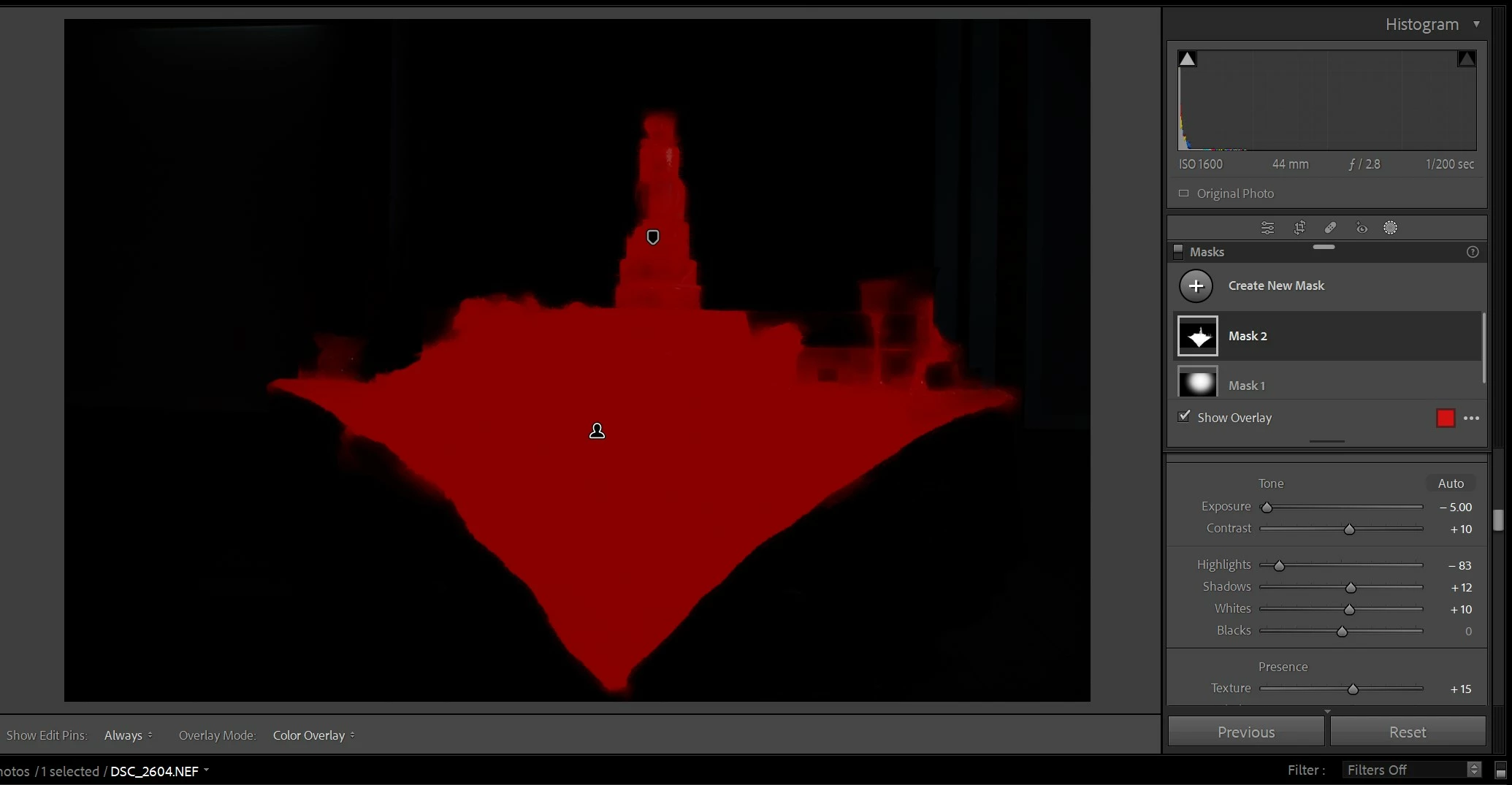 if I move the shadows slider affects all masks at once. Problems with adobe lightroom version 12.2.1

Masks dont work, for example if I move the shadows slider affects all masks at once. Problems with adobe lightroom version 12.2.1
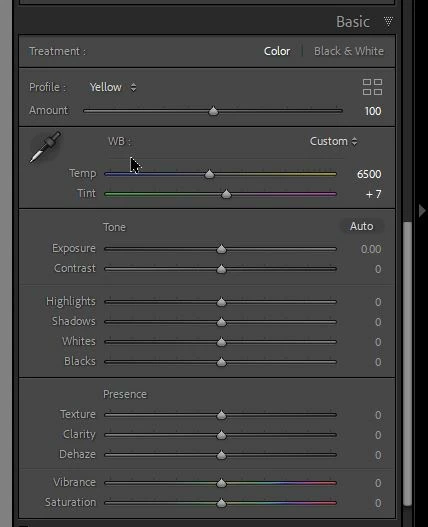
@Emmanuel98A6 You are adjusting in the BASIC Panel! (ie. Global adjustments affectin ALL of the image.)
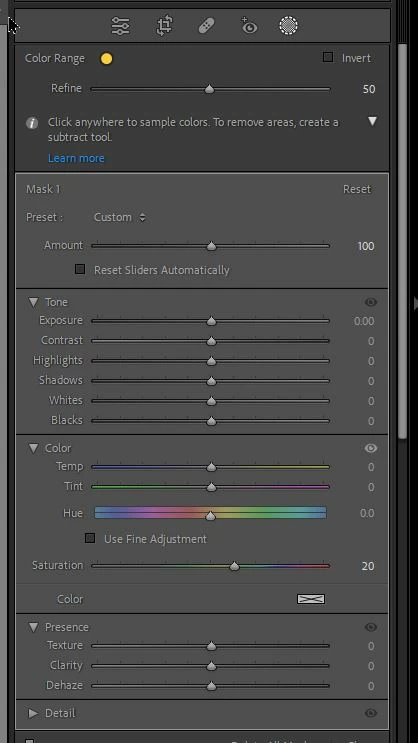
Scroll up the panels until you see only the Mask Tool adjustments
These are BASIC Panel adjustments-
These are the Masking Tool Adjustments-
Already have an account? Login
Enter your E-mail address. We'll send you an e-mail with instructions to reset your password.
 AdChoices