


Lightroom Classic Synchronize Folder Add/Remove Same Photos
I'm hoping someone can help out with this strange behaviour. I've been culling some photos, and after removing one that I did not mean to, and placing it back in the folder, I located the synchronize folder function that I required to add it back in to the Lightroom catalogue. When the menu appeared however, it suggested that all the photos from the folder were missing (34), and it wanted to import all the photos again (35... the previous 34 plus the 1 I put back into the folder). I've checked on other folders, and everyone I have selected wants to remove/import all photos (see screenshot).
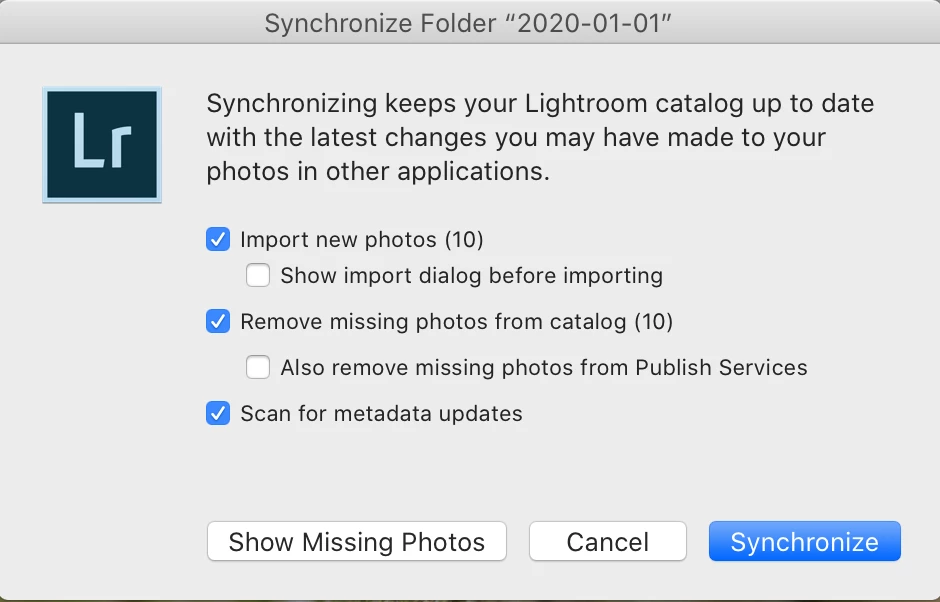
I haven't moved the folders, but the catalogue file was resaved/moved when changing from LR6 to LR Classic around a month ago. Since then I have rebuilt all smart previews in the catalogue, and haven't noticed any other strange behaviour.
Has anyone seen this before/got any advice please?
 AdChoices