July 10, 2022
Answered

Lightroom Classic won’t fully use GPU Acceleration (2020 27” IMac)

  • July 10, 2022
  • 2 replies
  • 1694 views

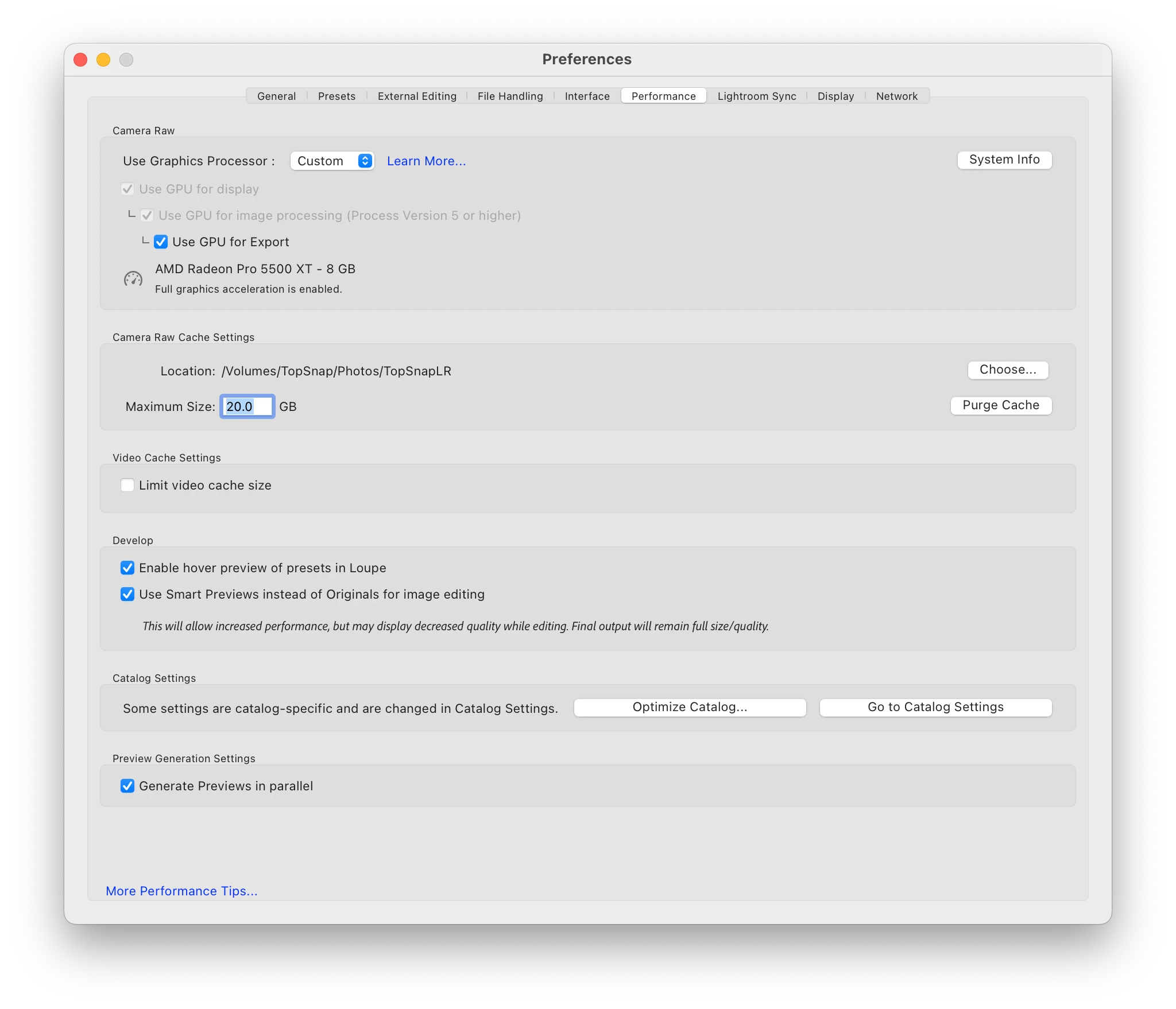
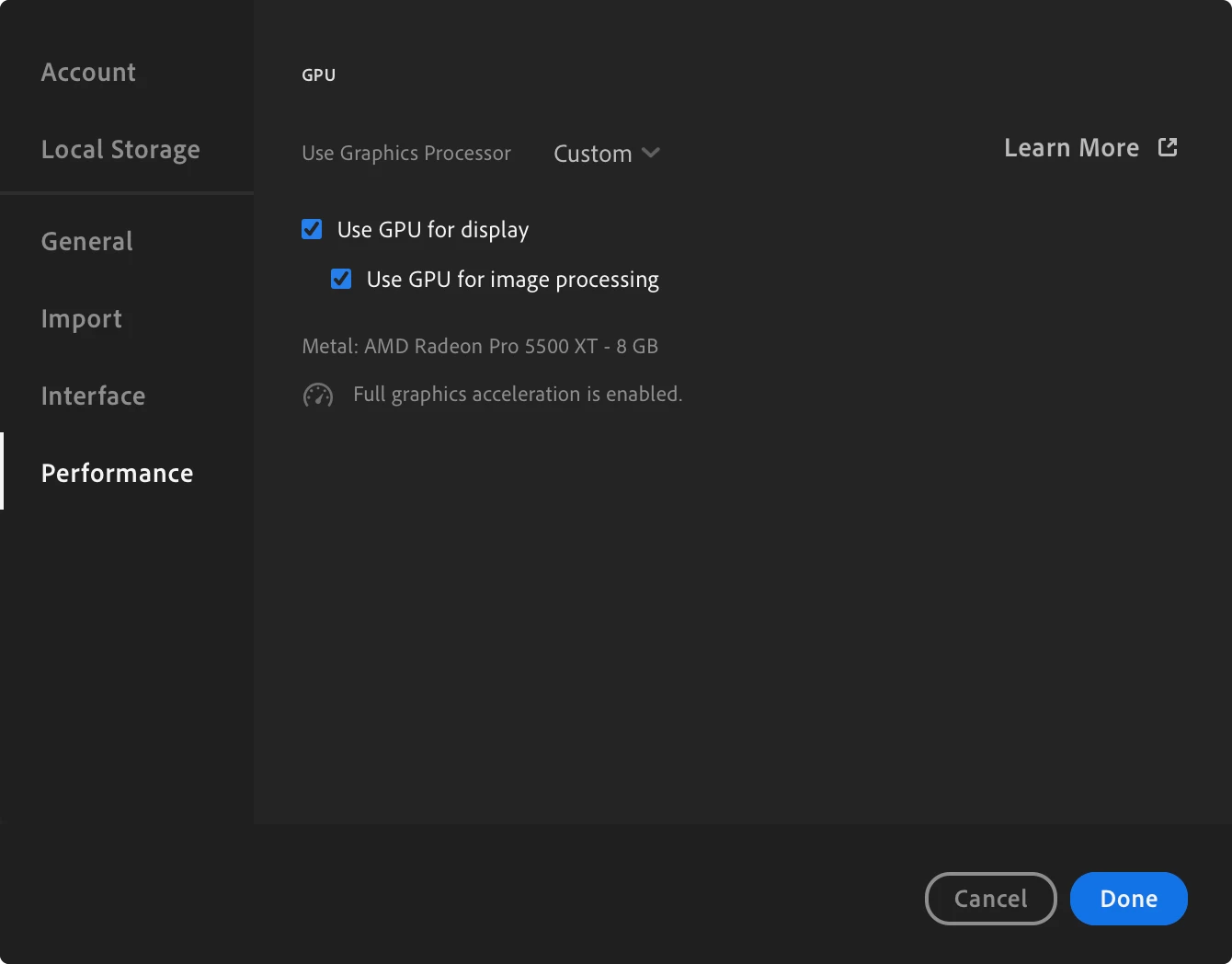
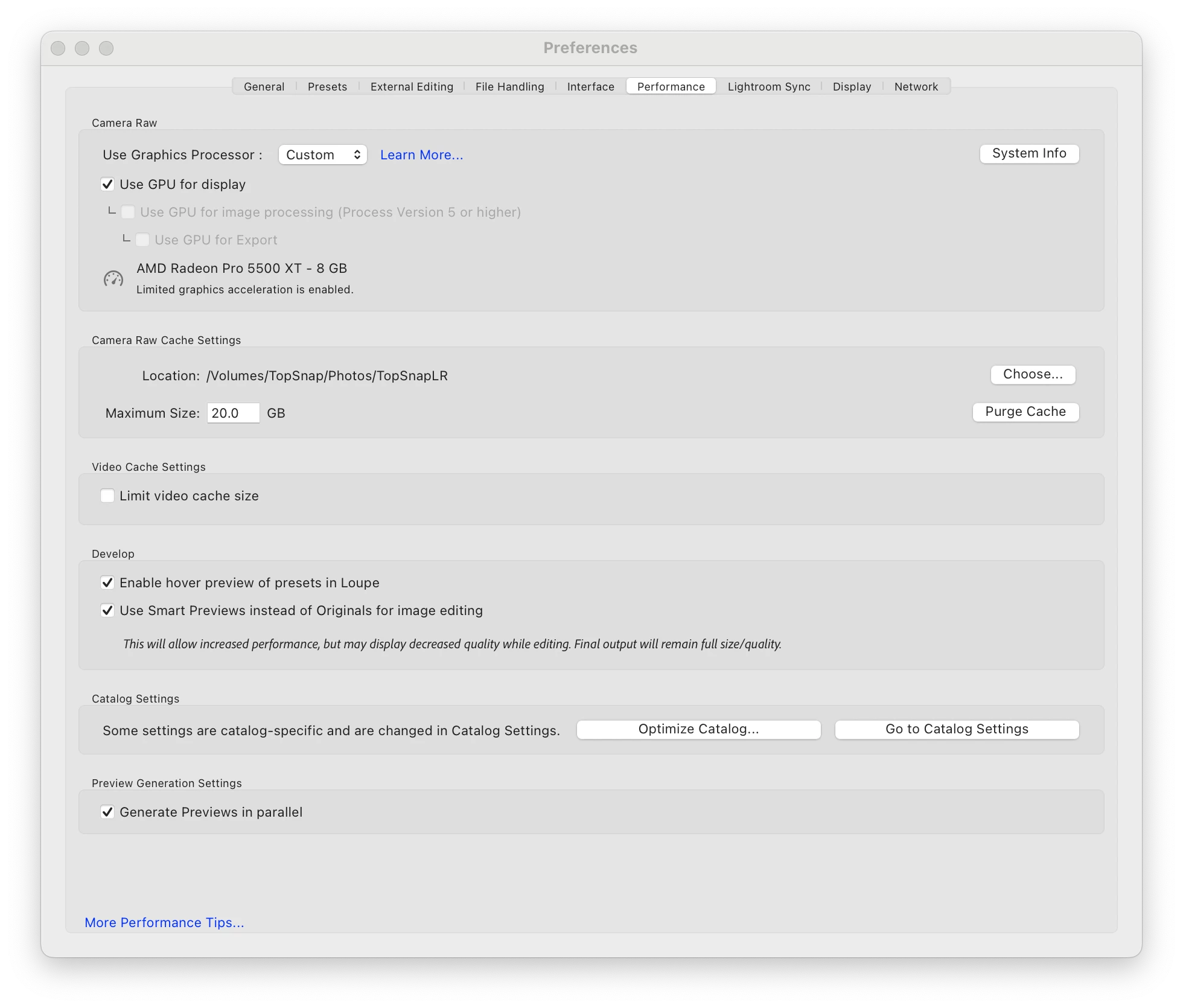
Hello, I have found that Lightroom Classic will not fully use my IMac's AMD Radeon Pro 5500 XT 8GB. It will only use it for the Display but wont let me tick the additional boxes such as Image Processing and Exporting. Interestingly however, Lightroom CC allows me to fully use the GPU.


I am very confused as to why. Is there a solution or a way to get Classic to make full use of my GPU? If not I might have to start using Lightroom CC for Intensive Editing
This topic has been closed for replies.
Correct answer

I have found the fix!!!


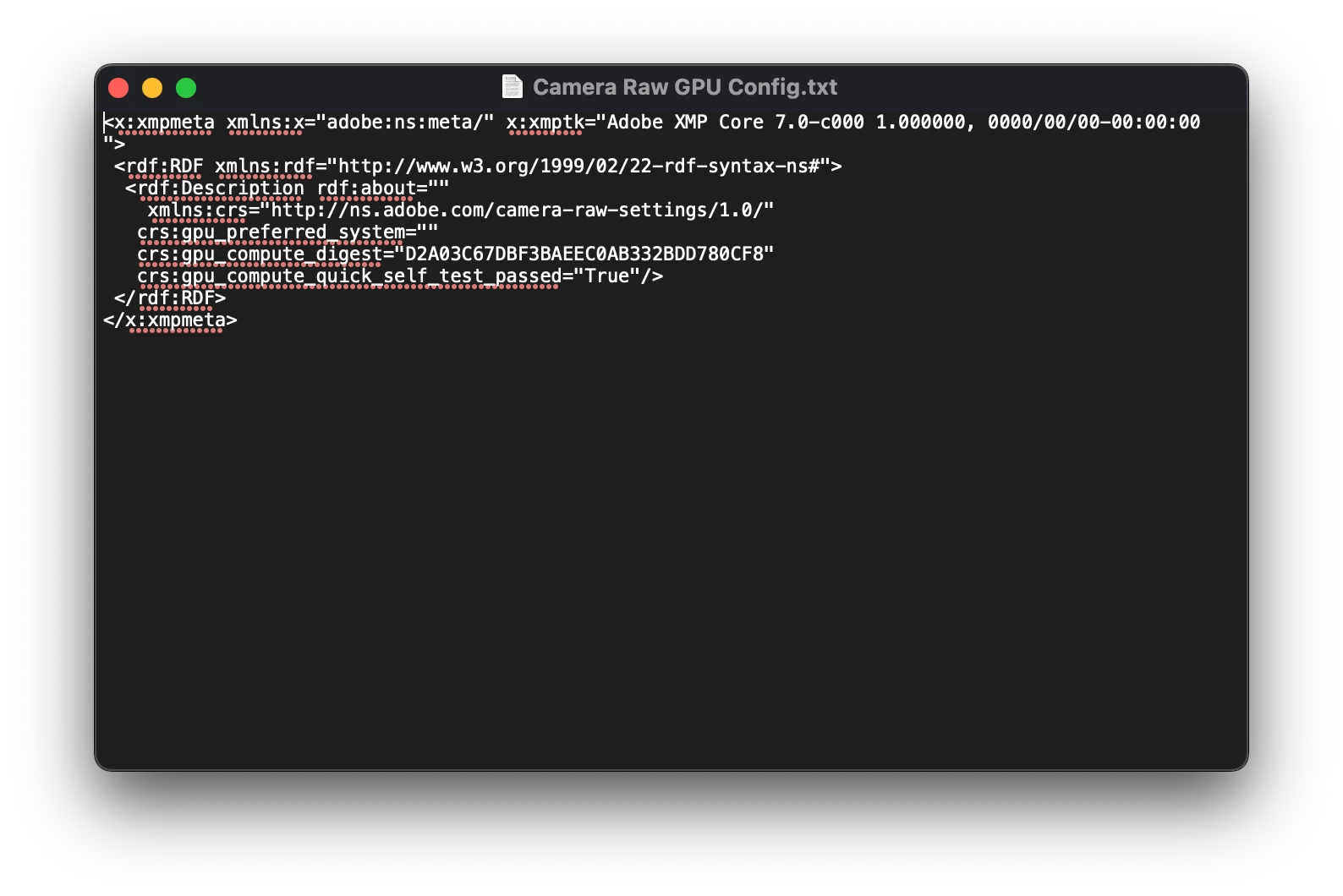
First you find "Camera Raw GPU Config.txt file

(Libary -> Application Support -> Adobe -> Camera Raw -> GPU -> Adobe Photoshop Lightroom Classic)


Then open it up check that the text is as follows:

"crs:gpu_compute_quick_self_test_passed="True"/>"

if its not set to "True", change it and set it to so.


Save it but do not close the text document!

Open up lightroom classic and go to preference and you can now fully enable the GPU

For some reason, if you close the text file then open lightroom classic, it wont work. But if you keep the document open it will work

2 replies

Correct answer
August 2, 2022

I have found the fix!!!


First you find "Camera Raw GPU Config.txt file

(Libary -> Application Support -> Adobe -> Camera Raw -> GPU -> Adobe Photoshop Lightroom Classic)


Then open it up check that the text is as follows:

"crs:gpu_compute_quick_self_test_passed="True"/>"

if its not set to "True", change it and set it to so.


Save it but do not close the text document!

Open up lightroom classic and go to preference and you can now fully enable the GPU

For some reason, if you close the text file then open lightroom classic, it wont work. But if you keep the document open it will work

Rikk Flohr_Photography
Community Manager
Community Manager
August 2, 2022

I would be cautious of this fix.


The reason this is happening is because your GPU is failing the Self-Test at Lightroom launch and being disabled.


By creating this file and leaving it open you are preventing Lightroom from writing to the "Camera Raw GPU Config.txt" file. The test is there for a reason and you may receive unexpected failures down the road due to forcing the GPU into a fully enabled state when it has been deemed less-than-capable by the GPU test.


A better solution is to trouble shoot the incompatibility in your GPU's drivers or to upgrade your GPU.  

Rikk Flohr: Adobe Photography Org
GoldingD
Legend
July 10, 2022

It is likely that a driver update from Apple (with help from AMD) will be required. Unlike Windows computers, you are at Apples mercy on that, you cannot get it directly from AMD.


Note that some Windows users are also having issues with AMD GPU's and the latest LrC, 

July 13, 2022

Hello,

It does not seem to be the case as I have found my Macbook Pro has the same issue, yet it has intel's integrated graphics. I can fully use the graphics on the Lightroom Mobile version but again, not on Lightroom Classic. I suspect its Lightroom Classic having issues utilising the graphics card. Cant confirm for certainty however. Might just have to wait till it recieves an update

DdeGannes
Community Expert
Community Expert
July 13, 2022
Regards, Denis: iMac 27” mid-2015, macOS 11.7.10 Big Sur; 2TB SSD, 24 GB Ram, GPU 2 GB; LrC 12.5,; Lr 6.5, PS 24.7,; ACR 15.5,; (also Laptop Win 11, ver 24H2, LrC 15.0.1, PS 27.0; ) Camera Oly OM-D E-M1.