New Participant
December 23, 2024
Question

Lightroom HDR Merge Issues?
  • December 23, 2024
  • 1 reply
  • 610 views


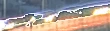
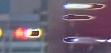
When merging HDR in Lightroom, strange artifacts like the photos occur around bright light sources or their surrounding areas

This issue mainly happens with nighttime photos that have intense lighting

It occurs regardless of whether 'Auto Align' or 'Auto Settings' is enabled, and I'm using three exposures: -2, 0, and +2

Increasing the deghosting amount can resolve the issue if the problematic areas are included in the deghosting target (since deghosting works by addressing such areas without merging multiple images)

However, if the area isn’t identified as a deghosting, the issue remains unresolved


Additionally, when merging sunset photos, applying deghosting to address issues like moving clouds often causes noticeable color banding along the boundaries of the deghosted areas (last 2 photos)

The color and tonal gradation don't align properly, creating visible layers

I'd like to know how to resolve this issue

Also, if there's a specific name for these artifacts, what are they called?

What could be causing this, and how can it be fixed?


[moved from bugs to discussions according to the community rules - Mod.]

1 reply

cmgap
Community Expert
January 8, 2025

Would you be willing to share a selection of images that can be tested via dropbox or other service? Testing this will be helpful to see if it can be recreated as you have shown in yoru screenshots.

New Participant
January 10, 2025

These are 3 raw photos, not the same picture on my post, but also I took and have the same problem when merging 


https://shorturl.at/Yjs9N

cmgap
Community Expert
January 11, 2025

Got them - I see what you are describing when cycling through the Deghost Amount Settings. Is this what you are referring to?  If yes, what I see is caused most likely by the 2-stop bracket long exposure settings (15 sec, 30 sec. and 6 sec). I tested each Deghost setting with High being the most successful.


It still requires more editing, I was only looking for the artifacts, but High has the most amount of sharpness and the least amount of ghosting.


There's a number of ways to expose for this scenario with trade-offs no matter what choice you make. If you want movement in the sky and clouds and tack sharp foreground, center, background and you don't want to composite the image I do wonder if more brackets (from 3 to 5 or 7 or even 9 exp.s) would be beneficial.


I hope others that have made similar images without compositing them will chime in and share their experience.