


LR Classic duplicating and moving files on import
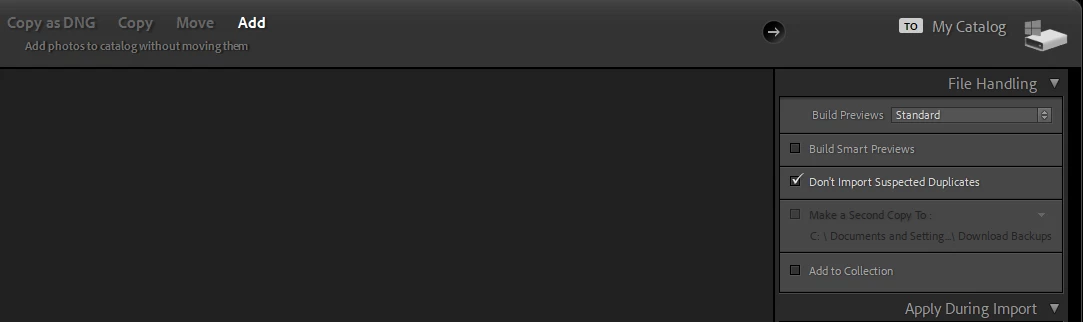
I can't get LRC to import my new files while leaving them in their current location.
For several years I have been using Photo Mechanic to offload the files from my camera's SD card, rename them, and place them in the proper location on my hard drive while also creating a backup folder as a safety measure. I then select all the files and drag and drop them onto LRC, which opens the import window and creates thumb nails of the files to be imported. I then add keywords and select "import". Normally, the files load into LRC in the same location that Photo Mechanic placed them.
Today that is not happening. Looking at the import dialogue screen, the source location is correct but LRC is changing the destination location of the files by adding a subfolder named "2025" to the destination location and a second subfolder inside of that named "2025-10-29" (the date the photos were taken). It then creates new copies of the photos and places them inside this "2025-10-29" folder while renameing them so that the file sequence number starts with 0001. It totally ignores the original files, which are left in their original location with their original sequence numbers.
What is going on?
I am using Mac OS Sequoia 15.5. Initially I was using LRC 14.5.1, but I updated to 15.0 with the same results.
Rather than using drag and drop, I also tried opening the LRC Import dialogue screen and selecting the file location in the "Source" column. LRC still creates the two subfolders inside the Destination location and places a check box beside each. If I uncheck these boxes, the thumbnails all go dark, indicating there is nothing to import.
Thanks,
Charlie
 AdChoices