



kentmcpherson
Inspiring
August 21, 2018
Answered

LR/Instagram plugin just starting giving an error

  • August 21, 2018
  • 40 replies
  • 37446 views

I have been using the LR/Instagram plugin (registered) for some time.  Today, when I tried to publish, I got this popup and the photo in my library still says it's unpublished. However, it actually is on my Instagram account.  Anyone else seeing this?   How to fix?
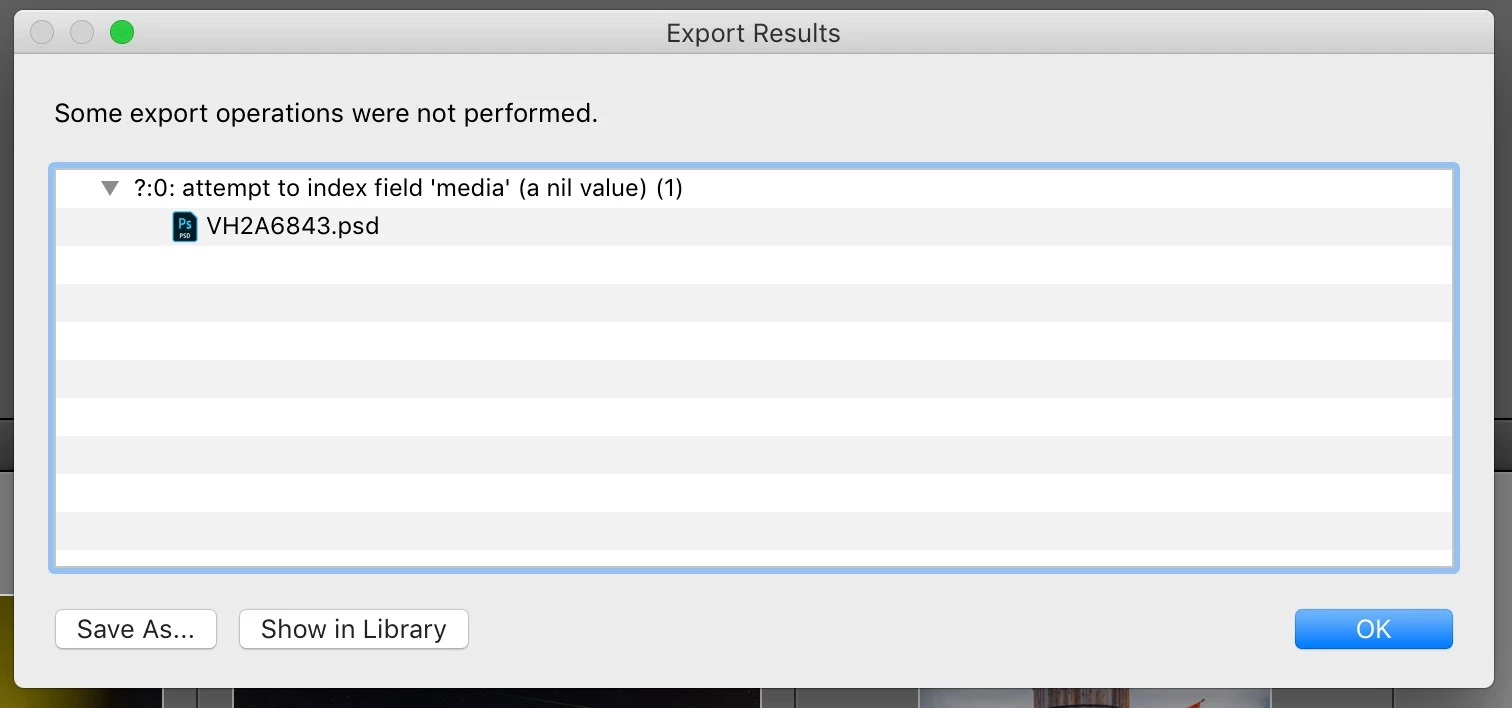
This topic has been closed for replies.
Correct answer StefanWieser

Looks like Facebook is blocking direct upload from third-party developers like lightroom since August 2018 on their services (like instagram)

See here for more details:

Facebook authentication check failed

40 replies

Participant
March 1, 2021

I just went into the plugin manager and hit reload plugin.  That did the trick.

Known Participant
March 21, 2019

I did not scan all the responses here, but in case it was not already mentioned...

One possible solution to having to move images around to other locations (eg dropbox) where you can use an Instagram-friendly device to post to Instagram is to use your web browser set to simulate a mobile device. To do so, chose the Developer mode and select the mobile device to simulate and then log into your instagram account.  In that view of Instagram, all the features/buttons should be available and you can upload and caption a selected image.  Ya it isn't as convenient as having a plugin, but it is simply than doing the image file shuffle boogie just to get a posting to your account.

For example, using Chrome on a Mac (shouldn't be that different with Firefox, Safari, or Opera .. or with a PC)

Select the Developer mode:

Select the device simulation mode. For Chrome, this is the device icon (overlaid rectangles), second from the left:


On Chrome, this button will activate the device toolbar.

Choose your desired mobile device from the Responsive drop down list:

Et voilà. Log into your Instagram account and post images directly from your Mac/PC

Participant
July 2, 2019

Thank you a lot!!

Participating Frequently
February 1, 2019

I am using a current version of the plugin 0.6.1594.

I reinstalled the plugin and the LR and I still have no access.

I install the plugin, you will "configure" I type the login and a password and it is a LOGIN_REQUIRED message.

I received a login account in my personal email but no access is not authorized.

I've tried several solutions and not success

frustration!

No assistance from Adobe or Intagram!

KR Seals
Community Expert
Community Expert
February 1, 2019

You should take this issue up with the author of the LR/Instagram plugin. Adobe nor Instagram have nothing to do with this.

I just noticed that my Lrinstagram plugin is missing. I think a recent Win 10 is responsible. I had to reset some LR preferences.

Try uninstalling and reinstall the plugin and enter your IG login information fresh.

Ken Seals - Nikon Z 9, Z 8, 14mm-800mm. Computer Win 11 Pro, I7-14700K, 64GB, RTX3070TI. Travel machine: 2021 MacBook Pro M1 MAX 64GB. All Adobe apps.
Participating Frequently
February 1, 2019

Ja escrevi ao responsável pelo plugin, mas ele não retornou.

Citei o instagram, porque recebo e-mail confirmando início de sessão, mas não tenho a opção de confirmar esse login.

Acredito que isso funcionaria como uma autorização para o plugin.

Solicitei apoio ao suporte do instagram e não obtive qualquer resposta. Nem aquela que dizia que a situação deveria ser tratada por outro meio.

A adobe tambem não nos orienta sobre a possível existência de uma memória  de login.

Já reinstalei o plugin  e até o LR e fiz todo o processo do início, partindo do zero, mas sem sucesso.

Known Participant
January 11, 2019

I have come back to work after an absence since mid summer and find the same thing.  As others have stated, it is a political ie backend change.  My workaround is to make my collections shareable via Lightroom Mobile (whatever they are calling it this week) and uploading to Instagram from my iPad.  At least this way I can upload processed photos, if a bit of a pain.  Not nice for curating things, grr.  Do not install both versions of Lightroom on your desktop, that lead to serious catalogue trouble for a friend.

Inspiring
October 10, 2018

Just published two photos using version 1575. No problems or error messages.

thecharlesgwaugh
Participant
October 23, 2018

FWIW:

Win10

LRInstagram build 1594

Works like a charm!

(yes, I had to delete the old plugin and reinstall the new.)

Cheers!

Charles

Participant
September 29, 2018

I have the same issue as well with Mac OS Mojave, Lightroom Classic Updated, LR/INS ver. 1594. Nil value when logging in. Any updates chaps?

Known Participant
September 21, 2018

JJ50---what platform? Mac or windows? I did the same thing on windows 10 . No success. I get a confirmation that I m lodde in but in Light romm I get error

Inspiring
September 25, 2018

Was again able to post one photo using version 1575 and it looks sharpie focus. Have not tried subsequent versions.

Participant
September 21, 2018

Hi, I had the same problem and followed the instruction I read here: uninstalled the current version of LR/Instagram plugin and installed a new one from the developer's website.

It worked!

Thank you, guys!

Known Participant
September 18, 2018

upgraded to 1594 running latest LR classic on W10 . Login error can´t make it work... :-(

It registers at Instagram as a login because for  every atempt I get an Email confirming the login...

Participant
September 18, 2018

I have exactly the same set up and experience the same problem.

johnrellis
Genius
September 18, 2018

The "readme.txt" file included in the plugin download lrinstagram_r1594.zip says:

Release notes

-------------

Version 0.6.1594

Added more analytics for login fail

So it's clear the developer is still trying to resolve the login issue with the new Instagram protocol.  He doesn't appear to communicate through these forums, only by email.  (Adobe doesn't provide support for third-party plugins.)

Stefan60
Participant
September 9, 2018

In this case I see the person was uploading a PSD-file. In my case it happens with JPG-files too, only since last weeks.

And on top of that about 1 month ago I payed the $10.