


Known Participant
May 5, 2024
Question

LRC Backups.

  • May 5, 2024
  • 1 reply
  • 1078 views

I am using LrC 13.2 with Mac OS Sonoma 14.4.1

My backup folder for LrC is 541 GB. Can you tell me what I can remove from this folder to reduce it's size in order to free up space on my hard drive?
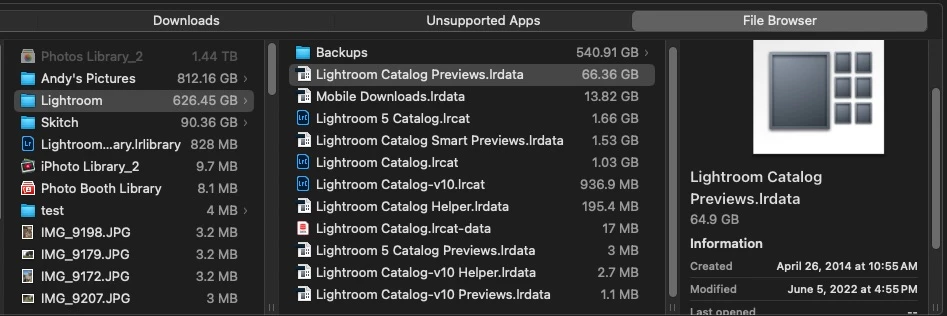
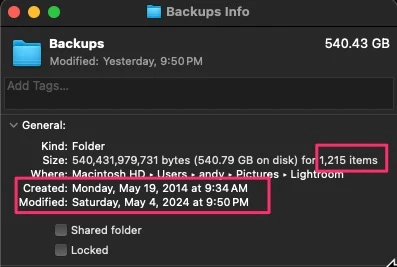
As you can see there are some 1,215 backups.

I'm trying to learn about how Backups of the Catalog work and I would appreciate some help in determing what can be gotten rid of.

Thank you in advance for any help with this.

Firislander.

This topic has been closed for replies.

1 reply

KR Seals
Community Expert
May 5, 2024

Every so often, I will delete the zipped backups in the backup folder except for the last three or four. The way do determing this is to sort the backups by date, newest first.

It looks to me like your backup folder is in the same master folder with your other Lightroom Classic files, including the catalog. This is a very risky situation. If that drive fails, you will loose your catalog and all the backups. To avoid that, get an external drive or two for the backups and your photo files. If you already have external drive(s), when you quit Lightroom Classic, there is a place to designate one of the external drives as the location for the backups.


Ken Seals - Nikon Z 9, Z 8, 14mm-800mm. Computer Win 11 Pro, I7-14700K, 64GB, RTX3070TI. Travel machine: 2021 MacBook Pro M1 MAX 64GB. All Adobe apps.
Known Participant
May 5, 2024

I do have my backup folder in the same master folder with my other LrC files, including the catalog on my internal drive. I guess this is the way it was set up when I started using Lr almost a couple of decades ago. As I stated I am trying to free up space on my internal drive. Your concern about a failed drive is one of the reasons I have moved most of my photo files to an external drive (with backup copies on 2 separate external drives) and use Backblaze to backup my photo files on my internal drive as well as the 3 external drives. As well my catalog and other LrC files are backed up to Backblaze as well.

So, and this is what I was wondering about, you're saying that I can remove all but the 3 or 4 most recent backups and I will be good to go, yes?


KR Seals
Community Expert
May 6, 2024

Yes, you can remove all but the last few. But you really need to start putting the backups on one of the external drives. Make a "LrC Zipped Backups" folder at the root of one of those drives and use that for the backups.  Once you get a few backups on the external drive, you can delete them all from where they are currently located.


Ken Seals - Nikon Z 9, Z 8, 14mm-800mm. Computer Win 11 Pro, I7-14700K, 64GB, RTX3070TI. Travel machine: 2021 MacBook Pro M1 MAX 64GB. All Adobe apps.