


denniss69559821
Participant
April 16, 2022
Question

LrC Selection Triangles and Folder Icons disappear from Folder Panel in Library Mode

  • April 16, 2022
  • 2 replies
  • 525 views

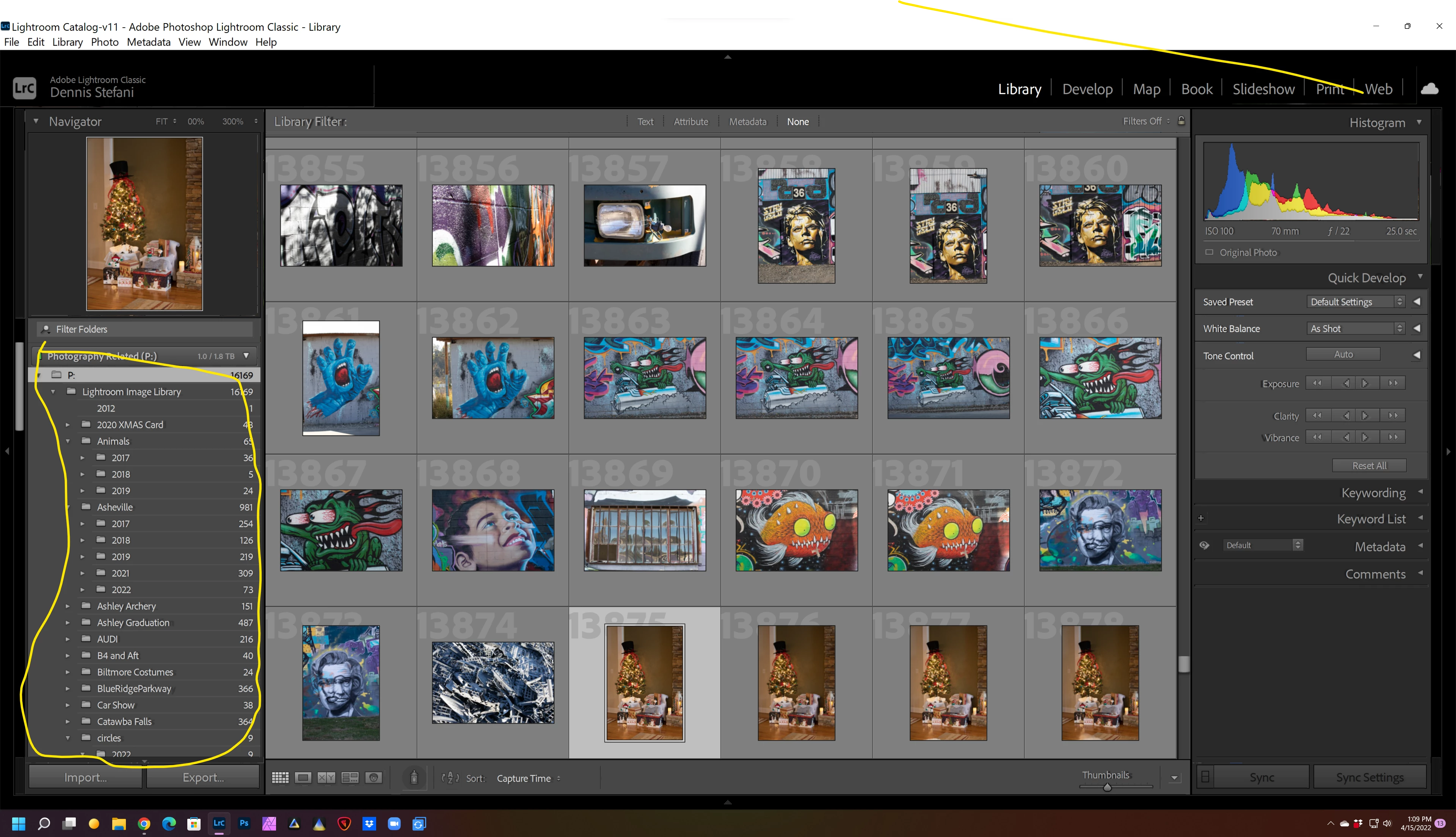
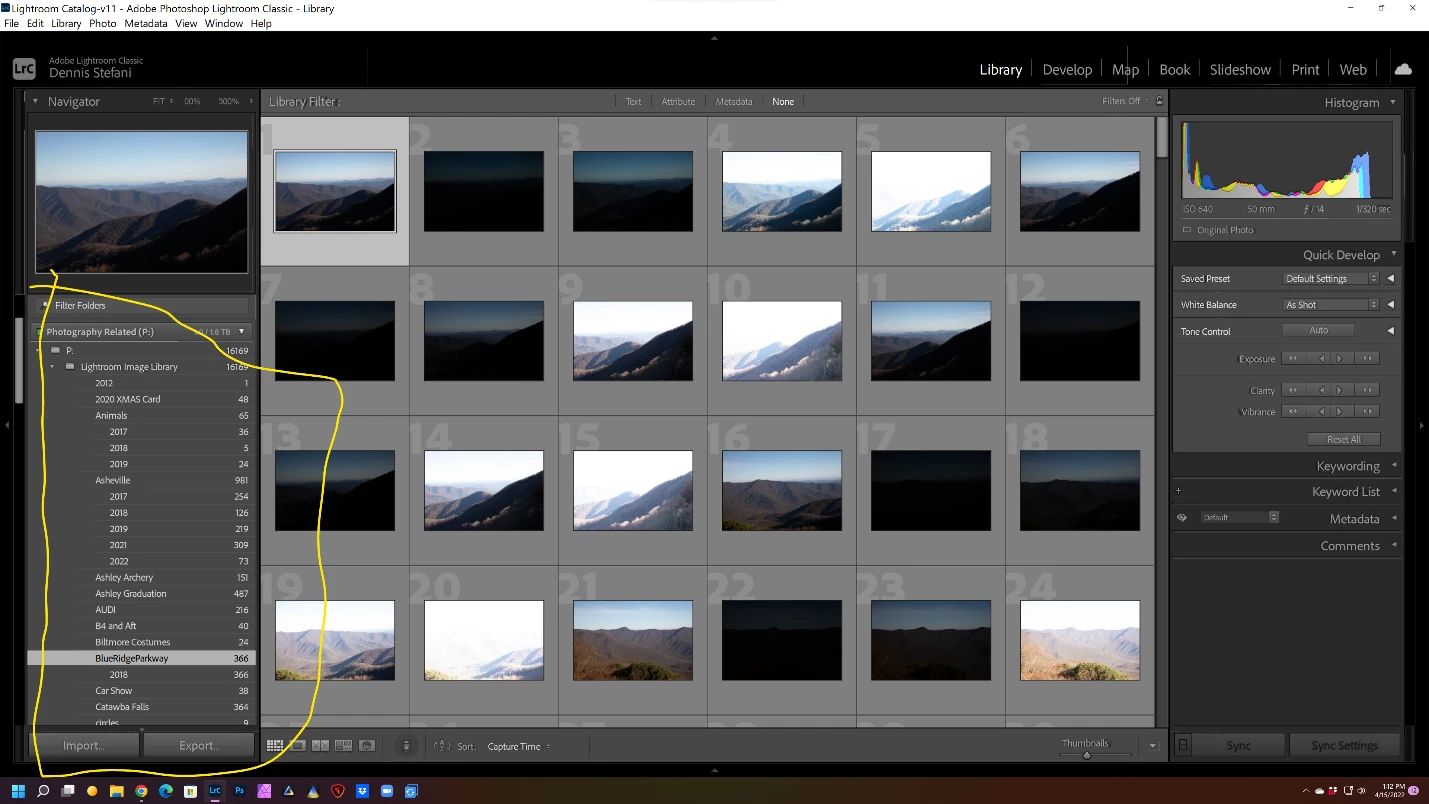
HELP…….I am having a problem with Lightroom Classic.  In the library mode when I mouse over the folders pane, the triangles and folder icons disappear.  And randomly,. They will return when moused over a subsequent time. 

BEFORE MOUSEOVER SCREEN SHOT
 

AFTER MOUSEOVER SCREEN SHOT


I am running:

Win 11 ver:  21H2  Build:  22000.613

Lightroom Classic version: 11.3 [ 202204051513-7a25c809 ]

Desktop composition enabled: Yes

Displays: 1) 2560x1440

Input types: Multitouch: No, Integrated touch: No, Integrated pen: No, External touch: No, External pen: No, Keyboard: No

Graphics Processor Info:

DirectX: NVIDIA GeForce RTX 3070 Ti (30.0.15.1215)


2 replies

Participant
February 9, 2025

In case this issue hasn't been rectified, I had this problem with my new 4k Asus monitor and I found a fix.

Right click and select properties of LR icon. Go to 'compatiblity' , then "Change high DPI settings". Then High DPI scallin override, dropdown menu of 'applicatio,system or sytem enhanced'. I selected 'system'. Then OK and then 'Apply' and now it is working good. And I can read everything and the triangle arrows stay there as they should.

johnrellis
Legend
April 17, 2022

Initial troubleshooting steps:


1. Nvidia makes it hard to determine, but I think the driver version 30.0.15.1215 is a Game Ready driver. Go to Nvidia.com and download the latest Studio driver (which Nvidia tests with creative apps like LR and PS).


2. Try resetting LR's preferences:
https://www.lightroomqueen.com/articles-page/how-do-i-reset-lightrooms-preferences/


LR sometimes soils its preferences file, and resetting it can fix all sorts of wonky behavior. That article explains how to restore the old preferences if resetting doesn't help.

denniss69559821
Participant
April 17, 2022

John,


Thanks very much for the suggestions.  Here's is where I'm at;

Tried both of your suggestions.  NVIDIA site indicates that my driver is a STUDIO driver.  But, I downloaded an older one anyway.  No luck.  Put the latest one back in.  I reset the preferences and also, no luck.  I have a message into NVIDIA also.  It is a bad deal for me and really slows me down working with LrC!  There were listed as compatible.

I have notified NVIDIA but no reply as of yet.  I also have an issue using the development modules if I use the GPU memory. 

Dennis

johnrellis
Legend
April 17, 2022

Set Preferences > Performance > Use Graphics Processor to Off and restart LR. I don't recall seeing these symptoms before, and I doubt disabling the graphics processor will have an effect on this, but it's easy to try.