


Shadowfantasy-fZjuOi
New Participant
August 1, 2018
Answered

Map Module Not Working in Lightroom Classic CC

  • August 1, 2018
  • 7 replies
  • 10568 views

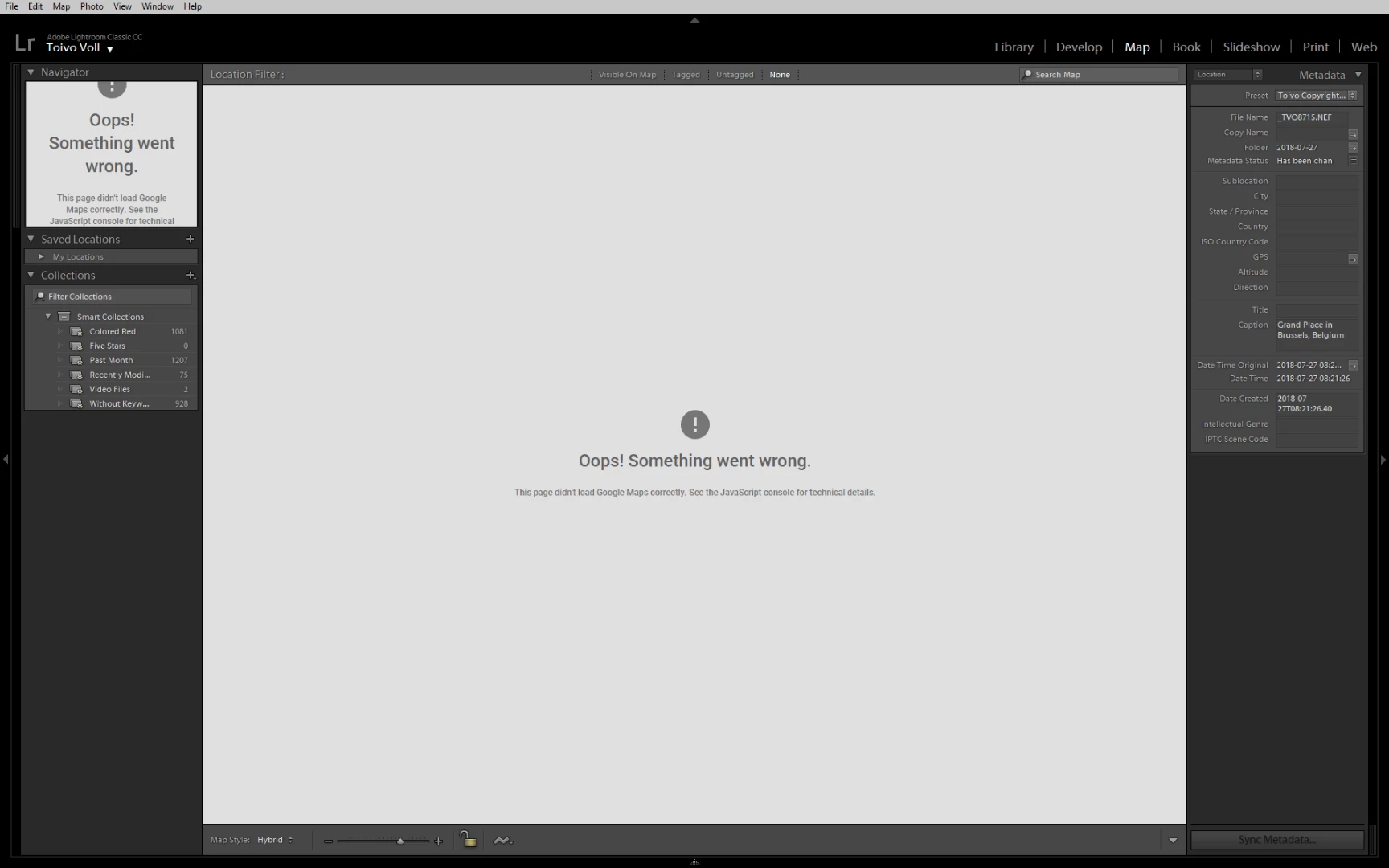
I just let Creative Cloud update Lightroom Classic to 7.4. Otherwise things work, but as soon as I got the Map module I get "Oops! Something went wrong. This page didn't load Google Maps correctly. See the JavaScript console for technical details."

The Internet seems to say this is typically seen when the application has the wrong Google maps API key -- is this something that needs to be set by Lightroom users? How do I see the Lightroom JavaScript console?
This topic has been closed for replies.
Correct answer 99jon

The map is back. You may need to re-start Lightroom and / or re-boot your computer.

7 replies

New Participant
December 8, 2018

Yup this has happened with many software and websites recently that are using Google Maps. It is a simple fix for web developers, but it seems Adobe may be a whole lot slower at fixing this issue.

Does adobe have a tech support email address or something we can all email to let them know this has broken?

Damn google for changing their ways!

Anyone know if we can change the basemap we use (Bing or something instead)??

EDIT: It seems Map is no longer supported. This was a main reason why I purchased lightroom, I feel I am entitled to a refund from Adobe now they have taken the software function away from me! Very angry!

Map is no longer supported in this version of Lightroom

New Participant
December 8, 2018

Adobe have no intention of fixing it, even though there obviously is a fix as the latest version's map module works fine - I would wager these version access the map identically, and if not, a simple update to a DLL would fix it. Instead og honouring paid licenses, they're using it as an opportunity to force people into their subscription model.

Here's the link to the Adobe statement on the topic:

Map is no longer supported in this version of Lightroom

New Participant
December 8, 2018

Adobe, now that I know you're willing not merely to abandon standalone users, but to cripple the application, I feel less and LESS interested in your product.

-unwilling to bend over.

Joey_au
Participating Frequently
December 7, 2018

I've migrated over to corel after shot pro and paintshop 2019 geotags work on going support and no monthly sub. Guess if I wanted to make monthly payments I would go to a bank.

FrancisJH
New Participant
December 7, 2018

I got the same problem yesterday December, 6. And contrary to what is mentioned at the beginning it is not solved! If it is only a CS6 problem, I believe this is a way Adobe has found to force their users to subscribe annually, something I don’t want to do.

The excellent free software GeoSetter, which is way more powerful than the map module of Lightroon also has a problem with Google Maps, but at least you can still see something, not a grey page like in Lightroom CS6.

So the question is: when Adobe plans to fix this issue?

New Participant
December 7, 2018

Geosetter is truly awful, one of the worst designed and unusable interfaces I've come across. Nikon's ViewNX used to be good for geotagging, but the latest version (the only one that now also works) is awful as well.

I have CC2015 with perfectly good license - Adobe can shove it if they think I'm going to spend a fortune on the annual license to get the map feature back.

keithm43008935
New Participant
December 2, 2018

I to have same problem in LR 6.14. Call me cynical but similar problem of none working map module in photoshop elements 14 some time ago. Adobe blame Google,  this time java. The real reason is Adobe find a way of shutting down this Web based facility so you are coerced into taking up an annual payment product. My google map interface provided by Synology in photostation6 works just fine as does google earth. If I am wrong let Adobe go on the record to deny this.

Participating Frequently
December 2, 2018

Best I can tell Google has upped (by around 1400% ????) the costs of hooking into their maps, and a lot of program apps are switching to Here, Mapbox, and other map services which don't charge as much, but which probably aren't as good. You would think, however, that Adobe would at least set us up with a low resolution map or something before just disconnecting from Google. [Sorry, I'm being nontechnical about this.]

The Maps part of the Lightroom catalog is an important part of the photo database and a solution of 'hand typing' in map coordinates is a pretty poor response out of Adobe..... And frankly I use Google less and less these days. A google search for anything generally just brings up several pages of links to someone trying to sell me whatever I am searching for. (Facebook, the same way...)

Joey_au
Participating Frequently
December 1, 2018

I have the  same problem with 6.14 as of the last two days

John Waller
Community Expert
December 1, 2018
Joey_au
Participating Frequently
December 1, 2018

Not sure if the error message wording matters (I could be wrong).

But Adobe has made clear that, as of 30 Nov 2018, the Map view no longer works in any version of Lightroom other than Classic CC 8.0.


Thank You guess its time to look for an alternative

99jon
99jonCorrect answer
Brainiac
August 2, 2018

The map is back. You may need to re-start Lightroom and / or re-boot your computer.

JohanElzenga
Community Expert
August 1, 2018

Yes, Google seems to have changed something. Hopefully it's just a temporary glitch, otherwise Adobe may have to bring out an update before it works again.

-- Johan W. Elzenga
davidmarquesneves
New Participant
August 1, 2018

Same here.
Debugging look like that Adobe miss up the renew of your internal (!!!) Google Maps user key.