Inspiring
April 26, 2023
Answered

Opening Denoise

  • April 26, 2023
  • 7 replies
  • 7493 views

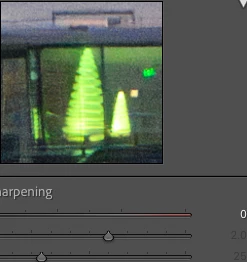
Adobe recomends to Denoise early in the process. One method is to press the Reset which clears everything, however sharpening defaults to 40. This does carry over to Denoise. No one is really sure if Denoise is supposed to ignore it but you can see it. I've set it to 150 just to test it and it does show after processing and back in LrC. Denoise has to work harder. Is this a bug or is there another process we should be aware of like zeroing out sharpening as well? The examples show one file with sharpening set to 0 and the other 40.                                 


I'm on a Mac - Ventura 13.3.1  


This topic has been closed for replies.
Correct answer JohanElzenga

[This post contains formatting and embedded images that don't appear in email. View the post in your Web browser.]


What's the justification for copying Sharpening settings from the original raw to the denoised DNG?


The default sharpening amounts chosen by manufacturers, Adobe, and users were chosen based on original raw files. But Raw Details changes the image considerably -- it "produces crisp detail, improved color rendering, more accurate renditions of edges, and fewer artifacts."


It's not at all obvious why a setting based on a raw file would be appropriate for the output of Raw Details.


Here's an ISO 14,000 Nikon Z 9 image with:


left: camera default sharpening of 32 applied to the original raw

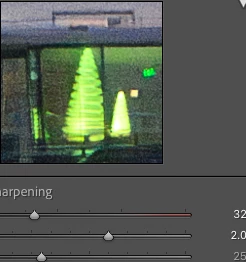
center: sharpening of 0 applied to the Denoise DNG

right: sharpening of 32 applied to the Denoise DNG
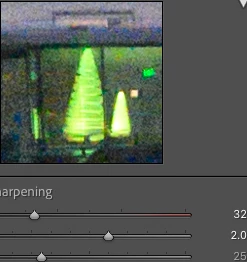


My preference is for denoise sharpening of 0, producing a pleasing balance of detail and noise reduction.  Preferences vary, of course, but my question remains: What justifies copying the sharpening setting from the raw to the output of Raw Details/Denoise?


@johnrellis  Nothing. It's probably an oversight. They did set any manual noise reduction settings to zero, and forgot/did not realise that sharpening also has an effect that is not the same. That is why I suggest to create a 'zero all' preset and use that. 'Reset' does not zero out everything, but sets it to the camera defaults.


 

7 replies

New Participant
August 5, 2023

I got this message Denoise not applied only applicable to bayer and xtrans files???

johnrellis
Braniac
August 6, 2023

"I got this message Denoise not applied only applicable to bayer and xtrans files???"


See this article for an explanation:

https://www.lightroomqueen.com/denoise-work/

New Participant
July 22, 2023

  1. quote

    Adobe recomends to Denoise early in the process. One method is to press the Reset which clears everything, however sharpening defaults to 40. This does carry over to Denoise. No one is really sure if Denoise is supposed to ignore it but you can see it. I've set it to 150 just to test it and it does show after processing and back in LrC. Denoise has to work harder. Is this a bug or is there another process we should be aware of like zeroing out sharpening as well? The examples show one file with sharpening set to 0 and the other 40.                                 


    I'm on a Mac - Ventura 13.3.1  


    By @digital paradise
  2. Sxe
DdeGannes
Braniac
April 27, 2023

Lots of great advice and information in this thread.

Regards, Denis: iMac 27” mid-2015, macOS 11.7.10 Big Sur; 2TB SSD, 24 GB Ram, GPU 2 GB; LrC 12.5,; Lr 6.5, PS 24.7,; ACR 15.5,; (also Laptop Win 11, ver 24H2, LrC 15.0.1, PS 27.0; ) Camera Oly OM-D E-M1.
Inspiring
April 27, 2023

Yes it has been. A bug or not the problem is that there is no information about this out there.    

Inspiring
April 26, 2023

I use ISO Adaptive presets when importing because not all files will go through Denoise. I noticed that Reset does not uncheck lens corrections and CA. I suppose getting rid of CA would a good thing for the demosacing process? I don't suppose lens correcetions will have a big impact either?                      

JohanElzenga
Inspiring
April 26, 2023

I think there is a lot of misunderstanding about what denoise does. Denoise uses the unedited raw data and ignores all settings, so the denoised result should not be any different no matter what you set. What can be different however, is how a certain setting looks on the original raw file and on the denoised DNG file. That is why you may see differences, and that is why Adobe suggests to use Denoise first and then edit the denoised image, rather than edit the raw image and then let these settings carry over to the denoised DNG..


Reset does not zero out everything, but applies the camera defaults. If you really want to zero out everything then create a preset that does so. Remember that it does not matter if you apply this preset to the raw file before you use Denoise, or if you apply it on the denoised DNG afterwards.


-- Johan W. Elzenga
Inspiring
April 26, 2023

So if Denoise ignores unedired raw data then it doesn't really matter. I just sent a file sharpened at 150 to Denoise and it came back at 150. Obvioulsy oversharpened but NR was pretty good. I just reduced the sharpening to a normal level and it looked fine. I have a preset to zero everything. I may as well use Reset to zero out all the other settings that are applied at import with the ISO dependant preset. There are options. I could always import with no preset and apply ISO dependant as needed. I 'll think about it.


Seeing the difference between two sharpening levels in the Denoise window threw me off. I''ll have to re-read Eric Chans Denoise Dymystified blog again. I was thinking there is no information about that out there but he may have mentioned it.


Thanks.                                                   

Inspiring
April 26, 2023

Sorry. I missed the part about the demosacing process. Thanks       

Inspiring
April 26, 2023

I'm aware of capture sharpening. Can this not be applied post Denoise or does it have to be part of it during the Denoise process? Do lens abberartions effect the results of Denoise? It just seems that Denoise has to work harder.  

Sean McCormack
Braniac
April 26, 2023

40 is the default sharpening amount in Lightroom Classic. It's at that to ensure reasonable sharpeness from anti aliasing blur which is part of the demosacing process. 

Sean McCormack. Author of 'Essential Development 3'. Magazine Writer. Former Official Fuji X-Photographer.