

Inspiring
July 23, 2025
Answered

P: Mac Beta OS (Tahoe) Issues

  • July 23, 2025
  • 9 replies
  • 4682 views

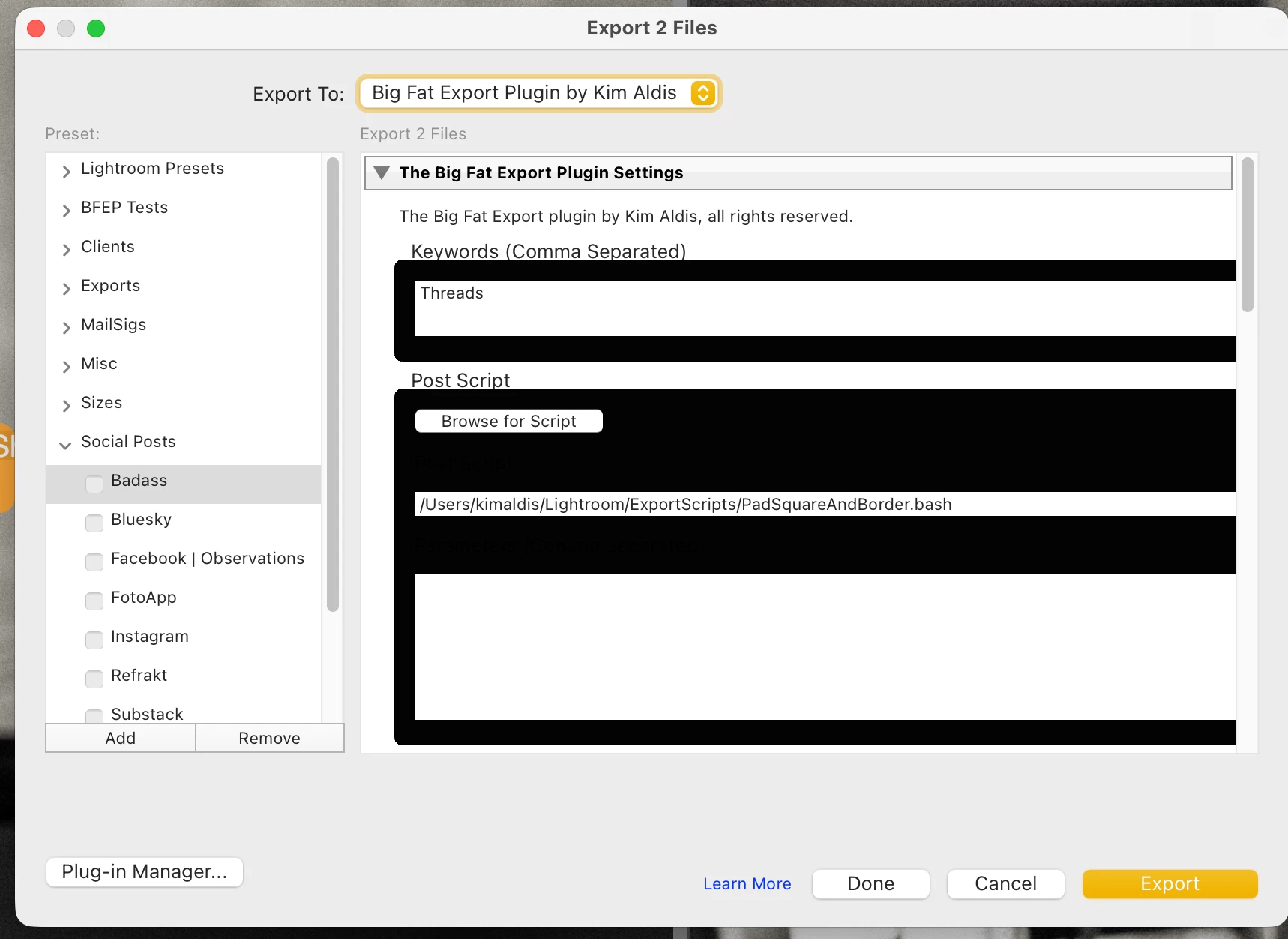
All of a sudden my dialogs have become unreadable. Anyone seen anything like this? I'm also losing the brush disks in clone, remove and masks, which may be related.

Correct answer AxelMatt

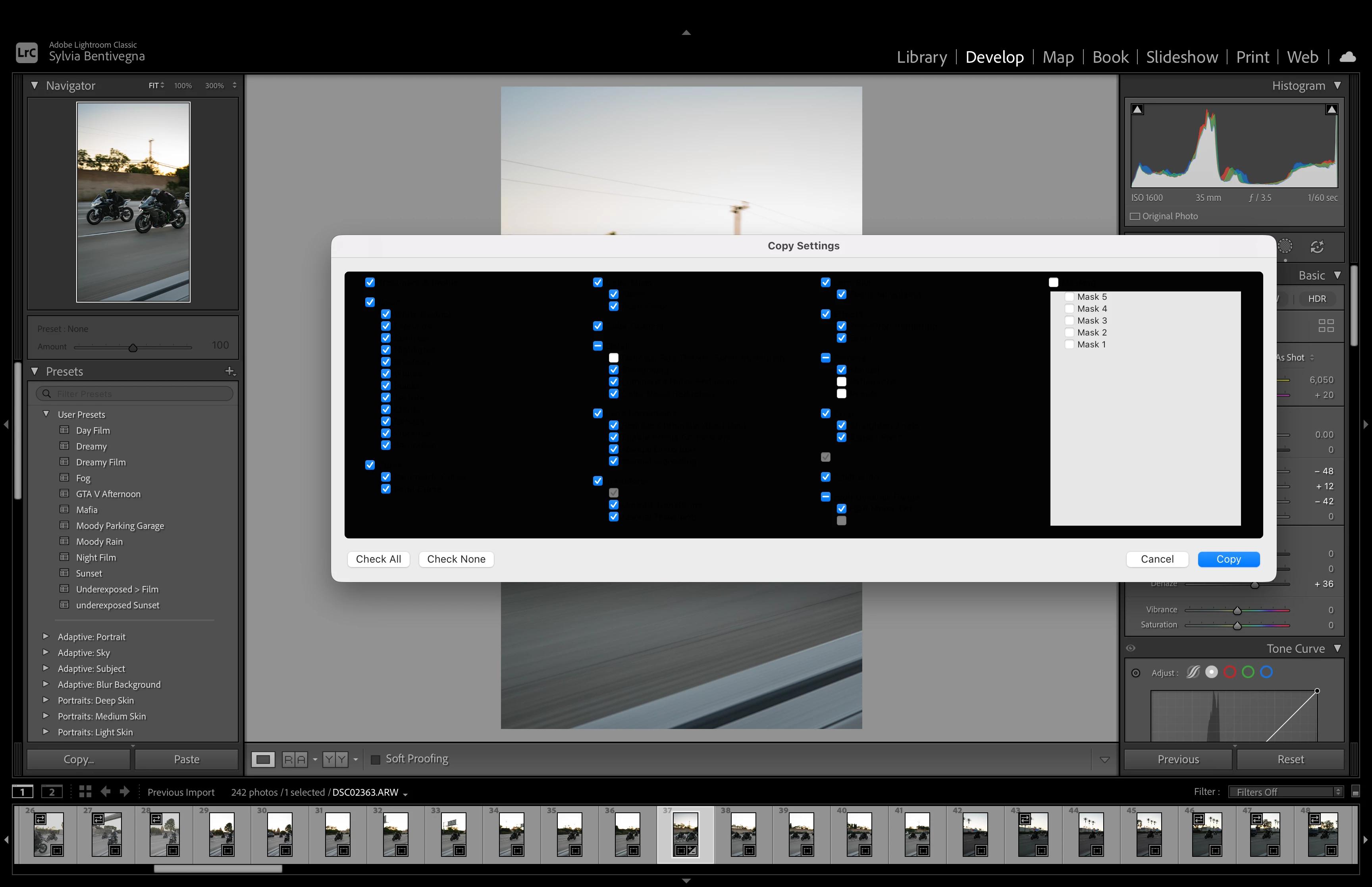
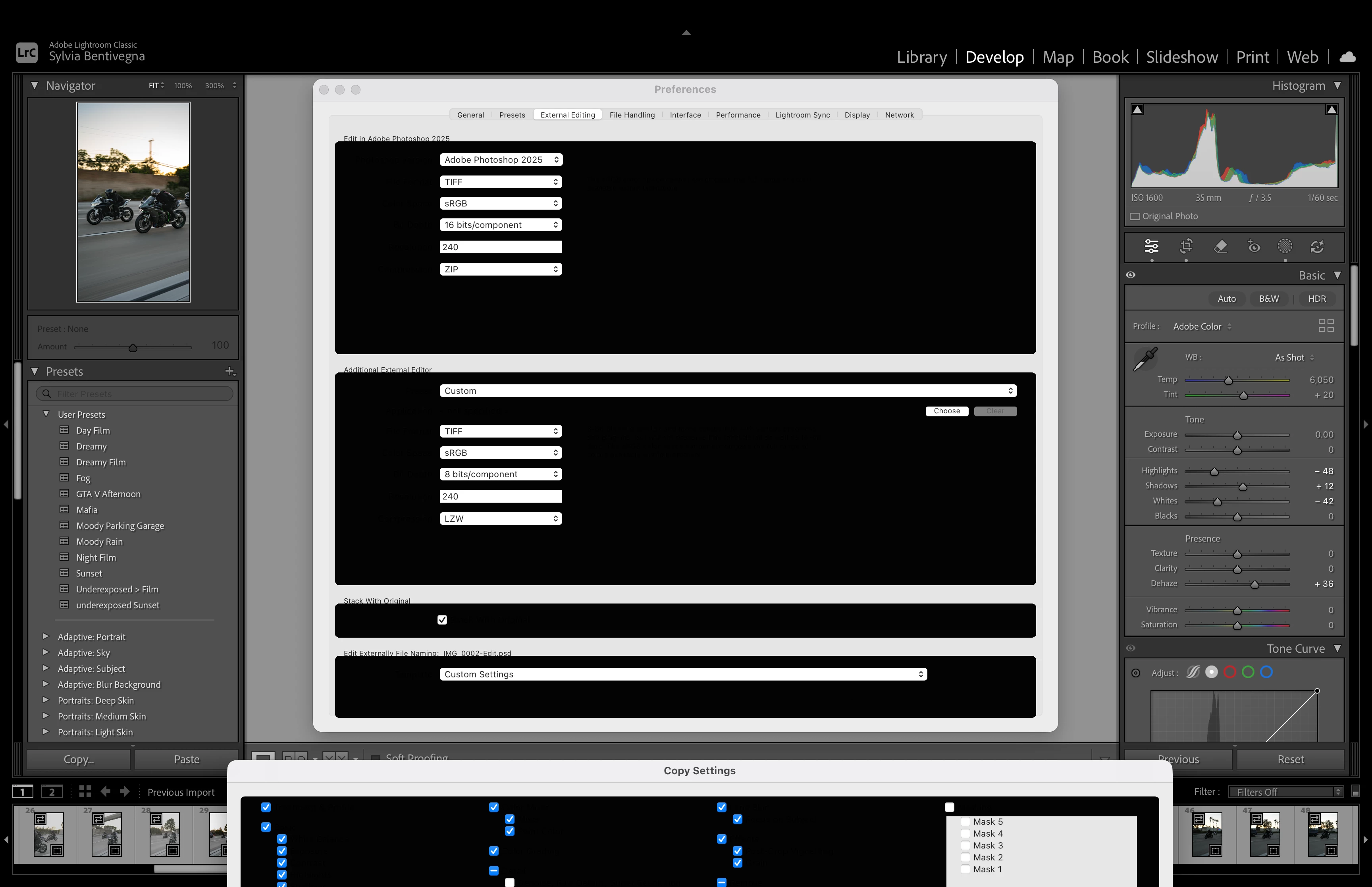
Im not sure what happeend but i opened Lightroom Classic today and the "Copy Settings" and 'Preferences" tabs are blacked out, not sure how to fix them. Ive tried to restart the aplication, downgrade and re upgrade the software, uninstall and reinstall the aplication as well as restarting my computer (macOs)a and making sure my software is up to date. If anyone has any recomendations id love to hear them, Thank you!

Try to reset the preferences of Lightroom Classic:  How to reset Lightroom Classic preferences (adobe.com)

It's recommended to backup your preferences before you reset the preferences to the default settings: 

https://helpx.adobe.com/lightroom-classic/kb/preference-file-and-other-file-locations.html


9 replies

Inspiring
September 17, 2025

Anybody using LRC with Mac Tahoe...Any issues so far?

Ian Lyons
Community Expert
September 17, 2025

Please see most recent posts in below linked thread. It's a more recent thread and contains some info re Tahoe final release.


https://community.adobe.com/t5/lightroom-classic-discussions/macos-tahoe-macos-26/td-p/15499781

New Participant
August 6, 2025

Hello,

I had the same problem with black windows in LR Today on  6.8. i Update development beta 5 and suprice this bug is gone 😄😄

Brainiac
August 6, 2025

Don't be surprised if it pops up again with another update. This is frequent with betas, regressions happen a lot. 

New Participant
August 6, 2025

The issue is not seen on Tahoe Beta5.

New Participant
August 4, 2025

Hello, my Lightroom Classic has a bug where using the copy or sync window displays black icons. The same black window also appears when saving a preset. 

My Lightroom is fully updated to the latest as of today (04.08.25)

My macbook is running a developer beta (MacOS 26, Tahoe), so I assume this has something to do with it, but i'm posting to see if anyone has had a similar issue on previous MacOS software. 


Laptop Specs: Late 2021 Macbook Pro, Apple M1 Max, 2TB, 32GB memory.

JohanElzenga
Community Expert
August 4, 2025

Known issue. Don't install MacOS beta software on a production machine!


-- Johan W. Elzenga
raymondt7796285
New Participant
August 4, 2025

I understand not using beta softwae on production machines. The Macbook is not my main machine. I just Adobe would like to know there is an issue. Adobe should work with Apple to resolve the problem, not the people running the beta softwae. There is an issue with Lightroom and MacOS 26. I guess from the response from Adobe that Adobe really does not care and stays with their basic corporate philosophy that the users are stupid and only Adobe knows what is best.

raymondt7796285
New Participant
August 2, 2025

Macbook Pro M4 Pro. Lightroom Classic, Latest Version


The SYNC ALL dialog box is useless. I have removed the app and resinstalled. The same problem occurs. The box is all black and no text can be read.

kimaldisAuthor
Inspiring
August 3, 2025

drag it to your other monitor and back.

raymondt7796285
New Participant
August 3, 2025

I only have the MacBook, no other external display.

Brainiac
August 1, 2025

Make sure you report this via the Apple feedback app. That's the entire purpose of a public beta, its NOT for you, its for Apple and developer testing and reporting. We don't recommend using the betas for production work as they are unfinished and a pain to roll back to the release OS.

New Participant
July 30, 2025

Me pasa exactamente lo mismo. Tengo la versión beta publica de OS 26 Tahoe. 

la solución momentanea es conectar un segundo monitor a mi Macbook Pro, arrastrar el cuadro de dialogo y volver a traer el cuadro de dialogo a la pantalla principal, es un poco tedioso pero por el momento solucióna el problema. 

Les dejo un video explicando un poco.

Adobe Employee
July 25, 2025

@kimaldis Are you on MacOS Tahoe Beta4 (23A5297i) ? We've been seeing similar issues with Beta4.

New Participant
July 23, 2025

Guys! This happens when I copy settings after installing macOS 26 Beta 4 today. Image attached.

Rikk Flohr_Photography
Community Manager
Community Manager
July 23, 2025
Rikk Flohr: Adobe Photography Org
JohanElzenga
Community Expert
July 25, 2025
-- Johan W. Elzenga