


Problem Sorting by Capture Time
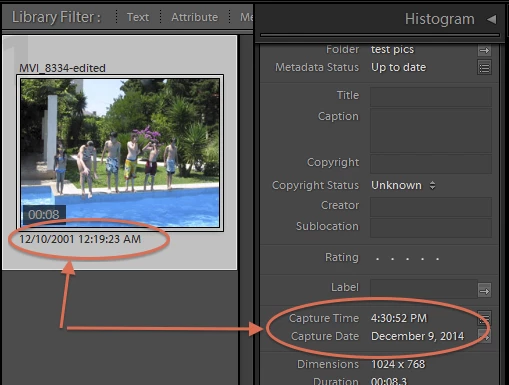
I selected "All Photographs" under Catalog (~38,000 images), and then View->Sort->Capture Time (and it's set to Ascending). But when I scroll to the top of the Library Window, it is quite obvious that the Sort order at the beginning bears little resemblence to the Capture Time.
For example (looking at the Metadata Panel, set to "Default" as I move through images), the first 8 images show a capture date/time of:
1) Jun 1, 2012 at 5:09:13 PM
2) Jun 1, 2012 at 5:09:14 PM
3) Jun 2, 2012 at 4:25:41 PM
4) Sep 19, 2011 at 5:17:05 PM
5) Nov 4, 2009 at 5:14:37 PM
6) Jun 1, 2012 at 5:09:15 PM
7) Nov 2, 2009 at 8:35:24 PM
😎 Nov 2, 2009 at 8:35:24 PM (yes, identical to above)
They jump all over the place for about 1,000 images before finally settling down and actually sorting by the Capture Time in the Metadata Panel.
There has GOT to be something I am missing here, but I even checked the EXIF data in a seperate app.
These are a mix of edited, scanned, original and "other" images.
Any thoughts?
 AdChoices