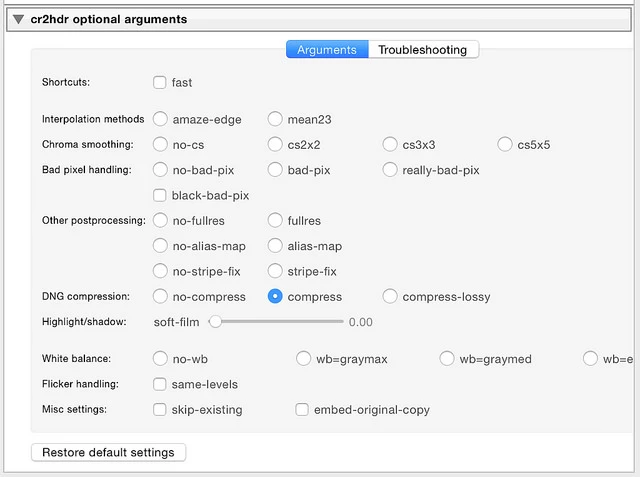
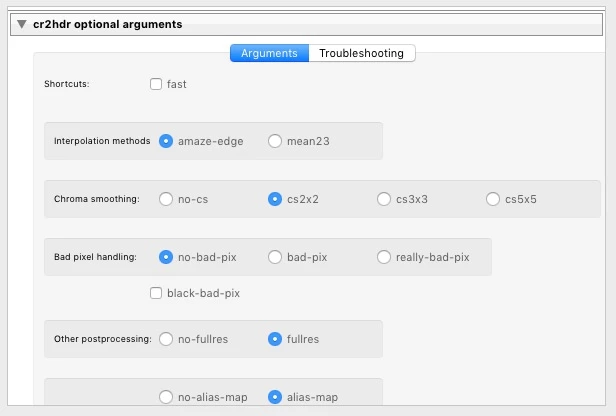
What seems strange to me is that the radio_button value is working properly but the UI doesn't show the radio button as being selected. Maybe that's a bug? The Windows users aren't reporting this issue. I don't have a Windows system to test this on so maybe it works fine on Windows? I'll see if I can get a Windows user to take a look at it and report back.
I don't completely understand the intricacies of radio buttons, but you do need to ensure that each set of buttons is in a separate container. The SDK guide says:
Within a container, only one of a set of radio buttons should be selected. Selecting one button should deselect all others in the set. You must enforce this in the way you bind the button values. It is not automatic.
Further, the LR 6 SDK API reference says there is a difference between the behavior on Mac and Windows, which may account for the different behavior you're seeing:
As of version 6.0 of the Lightroom SDK, on Mac only, radio buttons with the same parent view will be automatically 'linked', i.e. checking one will clear all the others, as a result of a change in the underlying OS provided API. This should only be noticeable in a view construct where radio buttons are declared via the osFactory:row or osFactory:column method within the same parent view. If you wish to have more than two radio buttons in a row or column, use the osFactory:view method instead, with a place attribute ofhorizontal or vertical. Do not attempt to take advantage of OS X's automatic behavior, as the automatically changed radio button states will not necessarily be reflected in the property table to which the radio buttons' values are bound.
This also suggests putting each set of radio buttons in an osFactory:view() container, with a "place" property.




 AdChoices