


New Participant
April 26, 2023
Answered

raw files not displaying

  • April 26, 2023
  • 2 replies
  • 822 views

I take photos in JPEG+RAW. When i upload to LrC the jpegs display correctly but the RAF files just show a lime green screen or sometimes b&w:
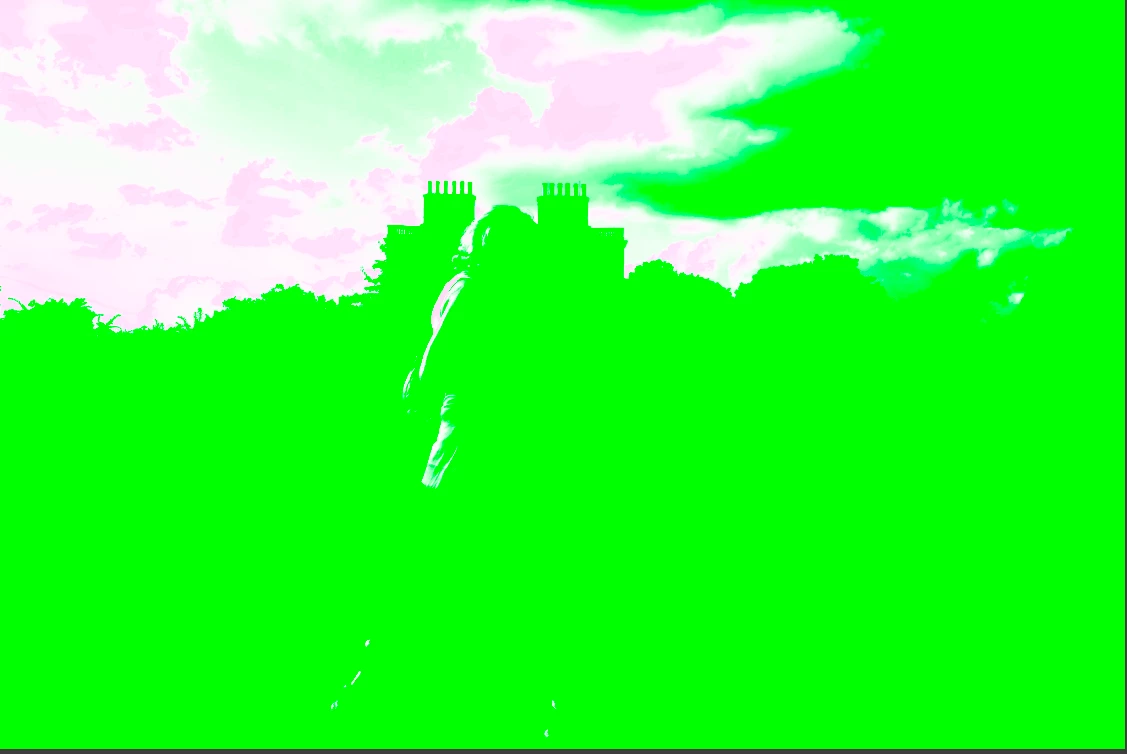
My only workaround is to open the jpeg and then switch to the Raw file, go to settings and hit "Paste settings from previous". Can anyone tell me how to fix this so I can directly view the raw files? Thank you.

Donald


This topic has been closed for replies.
Correct answer Sameer K

Hey, @donaldv43772514. Welcome to the Lightroom Classic Community. I need more info to help you figure this out.


What version of Lightroom Classic & Windows are you working on? Does this happen with a series of images, or do all images behave similarly?


Please share a few sample images with us as they are. Try this as a primary troubleshooting step:


Let me know how it goes. Thanks!

Sameer K

2 replies

Sameer K
Community Manager
Sameer KCommunity ManagerCorrect answer
Community Manager
April 26, 2023

Hey, @donaldv43772514. Welcome to the Lightroom Classic Community. I need more info to help you figure this out.


What version of Lightroom Classic & Windows are you working on? Does this happen with a series of images, or do all images behave similarly?


Please share a few sample images with us as they are. Try this as a primary troubleshooting step:


Let me know how it goes. Thanks!

Sameer K

New Participant
April 26, 2023

Sameer,

Thanks for your reply. See my reply to dj paige above.

I have just tried your primary troubleshooting step. The graphics processor preference was on auto and I turned it to OFF. I think this might have done the trick! So far so good. I will update you when I am more certain. Thanks a lot.

Donald

Keith Reeder
Participating Frequently
April 26, 2023

Which GPU? 


Is your graphics driver up to date?


If not - do that.

Brainiac
April 26, 2023

It would be very helpful to know the following basic information


And also please provide the make and model of the camera used.

And also please tell us if this problem occurs in the Library Module or Develop Module or both or somewhere else.


Are you implying that after you do this paste, that the image looks correct? You didn't actually say that.

New Participant
April 26, 2023

Thank you dj paige:

Lightroom Classic 12.3 

Windows 10 Home Version 22 H2

I do't get any error messages.

Screenshot should have been included in original post.

Fuji XT5

Problem does NOT occur in Library module - only in Develop module.

I'm afraid I don't remember what I was doing when the problem first occurred (several months ago, before that everything was fine).

Thanks again.

Donald