


New Participant
April 17, 2016
Answered

Reading luma values from image

  • April 17, 2016
  • 2 replies
  • 1211 views

Hi,

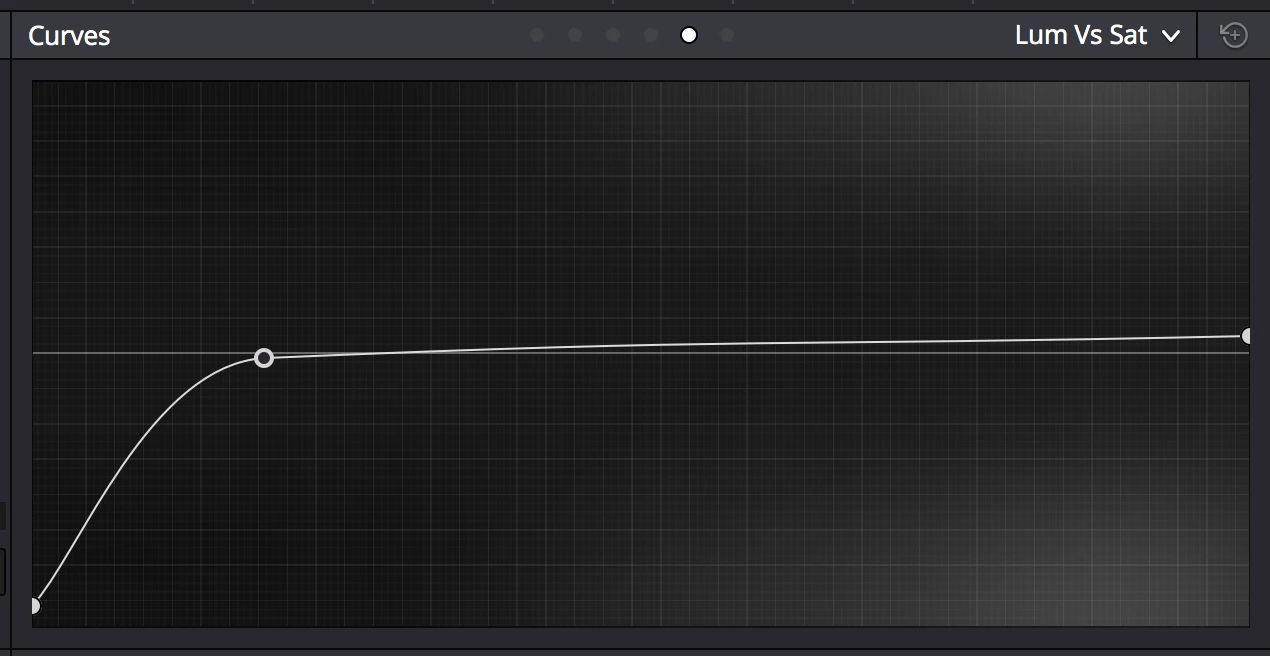
I'd like to make create a plugin that changes an image's saturation based on luma values, similar to Davinci resolve's Lum VS Sat curve.

How can I read the luma values of an image? I couldn't find any image manipulation methods in the SDK, but perhaps I'm not looking at the right place.

Thanks

Attached the Lum VS Sat curve from DR.
This topic has been closed for replies.
Correct answer johnrellis

The SDK API won't let you change individual pixel values, which is what I think would be required to change the saturation of a pixel based on its luminosity.

The SDK does let you change the same develop settings you can change in the user interface (e.g. exposure), via photo:applyDevelopPreset(), the undocumented photo:applyDevelopSettings(), and LrDevelopController.  But none of the sliders in the user interface would let you accomplish your end, so you can't do it with the SDK.

You could write an external editing application (e.g. in C++ or Swift) that provides such a feature for TIFFs.  You'd interface it to LR as an "external editing plugin", like the Nik plugins.   But I don't think this was what you're thinking of.

2 replies

New Participant
May 3, 2022

My man, I've been justr struggling with doing something like luma adjustments becouse vibrance and saturation sliders just pumps up saturation in sooo bad way in many pictures. Skin goes brown red and only way to resolve it is tones of individual masks. I'd love to see simple "luma" tab added to curve tool so much.
I don't really know anything about programming it but I'm looking hard for plugin or something. Is there anything new in the topic?

johnrellis
Brainiac
May 3, 2022

"Is there anything new in the topic?"


Since the last post in 2016, two new tools have been added:


- The Color Grading panel lets you adjust Hue / Saturation / Luminance for Highlights, Midtones, and Shadows separately.


- A a single Luminance Range mask let you select the range of luminance values you want to adjust and then adjust the local Saturation slider. 

johnrellis
johnrellisCorrect answer
Brainiac
April 17, 2016

The SDK API won't let you change individual pixel values, which is what I think would be required to change the saturation of a pixel based on its luminosity.

The SDK does let you change the same develop settings you can change in the user interface (e.g. exposure), via photo:applyDevelopPreset(), the undocumented photo:applyDevelopSettings(), and LrDevelopController.  But none of the sliders in the user interface would let you accomplish your end, so you can't do it with the SDK.

You could write an external editing application (e.g. in C++ or Swift) that provides such a feature for TIFFs.  You'd interface it to LR as an "external editing plugin", like the Nik plugins.   But I don't think this was what you're thinking of.

noamrAuthor
New Participant
April 18, 2016

Manipulating images pixel by pixel by myself is out of my depth.

Thanks for the quick responce.

I  wish Adobe would include these features in Lightroom or Camera RAW.

Inspiring
April 18, 2016

You can create a custom camera profile which allows you to replicate this for RAW images.  See DNG SDK for details on the camera profiles.