


pnwxcharlie
Participating Frequently
April 8, 2017
Answered

Red+Blue dots in dark areas?

  • April 8, 2017
  • 7 replies
  • 8630 views

Hello!

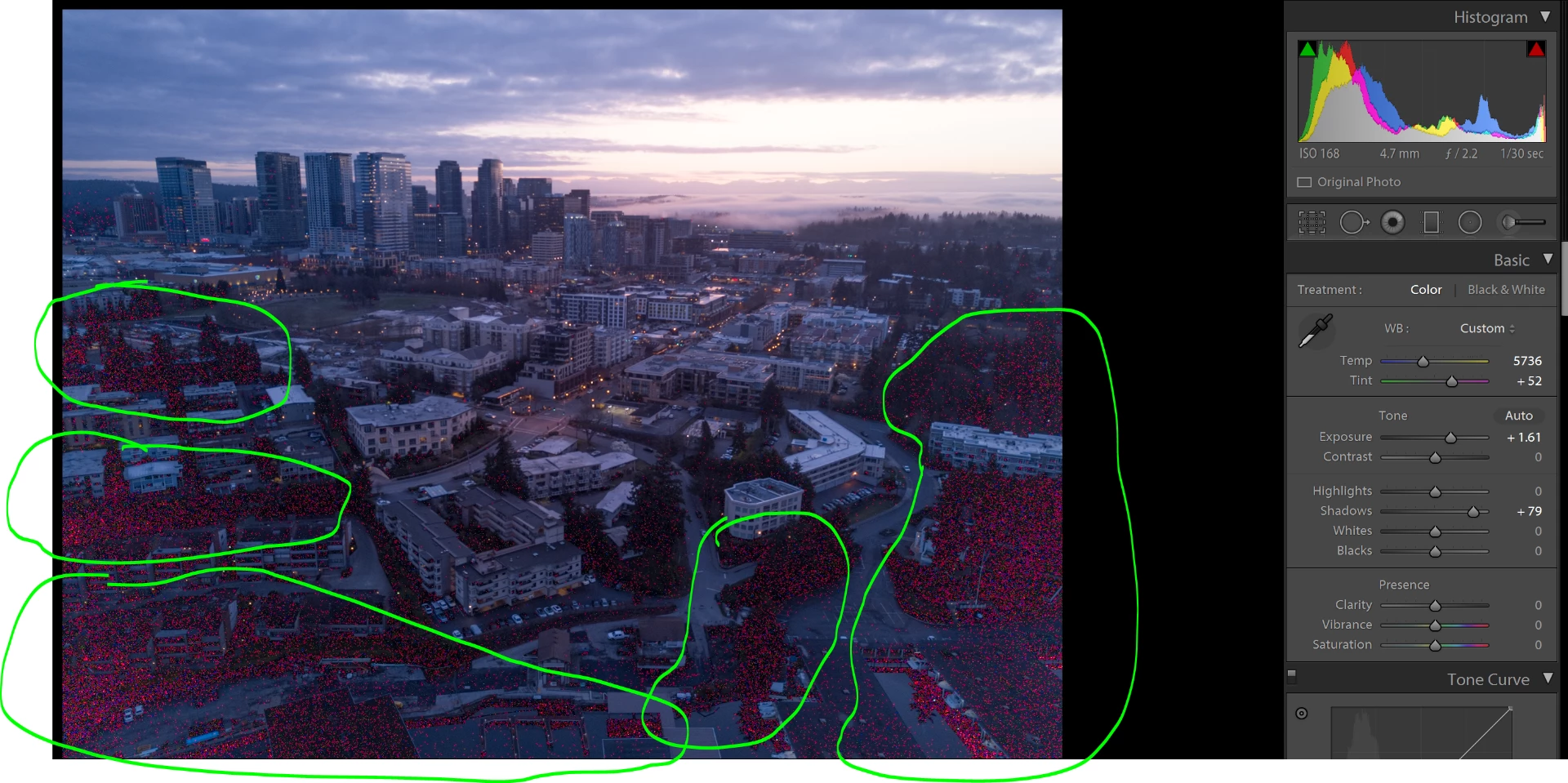
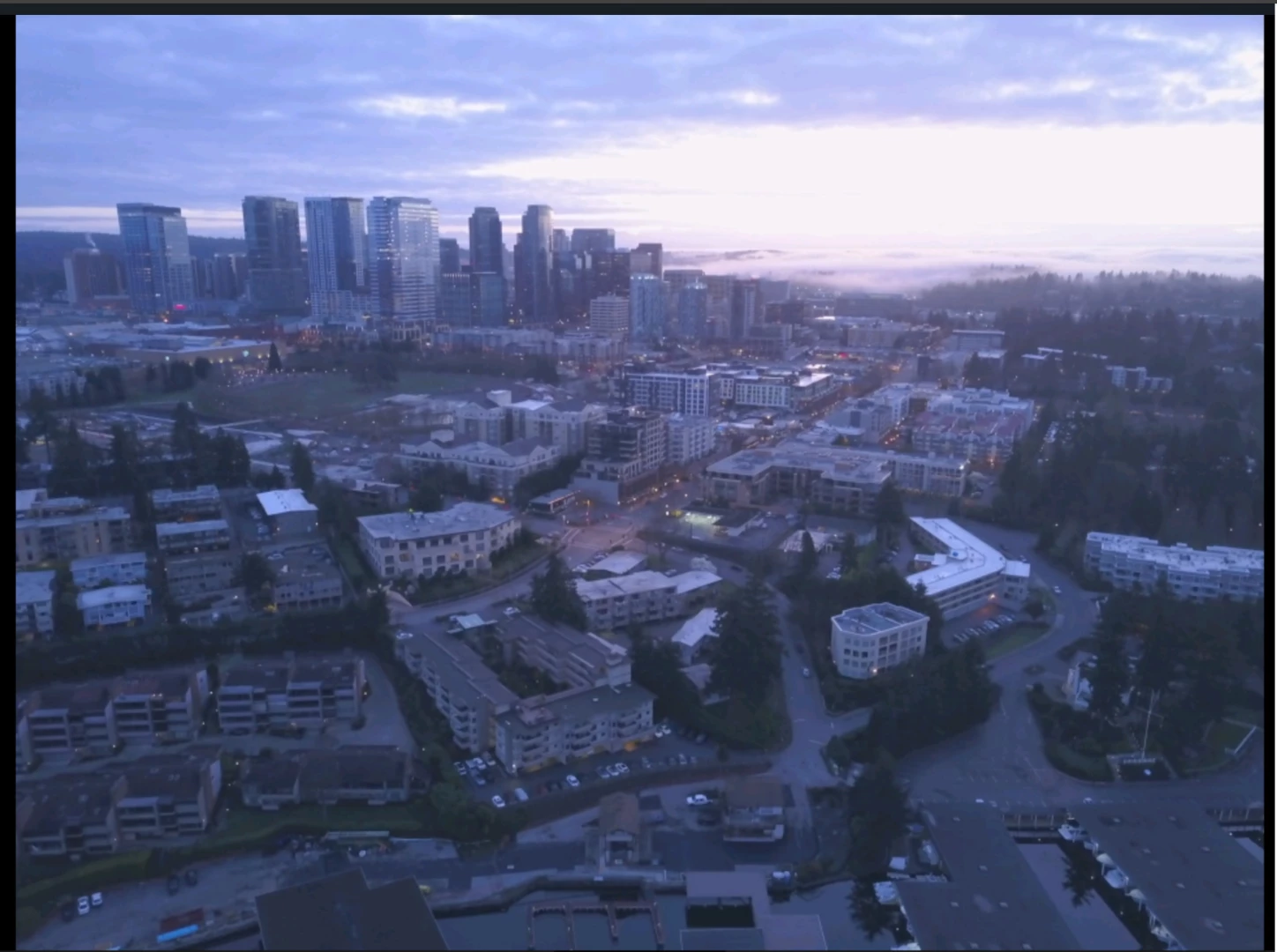
So I use my DJI Mavic Pro to get aerial photos and I took this photo right before sunrise. The drone stores the same photo (i believe lower resolution) onto my phone & on the microSD. When I view it on my phone, I do not see any red or blue dots; only when its in LR CC the red & blue dots become visible--I also used update LR CC on 4/8/17. I asked around in the DJI drone community+forums and it appears it is NOT associated with the drone (I flew my drone a few hours after & no dots appeared; this is the first time I've seen this on LR CC while editting drone shots), and some people told me to ask around in the LR community.

-Highlight+Shadow Clipping is OFF

-Dots are still visible after exporting is from DNG >> JPEG

#1 Slightly editted to emphasize how many dots there are; DNG file
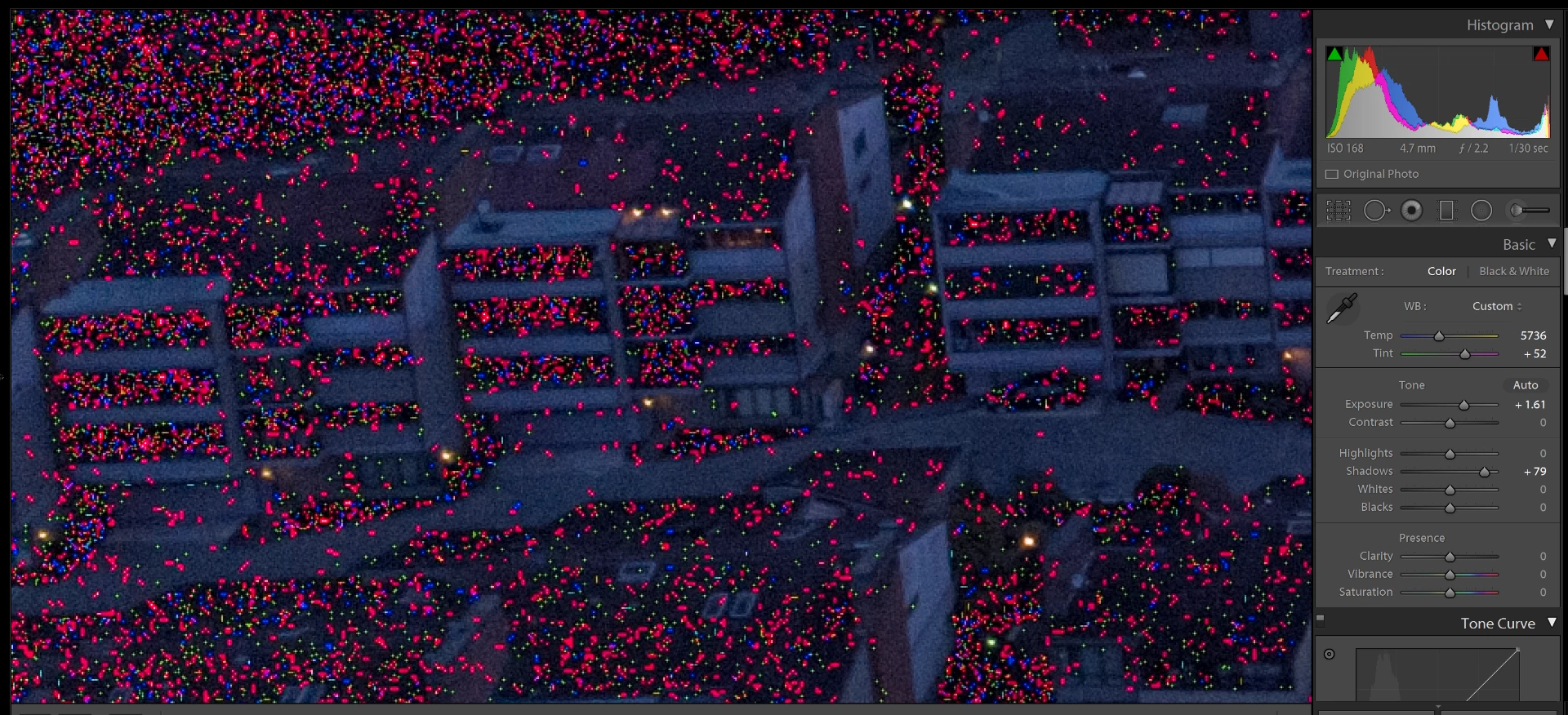
#2 3:1 of the bottom L corner
    

#3 Original from my PHONE (cached from drone); no dots present
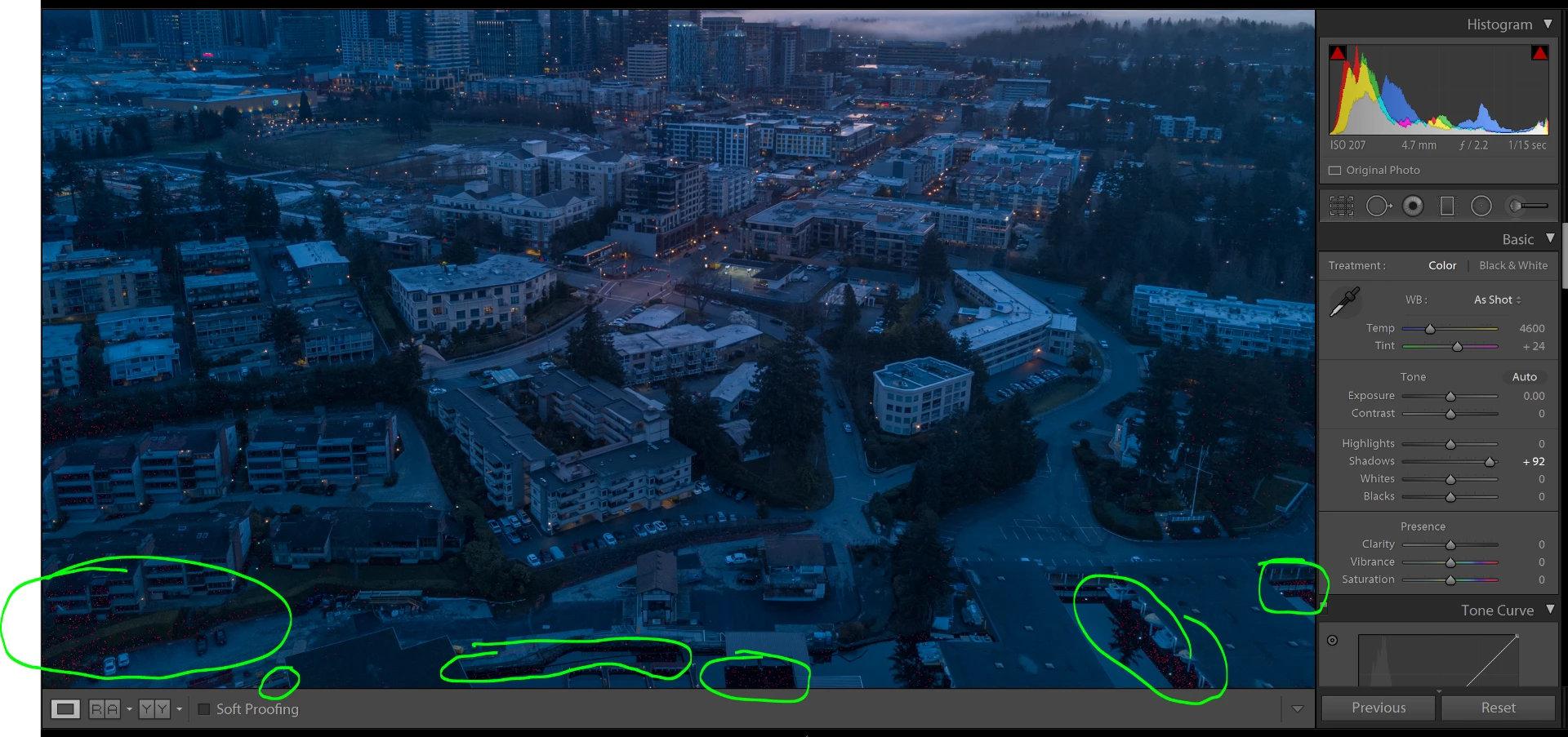
#4 Another shot from my drone; dots still visible but less severe; DNG file
    This topic has been closed for replies.
    Correct answer johnrellis

    This appears to be a common problem with DJI raws. For example: DJI Mavic DNG import to Lighroom with pink noise, view correctly in windows | Photoshop Family Customer Community .  See that topic for a DJI utility called "DNG Cleaner" that apparently works for some people.  If you Google "DNG Cleaner", you'll see lots of references to it (and the symptoms it tries to fix).

    7 replies

    Participant
    August 13, 2020

    Hello guys,i did have the same problem and i did solve it. if you just go to right corner you will see something similar to AS(in cards number 1).just press that one and it will turn it off and also you can turn it on.

    KR Seals
    Community Expert
    Community Expert
    April 14, 2017

    I downloaded and viewed your image in ACR. I see the same red sparkles as everyone else.  I also reviewed about 4,000 images from my Phantom 2 Vision + and Phantom 3 Pro. Although I don't have any images taken at that time of day, I do have plenty with extremely dark black areas. Zooming in to those black areas and increasing exposure several stops does not create the effect we are seeing in your file.

    If I was in your shoes, I would ask DJI to replace the drone.

    I was recently at the WPPI conference in Vegas where the DJI employee photographer told me the Phantom 4 Pro was much better than the Mavic for image quality.

    Ken Seals - Nikon Z 9, Z 8, 14mm-800mm. Computer Win 11 Pro, I7-14700K, 64GB, RTX3070TI. Travel machine: 2021 MacBook Pro M1 MAX 64GB. All Adobe apps.
    pnwxcharlie
    Participating Frequently
    April 14, 2017

    Hmmm I do have DJI Care Refresh that allows me to replace+repair the drone (expires in Jan 2018); the drone is currently working and everything appears fine (even after my first crash last week). Maybe I should hold off until sometime before Jan and/or the red+blue dots reoccur? The weather has gotten better and I'd hate to miss weeks of photo opportunities, esp if the red+blue dots isn't something that continues to happen. What are your thoughts?

    KR Seals
    Community Expert
    Community Expert
    April 18, 2017

    If it is a hardware/image sensor issue, chances are that it will return again. Electronics don't usually heal themselves.

    Ken Seals - Nikon Z 9, Z 8, 14mm-800mm. Computer Win 11 Pro, I7-14700K, 64GB, RTX3070TI. Travel machine: 2021 MacBook Pro M1 MAX 64GB. All Adobe apps.
    pnwxcharlie
    Participating Frequently
    April 13, 2017

    I also took a picture during midnight and I got normal noise BUT no red/blue dots.

    DJI_0429.dng - Google Drive

    I increased the "exposure" by 3 to show that on abnormal red/blue dots are visible just noise.

    KR Seals
    Community Expert
    Community Expert
    April 14, 2017

    The noise in the image where you increased the exposure doesn't seem at all like the big red sparkles in your original post.

    Ken Seals - Nikon Z 9, Z 8, 14mm-800mm. Computer Win 11 Pro, I7-14700K, 64GB, RTX3070TI. Travel machine: 2021 MacBook Pro M1 MAX 64GB. All Adobe apps.
    johnrellis
    johnrellisCorrect answer
    Legend
    April 10, 2017

    This appears to be a common problem with DJI raws. For example: DJI Mavic DNG import to Lighroom with pink noise, view correctly in windows | Photoshop Family Customer Community .  See that topic for a DJI utility called "DNG Cleaner" that apparently works for some people.  If you Google "DNG Cleaner", you'll see lots of references to it (and the symptoms it tries to fix).

    pnwxcharlie
    Participating Frequently
    April 13, 2017

    I tried the DJI DNG cleaner and it appears its for the Phantom 3 drone (I have the Mavic Pro); idk if it makes a different but after converting the files, LR doesn't allow me to open them.

    Community Expert
    April 8, 2017

    I see the same thing. Opened it in several raw converters and they do the same. You can see it even without boosting exposure. These look like actual pixel noise or even stuck pixels in the deep shadows. I don't know much about this camera's sensor but it either is a limitation of the camera that it is just noisy in the deep shadows with lots of hot pixels or this sensor has an issue that might be fixed by replacing it.

    Theresa J
    Community Expert
    Community Expert
    April 8, 2017

    It looks like excessive color noise, often found in the shadow areas of images captured with a high ISO. Did you try using noise reduction to fix it?

    pnwxcharlie
    Participating Frequently
    April 8, 2017

    I just tried LR CC's noise reduction sliders, and ya didn't really help with the dots. The drone automatically set the ISO fo 168, so based on that value it doesn't seem like excessive noise/grain. If you look at #2 (or download the DNG posted above), the dots do not look like grain, more like pixels or something to me.

    Theresa J
    Community Expert
    Community Expert
    April 10, 2017

    I took a look at the image. It does look like pixel noise. I've never seen noise this bad though. Luminance and color noise reduction won't even touch it. I do think it is a limitation of the camera sensor though. I'm guessing you will see this in other images if they are way under exposed and dark like this one. Have you tested a variety of lighting situations?

    Community Expert
    April 8, 2017

    That does look a lot like a clipping warning but indeed you have the warnings and the soft proof turned off so that can't be it. Can you share a dng file somewhere to test and analyze what is going on?

    pnwxcharlie
    Participating Frequently
    April 8, 2017

    I'm unable to upload the file but I'll attach a Google Drive link so you can download it! The image appears really dark, but the dots are still visible. Once you increase the exposure/shadows, you'll really see all of them.

    Please let me know if you aren't able to download the DNG. Thanks!

    DJI_0309.dng - Google Drive