


Renaming files no longer works while importing
I am seeing a regression with import. I have my import set to rename files as it moves them to subdirectories.
I import images from D:\Documents\Amazon Drive\Pictures\SM-N986U\Camera .
I import them to D:\Documents\Amazon Drive\Pictures
I have LRCC set to organize "by date"
"date format" is 2011/11 .
I have set the following rename settings :
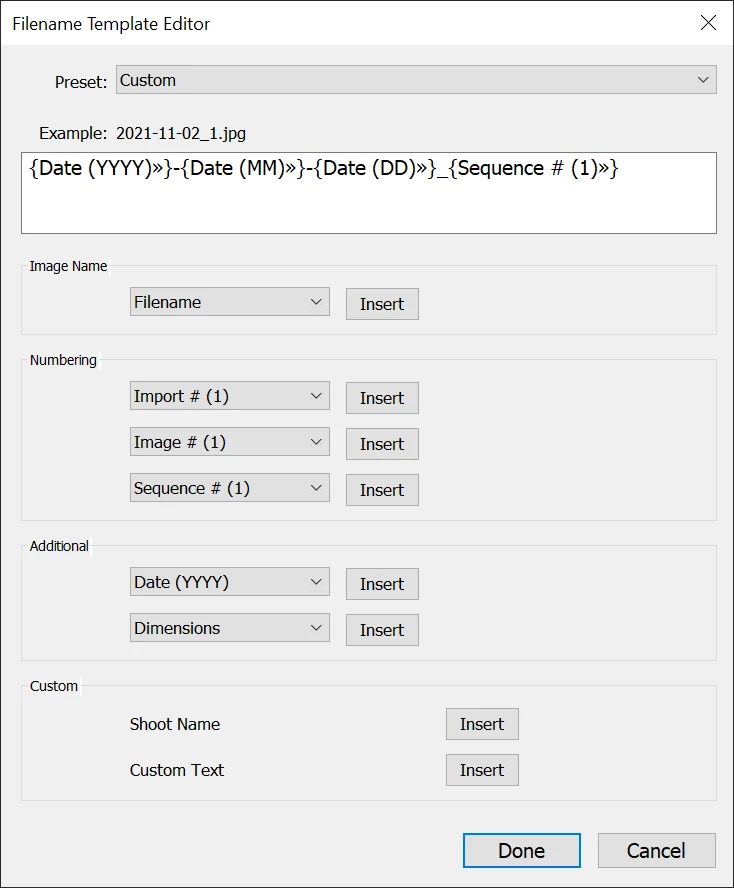
The import operation succeeds, and moves the files from the source to the destination directory as expected.
However, the rename fails. Files get moved with their original names. They do not get renamed.
When I click on an image the destination folder in my Lightroom catalog, and right-click "Show in explorer", I get an error that the file is missing.
The issue is that the catalog contains entries to the renamed files, but the files on disk haven't been renamed.
This didn't use to be a problem. It is happening systematically. I can't say exactly when it started happening. Lightroom has been updated multiple times in the last month, including to the current 11.0 version.
The only other thing I have changed on my system is that the 😧 drive used to be a Windows 10 striped volume made of 8x1TB SSDs. I backed it up, and created a new Storage Spaces volume, which has the advantage of supporting TRIM on each SSD. I then restored the data. I have no idea if this is related to the problem or not. It should have been completely transparent to Lightroom, as the file system structure hasn't changed at all.
In any casse, I need the rename function to work. Can anyone from Adobe please look at this ?
 AdChoices