


Participating Frequently
September 16, 2021
Question

Shadow slider acting crazy with Leica Q2 DNG files (high ISO)

  • September 16, 2021
  • 5 replies
  • 829 views

Hi there,

Im having issues with my Leica Q2 DNG files in Lightroom Classic (LRC 10.4 with ACR 13.4). on Mac OSX 11.5.2
This does not happen with other RAW converters.
I saw similar issue with Leica SL2 DNG files but not other cameras I tried

File type:
imported DNG raw file from Leica Q2. Issue happens mainly with files at 2500 ISO and over. with large shadow space

Behavior:
- when moving the shadow recovery slider past 50, it starts adding a lot of bright noise in the deep shadows. you can even see the image blink while sliding the cursor
- if using curve sliders instead, the issue doesnt happen and the shadows can be recovered with minimum noise
- if using the LR engine 1 or 2 the issue doesnt happen
- not sure if this is normal but if I try to use the engine 3 or 4 it reverts automatically to 5 when i move the slider

- same issue with Photoshop and Lightroom Cloud. So I assume its a problem with ACR?


tried changing GPU cfg, NR settings etc.. doesnt matter


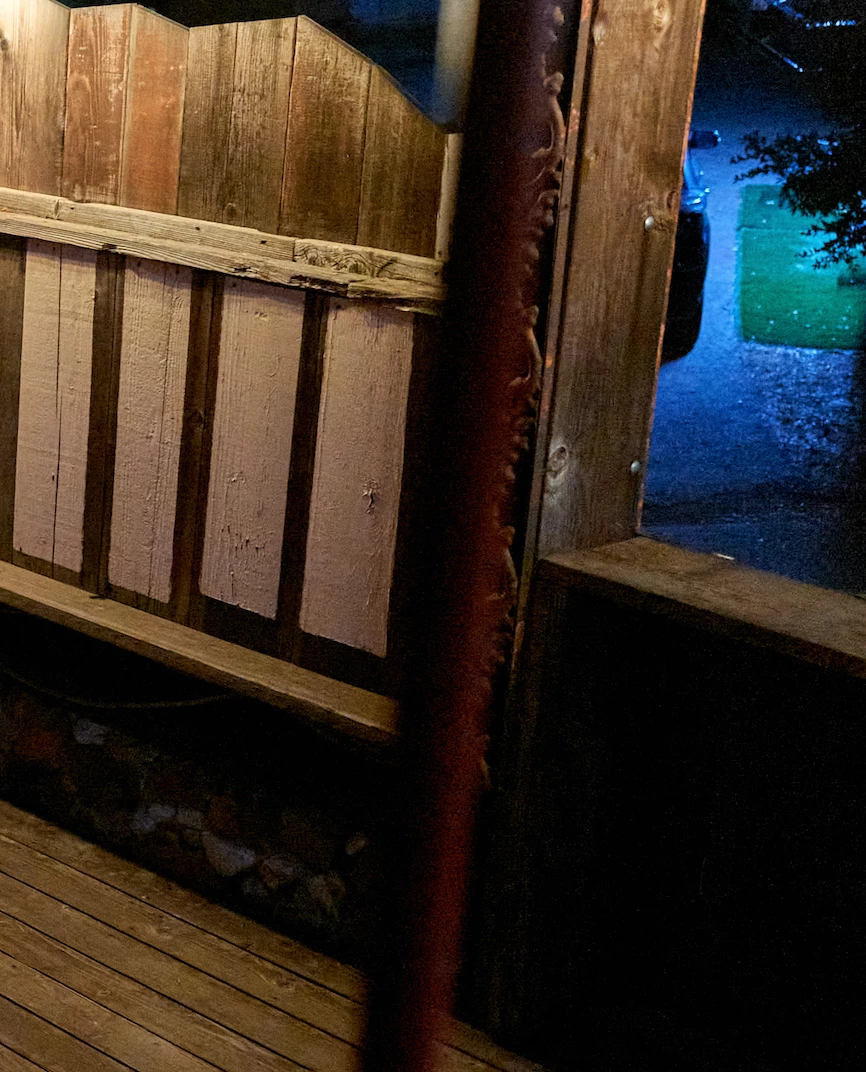
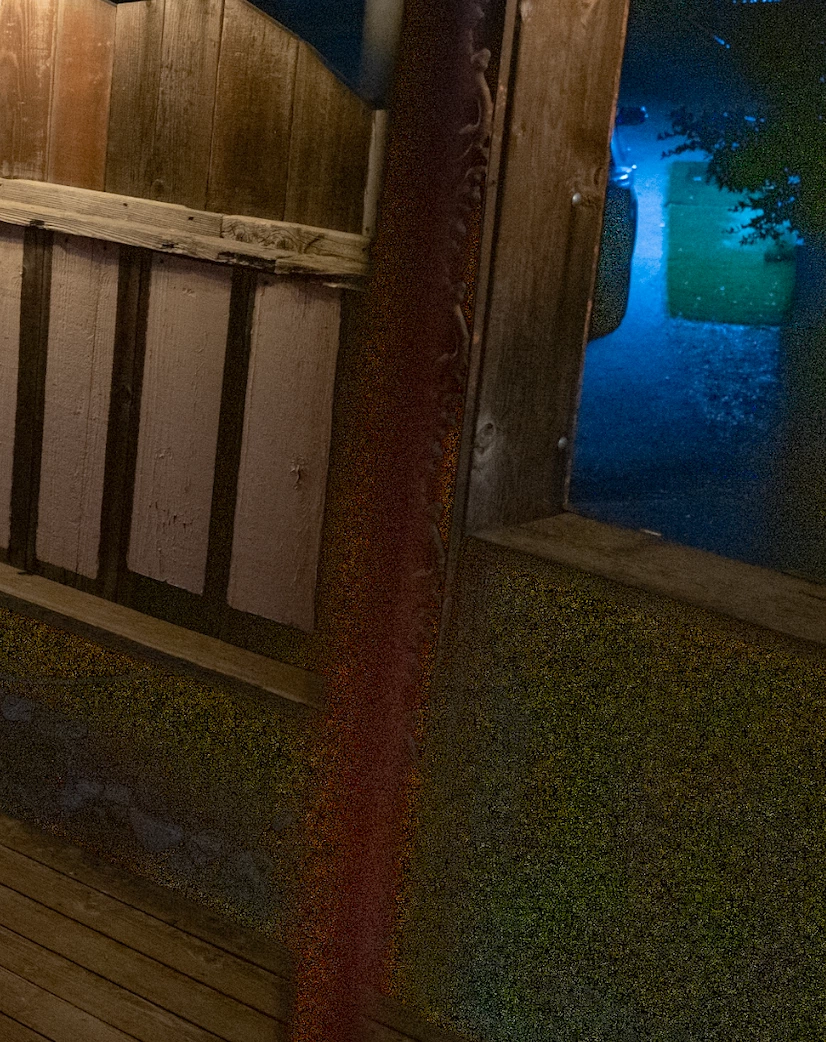
here are 2 crops of the DNG file. the one with massive noise is from LR after recovering shadows. the clean one is from another RAW converter after recovering the shadows
This topic has been closed for replies.

5 replies

Community Expert
November 2, 2022

Haven't seen this on my own files from a different camera. Can you share a dng for others to test?

Participant
January 14, 2023

Hello, 

I can confirm this behavior as well in both classic and CC. Also happens when using cc on my phone. If I convert in Capture 1, this doesn't happen. I have used LR with several Leica sensors and this only happens with the Q2 sensor. Sometimes I will run the high ISO photos through DXO prime for noise removal and it keeps the issue from happening. 

Occasionally, For some odd reason, the effect is much more noticeable when I export a full size jpeg. 

Rikk Flohr_Photography
Community Manager
Community Manager
January 17, 2023

As requested of others in this older thread, can you provide a DNG file that exhibits the issue so that we can confirm your behavior?

Rikk Flohr: Adobe Photography Org
Participating Frequently
September 29, 2021

bump

Participating Frequently
November 2, 2022

I noticed this actually happens on certain files. when moving the slider over 40% the histogram gets crazy boost. Seems to happen with high ISO files that are slightly underxposed. Probably the algorythm. using curves etc doesnt have the same behavior at all

DdeGannes
Community Expert
Community Expert
November 2, 2022

The thread is over a year old, are you still using LrC 10.4 and OSX 11.5.2?

Regards, Denis: iMac 27” mid-2015, macOS 11.7.10 Big Sur; 2TB SSD, 24 GB Ram, GPU 2 GB; LrC 12.5,; Lr 6.5, PS 24.7,; ACR 15.5,; (also Laptop Win 11, ver 24H2, LrC 15.0.1, PS 27.0; ) Camera Oly OM-D E-M1.
Participating Frequently
September 22, 2021

anyone?

Participating Frequently
September 16, 2021

No I dont. The noise shows on export in JPG too by the way. so its not just rendering

GoldingD
Legend
September 16, 2021

In tne Histogram, do you have show clipping turned on?