Participant
December 11, 2018
Answered

Show index number of a picture in the secondary display (monitor preview)

  • December 11, 2018
  • 2 replies
  • 545 views

For customer chosing picture while he is looking on the secondary display it would be really easy if the Index would appear not only in my library but also on the secondary display (2nd screen). Is there a patch or a option that permit me to do that?

Thanks

    This topic has been closed for replies.
    Correct answer johnrellis

    Follow these steps:

    1. Do the menu command View > View Options.

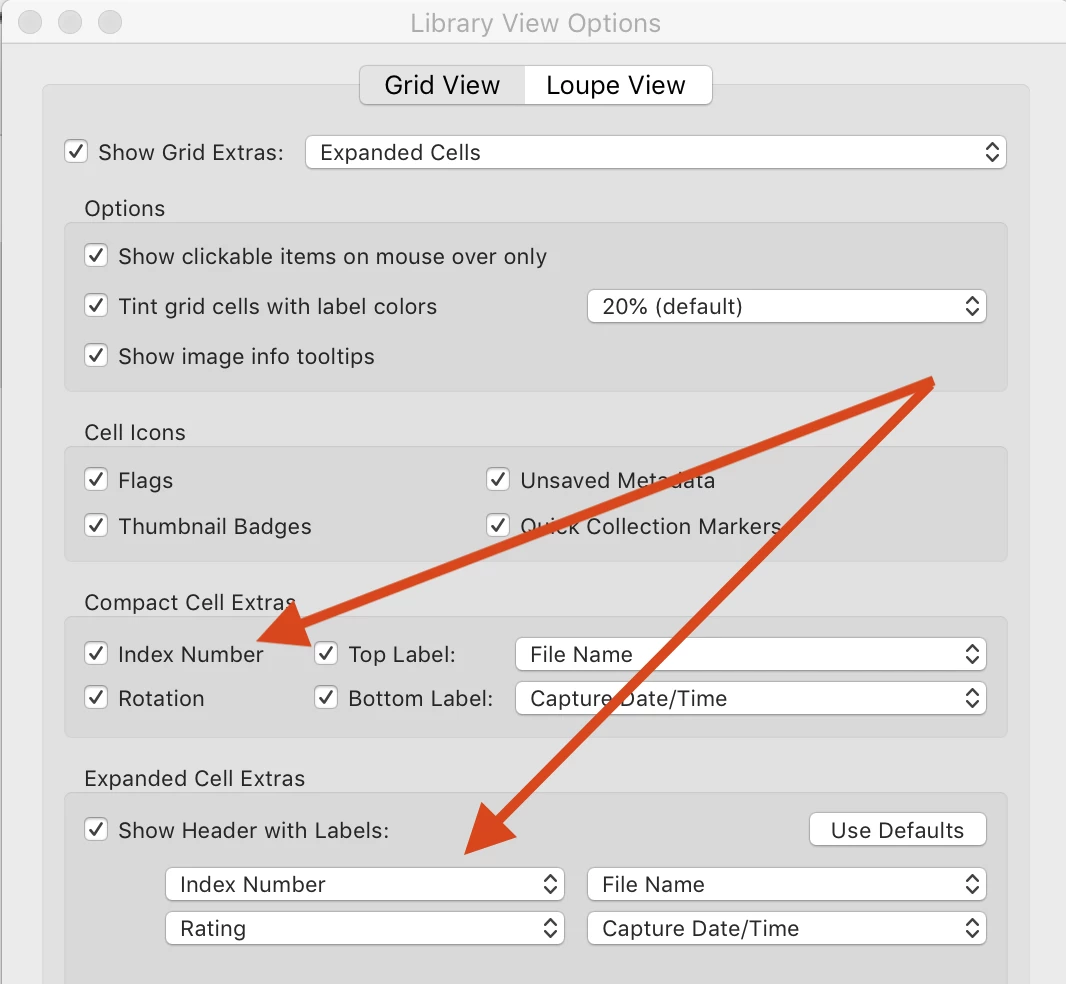
    2. Check the option Compact Cell Extras > Index Number.

    3. Choose Index Number for one of the Expanded Cell Extras:

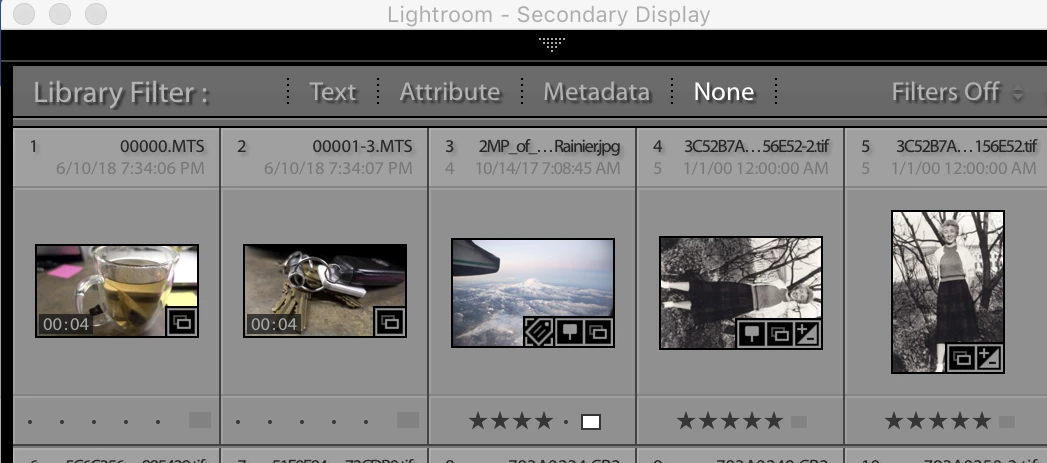
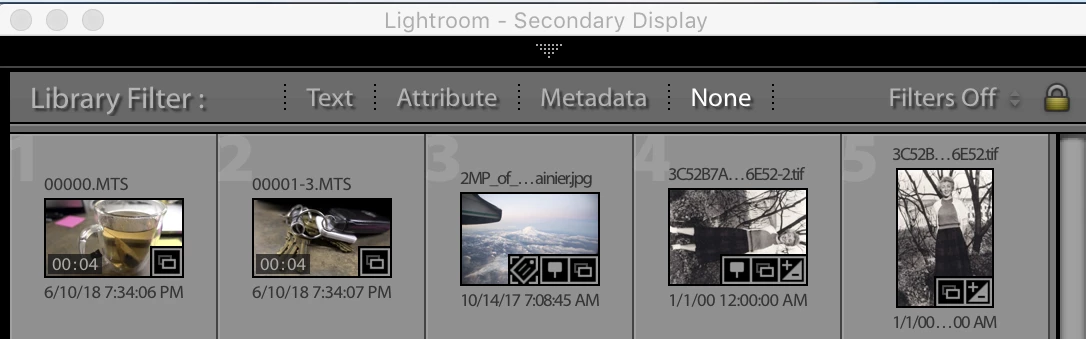
    4. Now when you do Window > Secondary DIspay > Grid, you should see the index number with both compact and expanded cells:

    5. If that doesn't work for you, please copy the first ten lines of Help > System Info here and post a screen shot of your View > View Options window.

    2 replies

    Participant
    December 11, 2018

    Ok i understand but I need to show the index number in survey mode. Is it possible?

    Thank you

    johnrellis
    Legend
    December 12, 2018

    There isn't any way to show Index Number in Survey mode, unfortunately (on either the primary or secondary display).

    johnrellis
    johnrellisCorrect answer
    Legend
    December 11, 2018

    Follow these steps:

    1. Do the menu command View > View Options.

    2. Check the option Compact Cell Extras > Index Number.

    3. Choose Index Number for one of the Expanded Cell Extras:

    4. Now when you do Window > Secondary DIspay > Grid, you should see the index number with both compact and expanded cells:

    5. If that doesn't work for you, please copy the first ten lines of Help > System Info here and post a screen shot of your View > View Options window.