


Stevord41
Inspiring
December 27, 2017
Answered

Some Export Files Could not be found

  • December 27, 2017
  • 2 replies
  • 3778 views

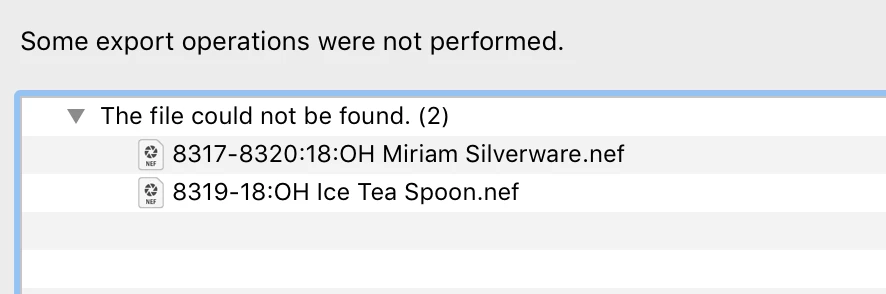
I was downloading a handful of processed images and got the above error message.  The file is definitely there and the image looks correct on the develop page.  All the other images downloaded fine.

There are 2 images that 'photos failed to export'.

What's going on and how do i fix it?

Thank you.


Stevo
    This topic has been closed for replies.
    Correct answer dj_paige

    This was the original error message. Sorry.


    Do the files that export properly have the colon in the file names? Or not?

    I think that's the problem.

    Also, Lightroom shows a colon in the file name, but Finder shows a slash in that position.

    2 replies

    Legend
    December 27, 2017

    There are 2 images that 'photos failed to export'.

    This is a rather fractional message, please tell us the entire message -- better yet show us a screen capture.

    Just Shoot Me
    Legend
    December 27, 2017

    That error happens when you have selected image to export that are in the catalog but the actual image file is missing from where LR thinks they are.

    Do those images have a exclamation mark ( ! ) on the thumbnail in the upper right hand corner?

    If they do then they were moved or deleted outside of LR.

    Stevord41
    Stevord41Author
    Inspiring
    December 27, 2017

    No, no exclamation point. Here is a screen grab for reference. It was only the first 2 images that didn't transfer.

    Any further help would be appreciated.

    Stevord41
    Stevord41Author
    Inspiring
    December 27, 2017

    The file names as shown in the Lightroom error message do have the colon in it.

    But a word to the wise, don't use special characters in your file names (Exception, the hyphen and underscore work fine).


    Noted but won't happen again.

    Thank you.