Participating Frequently
February 12, 2022
Answered

sony a7iv profile missing in Adobe Lightroom

  • February 12, 2022
  • 1 reply
  • 9433 views

Hi,

I noticed that after importing pictures (from Sony A7IV) I have the follwing MSG on LRc.

LRc -> Developer Module -> Basic EDIT -> ! Profile Missing

I can change via drop down to ADOBE COLOR/.....

 I've never had taht with mu old a7riii


Does LRc has no profiles for A7IV?

I'm on MAC with the lateset LRc version.


Any idea?


Thx Peter

This topic has been closed for replies.
Correct answer johnrellis

[This post contains formatting and embedded images that don't appear in email. View the post in your Web browser.]


One cause of this is that you've applied a preset to this photo that sets the profile to a camera-matching profile that doesn't exist for the a7 IV. 


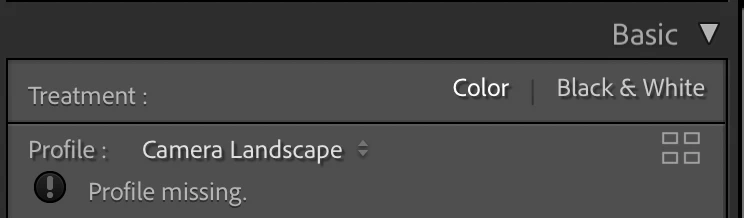
For example, the a7 III has a camera-matching profile Camera Landscape.  If you create a preset containing that profile and then apply that preset to a raw from the a7 IV, you'll get "Profile missing":
 

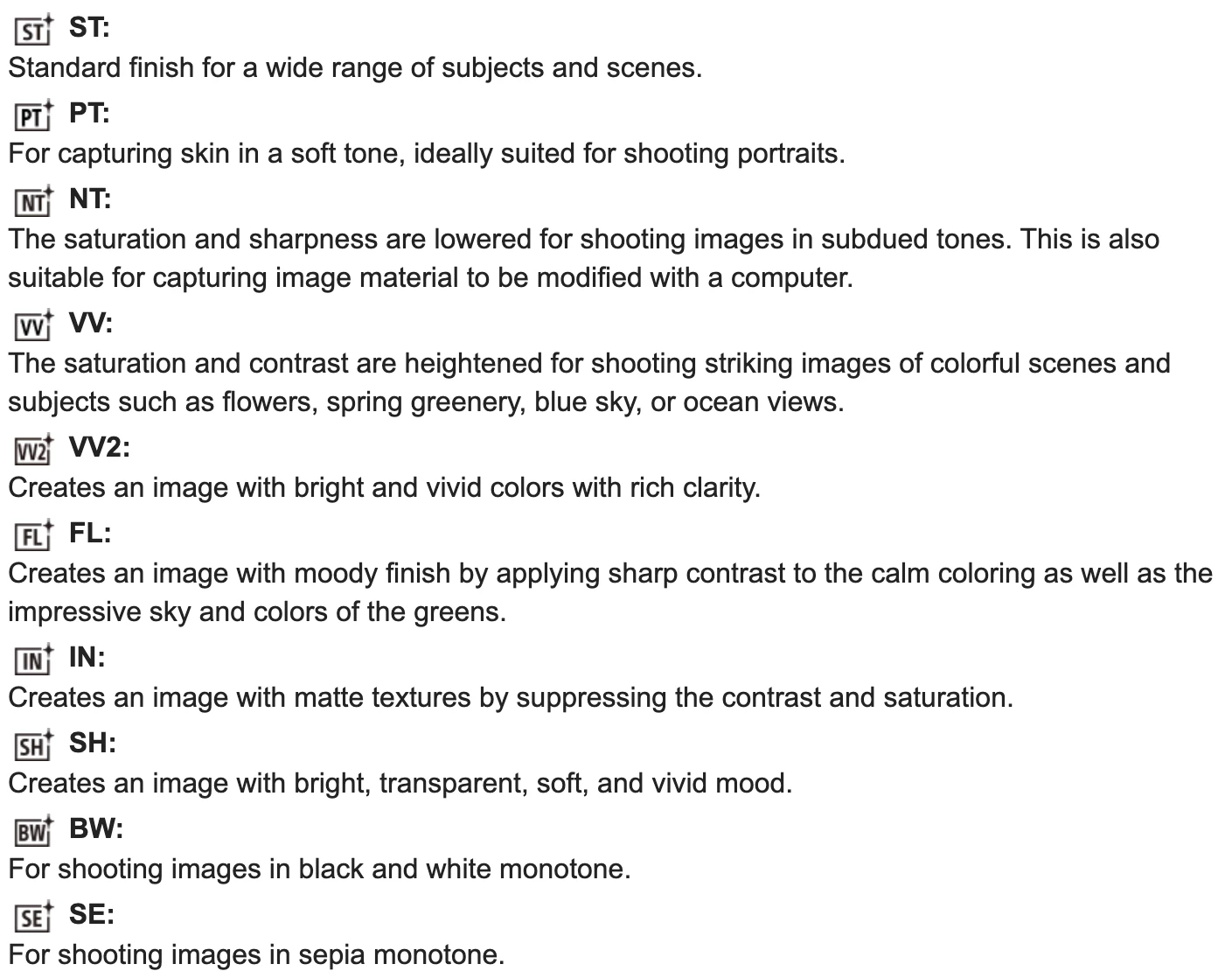
This is because the a7 IV doesn't have a Camera Landscape profile. And that is because for the a7 IV, Sony has differently named Creative Looks:

https://helpguide.sony.net/ilc/2110/v1/en/contents/TP0002911200.html
 

If this doesn't explain your situation, then please post a screenshot of the Basic panel showing the photo's profile and error message.


 

1 reply

johnrellis
johnrellisCorrect answer
Legend
February 13, 2022

[This post contains formatting and embedded images that don't appear in email. View the post in your Web browser.]


One cause of this is that you've applied a preset to this photo that sets the profile to a camera-matching profile that doesn't exist for the a7 IV. 


For example, the a7 III has a camera-matching profile Camera Landscape.  If you create a preset containing that profile and then apply that preset to a raw from the a7 IV, you'll get "Profile missing":


This is because the a7 IV doesn't have a Camera Landscape profile. And that is because for the a7 IV, Sony has differently named Creative Looks:

https://helpguide.sony.net/ilc/2110/v1/en/contents/TP0002911200.html


If this doesn't explain your situation, then please post a screenshot of the Basic panel showing the photo's profile and error message.

 

Participating Frequently
February 13, 2022

Hi,


Thanks for the explanation. 
Going to check that the next import. 
thx Peter