Inspiring
November 21, 2024
Answered

Standard Previews are build on CPU/iGPU and not dedicated GPU (Notebook)

  • November 21, 2024
  • 3 replies
  • 1088 views

Problem:


Standard Previews are build using the iGPU of the CPU and not the NVIDIA GPU. This is probably a lot slower! It really impossible loooong time for 1000 images. Like 15minutes or so...


Lightroom Classic version: 14.0.1 [ 202410161356-30922cfc ]
Operating system: Windows 11 - Business Edition


How to produce:

Import Images

Library - > Previews -> Build Standard Sizes Previews

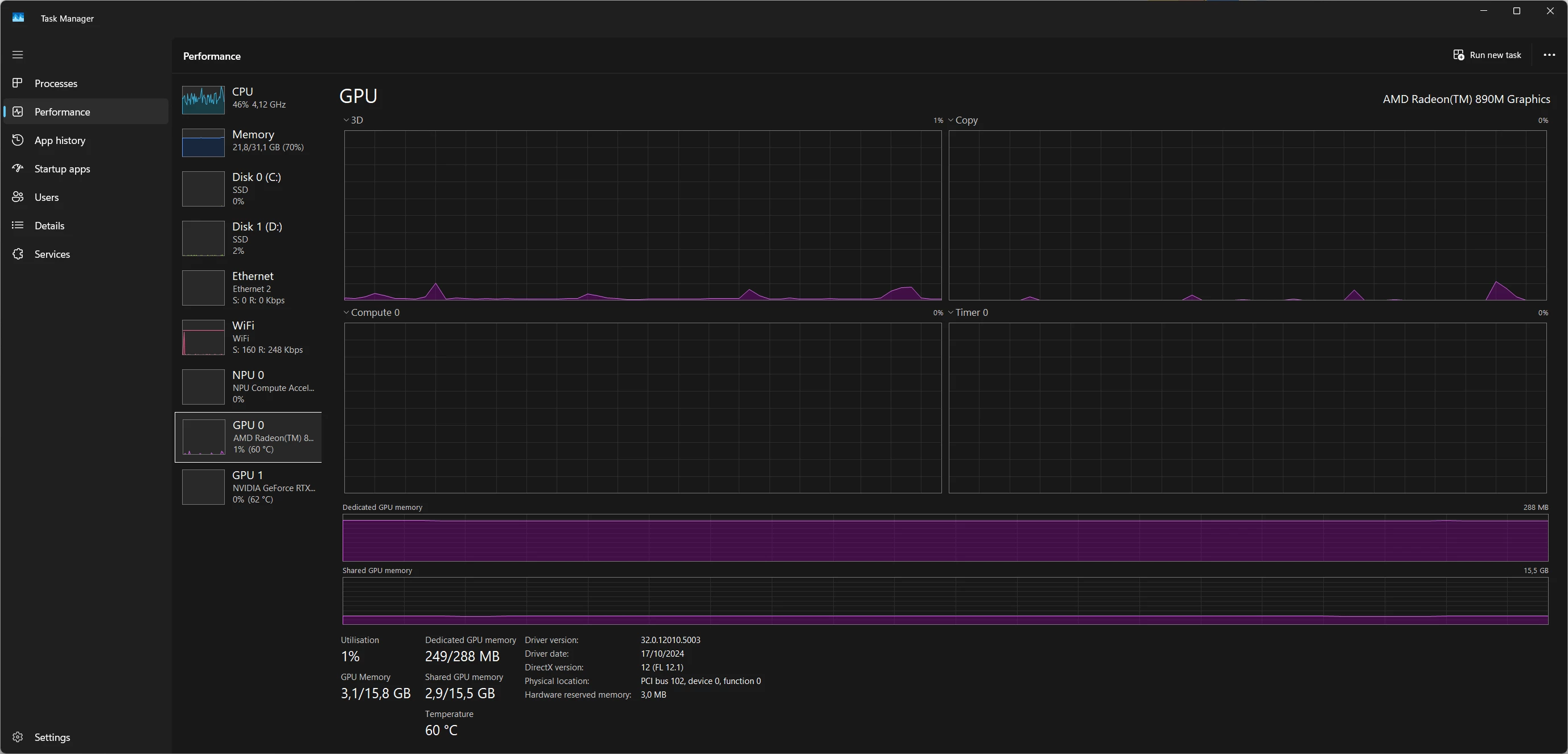
Check Task Manager, dGPU is not used at all.


In case you are wondering: Yes all acceleration is active.
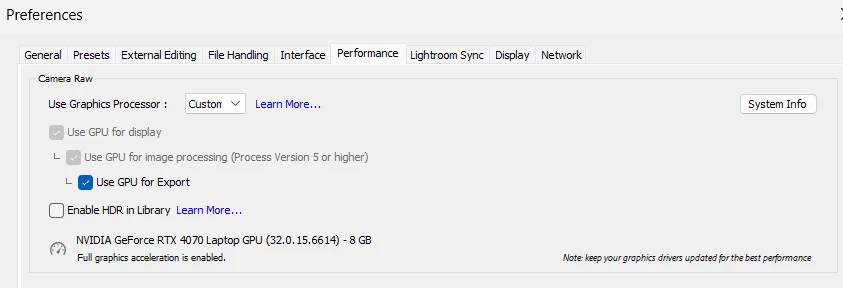


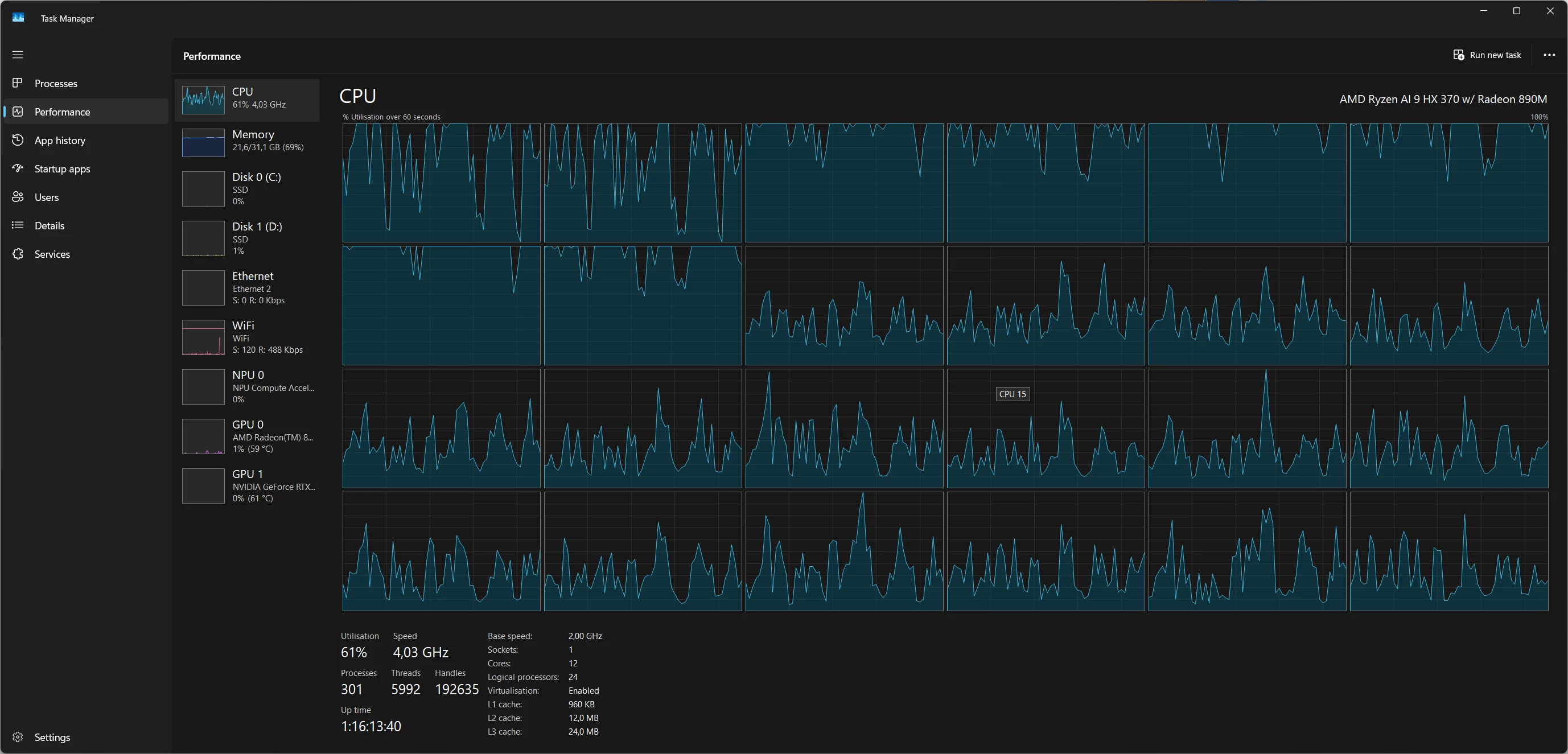
Edit: It seems its 100% CPU even and not any GPU.


The screenshot provided was also during video playback


Here is an updated screenhot while building when I paused video playback:

iGPU:


CPU:


Correct answer Conrad_C

Yes, many of us have noticed that building a JPEG preview and building a JPEG export copy are, in theory, the same kind of thing. But in practice, the fact remains that today, for whatever reason, Lightroom Classic supports GPU acceleration for export but not for preview generation. That is just how it is right now.

3 replies

Conrad_C
Community Expert
Community Expert
November 21, 2024

I think what you are seeing is simply the known fact that all non-Develop previews are built with the CPU. When Lightroom Classic builds previews, no GPU will help…not integrated, not discrete. Any integrated GPU activity you see is probably due to something other than preview generation.


I haven’t seen any documentation that says the GPU is used for generating previews. The Lightroom Classic performance settings shown do not mention previews at all. They mention (interactive) display (such as zooming), image processing, and export…not preview rendering.


GPU use outside of the Develop module is very limited at this time.


Using the GPU to accelerate preview generation is something people have asked Adobe to do, but I don’t think it has been implemented. Until they do that, the ways to improve preview generation speed are mostly about the CPU:

  • Use a CPU with higher single-core performance. 
  • Use a CPU with more cores, and to take advantage of those CPU cores, make sure Generate Previews in Parallel is enabled in Lightroom Classic Preferences / Performance. 
  • Lower the Standard Preview Size pixel dimensions and/or preview quality settings in Lightroom Classic Catalog Settings. 
Inspiring
November 21, 2024

I know, but GPU is used for rendering the export, this means its raw to JPG, basically what rendering previews is, as a preview is not the real raw version...

Conrad_C
Community Expert
Conrad_CCommunity ExpertCorrect answer
Community Expert
November 21, 2024

Yes, many of us have noticed that building a JPEG preview and building a JPEG export copy are, in theory, the same kind of thing. But in practice, the fact remains that today, for whatever reason, Lightroom Classic supports GPU acceleration for export but not for preview generation. That is just how it is right now.

GoldingD
Legend
November 21, 2024

use the Device Manager on Windows and look at what is listed as active for Display Adapters. If the iGPU is shown as well as the NVIDIA, then that cold be an issue.


Inspiring
November 21, 2024

This is normal on all notebooks with iGPU and dGPU.  Its a low power GPU like for basic browsing and youtube and High Performace GPU for apps like PS and LR, encoding or games. They both need to be active or else your battery is dead before you know it, and you cannot disable an iGPU or your windows would be broken graphically.

Inspiring
November 21, 2024

By checking things and writing this post, im almost 15mins further, still building previews, i'm at 31% (these are 1300 45MP Raw files). This is not workable.