FredericSeguin
Participant
April 4, 2020
Question

UI Scaling Issues Lightroom Classic Windows 10 on secondary display

  • April 4, 2020
  • 5 replies
  • 8302 views

I just installed back LR Classic on my new laptop with a 4k resolution display.

LR works perfectly on my laptop monitor but things get weird and hard to use when using my second monitor which is 1920x1200.

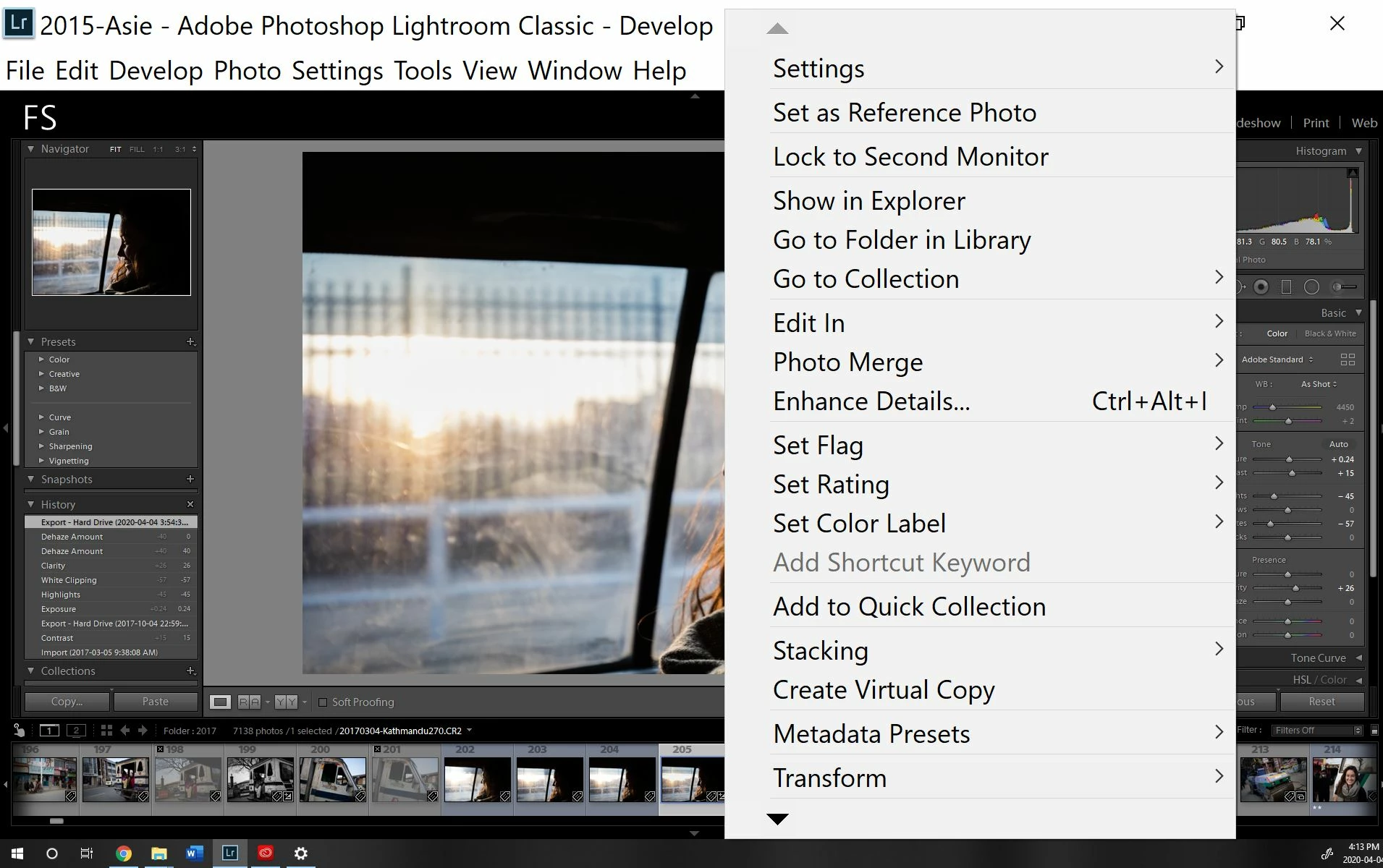
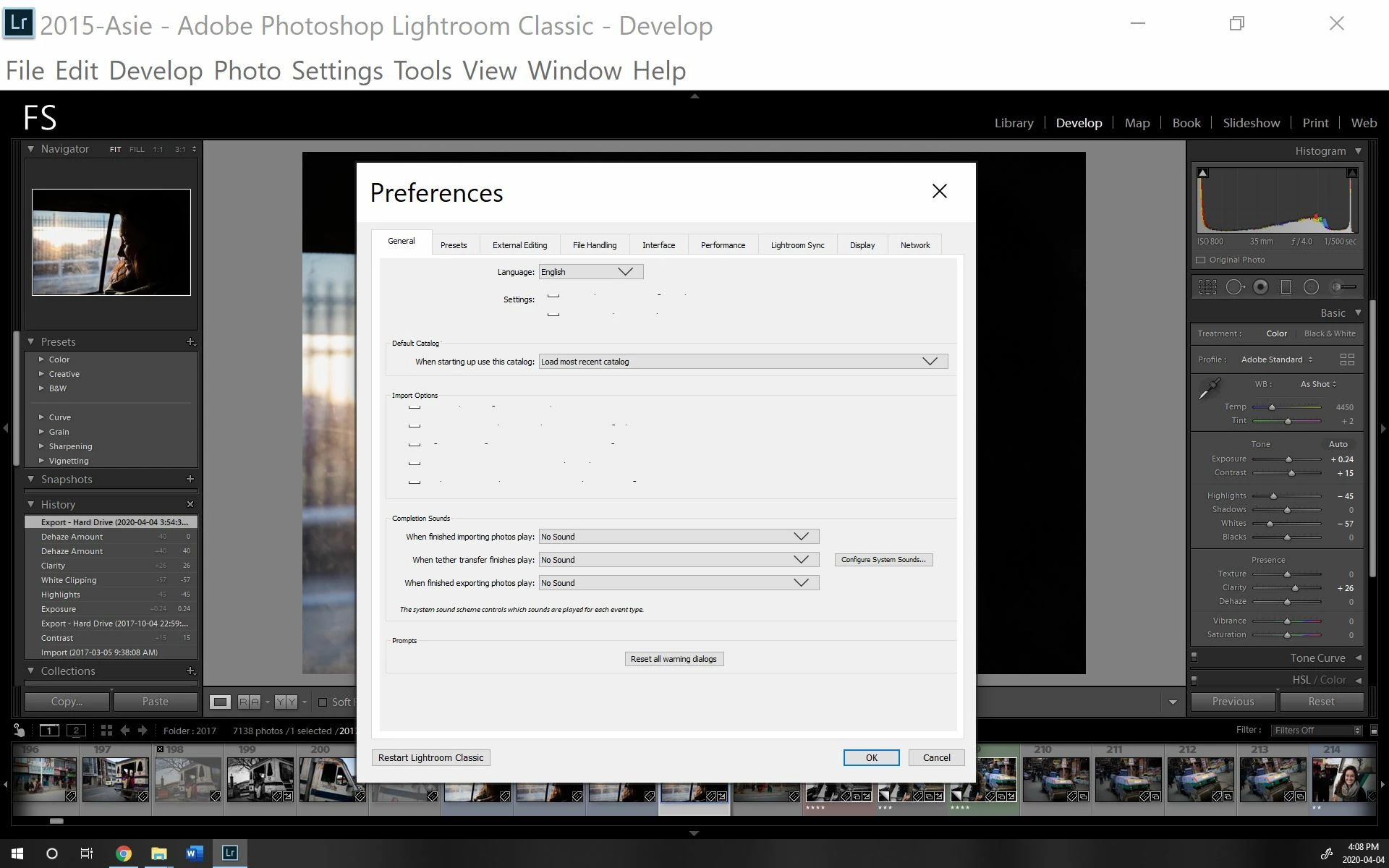
Whichever Windows Scaling I use (and ticking the Windows automatic scaling), the UI is completly messed up. The menu is way too big, right click options are also way too big. 

Menus themselves are not only too small but completely unusable as some text is just weird or absent. (See attached pictures)

Any idea?
 

This topic has been closed for replies.

5 replies

Participant
February 21, 2022

Same problem here. I sorted it out by right clicking on the software icon in start menu and selecting "Run as Administrator". Works like charm


Inspiring
November 16, 2021

Same issue here. Haven't found a fix so far...

Canary3d
Participating Frequently
March 12, 2021

I had a similar problem and fixed it by disabling the high DPI for the app. In windows on the task bar, right click on the app and go to properties, then go to the compatibility tab and click "change high dpi settings."  Then check "high dpi scaling override," okay it, and restart the app. It should look right after that. 

Participant
March 19, 2021

This is the fix! The scaling override fixed the small menus for me. After checking the box, I pulled down the selection below and chose "Scaling performed by System" which gave the properly sized menus on my second screen. Thanks!

Participant
May 29, 2021

@Canary3d and @BillReich - Perfect combination - "High DPI Scaling Override" got it working on my lower res monitor, but I was still having issues. Changing to System got it working both on the 4k and the 1k.

Thank you both!

Participant
March 2, 2021

Same problem here. This has apparently been a thing for about a year's time. 

YourMediaME
Participant
December 10, 2020

I am having the same issue and it's super annoying. Please, someone, figure this out. 

LauraHippochicky
Participant
January 21, 2021

I hae the same issue! I have a feeling it would be fine if Lightroom were able to open directly on the external monitor, but my laptop is display 1 by diefault and i do not intend to change this just for this issue (as it will gnerate a whole other set of issues for me..).

Sooo Adobe, please please find a fix or help us fix it 😄