


Participant
December 4, 2024
Question

Unable to download LrC

  • December 4, 2024
  • 2 replies
  • 138 views

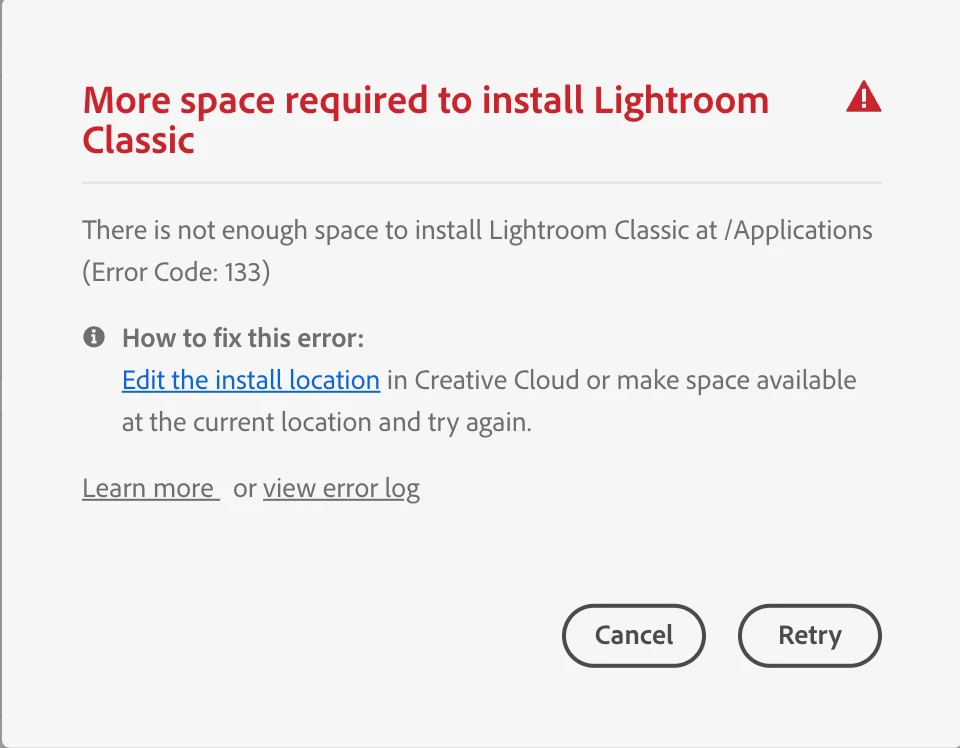
I am trying to download Lightroom Classic, but keep getting the message in the image below. I have moved files from my Applications folder onto external hard drives, changed the install location, deleted all of my Adobe apps in an effort to restart, restarted my computer, and still I get the same message. How do I fix this (on macOs)?
 

This topic has been closed for replies.

2 replies

F. McLion
Community Expert
Community Expert
December 4, 2024

What does the error log show when you click on "view error log"?


--- Got your issue resolved? Please label the response as 'Correct Answer' to help your fellow community members find a solution to similar problems. ---
AxelMatt
Community Expert
Community Expert
December 4, 2024

How many free space do you have on your hard drives?

Even if you change the install location, a minimum disk space (approx. 5-10GB) on your primary drive is needed. 


My System: Intel i7-8700K - 64GB RAM - NVidia Geforce RTX 3060 - Windows 11 Pro 25H2 -- LR-Classic 15 - Photoshop 27 - Nik Collection 8 - PureRAW 5 - Topaz Photo