


Known Participant
March 18, 2025
Answered

Where should I store Develop presets on a MacBook?

  • March 18, 2025
  • 1 reply
  • 427 views

I am in the process of moving from a Windows laptop to a MacBook Pro. I have copied my Develop presets from my Windows laptop. Is there a particular location I should store them on my MacBook? For now, I have put them in a convenient location: a folder in Pictures, where I store my Lightroom catalog and associated Lightroom program files. I imported a few presets from there. But should I be storing them somewhere else? For example, If I create new Develop presets later, will Lightroom automatically store the new Develop presets elsewhere, so that I should really put the existing Develop presets in that same location to keep the presets together? Thanks.
Correct answer Ian Lyons

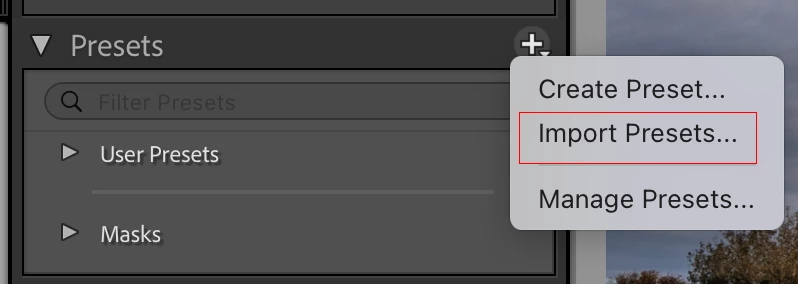
You can import the presets. Doing so will put them in the correct location/folder. I've attached a screenshot that should help.


1 reply

Ian Lyons
Ian LyonsCorrect answer
Community Expert
March 18, 2025

You can import the presets. Doing so will put them in the correct location/folder. I've attached a screenshot that should help.


JEK99Author
Known Participant
March 19, 2025

When you say that importing Develop presets  "will put them in the correct location/folder," do you mean the correct location/folder inside Lightroom or the correct location/folder on my hard drive? If the latter, where do I find that folder on my hard drive?

Ian Lyons
Community Expert
March 19, 2025

On your hard disk.


Custom (e.g. purchased) presets, custom profiles, etc are stored in a folder called CameraRaw > Settings. They're placed there to enable sharing with other Adobe photo apps.  I've attached a screenshot showing the macOS path.