



Curt Wrigley
Inspiring
June 11, 2020
Question

Batch change of Capture date - Rippling from a reference is only option

  • June 11, 2020
  • 1 reply
  • 493 views

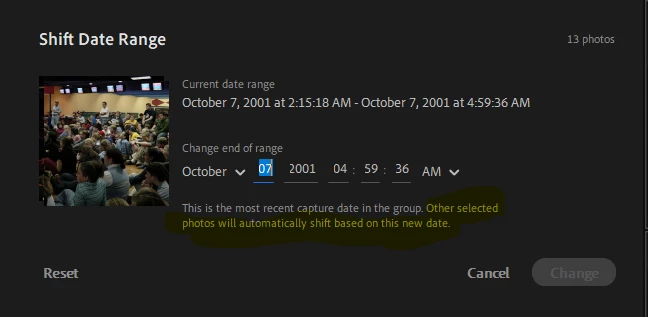
I have a lot of legacy photos that have been scanned into my collection in lightroom.  a "feature" that is causing a great inconveninece is the batch chnage of capture date.   If I select a batch of photos that all have different capture years, and try to batch set the date to one correct date, the years all ripple based on the most selected image.   I havnt found a way in lightroom to batch chnage the date reliably .  One by one will take forever.


Any suggestions inside lightroom?  Ive considered a 3rd party tool to do it, but that is not desired.


A check box to choose "ripple based on referwace date or not" would be the solution.


This topic has been closed for replies.

1 reply

Curt Wrigley
Inspiring
June 11, 2020

BTW; Lightroom Classic has the same issue.   However; with Classic and can run an external utility to correct the dates and Lightroom classic will pick that up. 


You cant run an external utility with Lightroom cloud since the images are all in the cloud.  I tried manually chnaging date in local copies, but they are ignored by lightroom.


I guess I cant use cloud for my full image collection.   With classic at least I have a work around

New Participant
September 18, 2020

Hello,


I ran into the same issue. I have lots of old photos without capture date and I want to set a capture date for hundreds of photos.

Any ideas how I can do this in Lightroom?


Thanks!

New Participant
September 19, 2020

Seems I've solved it. I always used the filmstrip view but there I could only change the date of a single photo. Pressing G to switch to the grid view did the trick. There I can select all photos and then change the capture date of all of them.