


How can I delete custom profiles from Lightroom CC?
Hi,
I've been searching for an answer to this question but I can't find anything useful.
I added a demo pack of RNI Films 5 profiles and they now appear in the profiles list within Lightroom CC as seen in this screen shot:
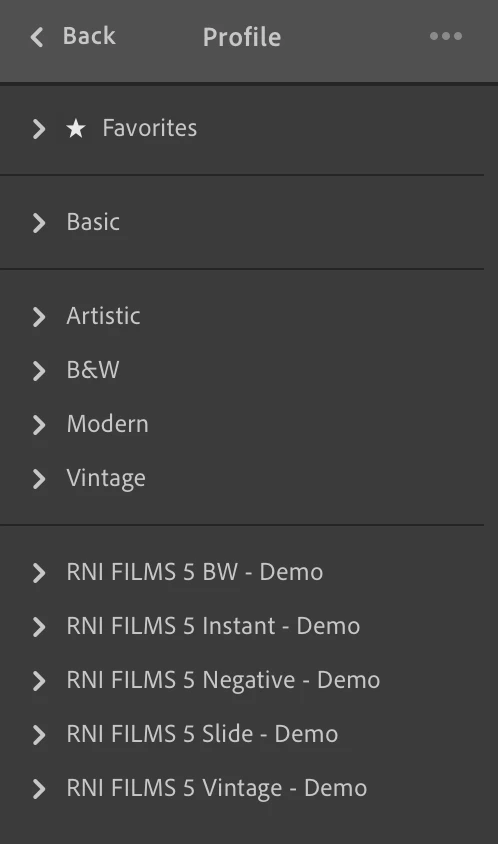
How do I delete those RNI Films profiles from my Lightroom CC account?
I've tried right click but it just gives me the option to hide.
I've tried the Manage Profiles option but again I can only hide them.
I've tried deleting them from the following directory:
/Users/<username>/Library/Application Support/Adobe/CameraRaw/Settings/
There doesn't seem to be a way to get rid of them in Lightroom CC, does anyone know if this is possible or have Adobe overlooked this one?
The reason I want to delete them is because when I use Lightroom on my iPhone or iPad they are not hidden and there is no option to hide them even if i've selected to hide them in Lightroom CC on my MacBook.
Thanks
Alex
 AdChoices