



Issue with tone curve in Lightroom mobile after applying a preset
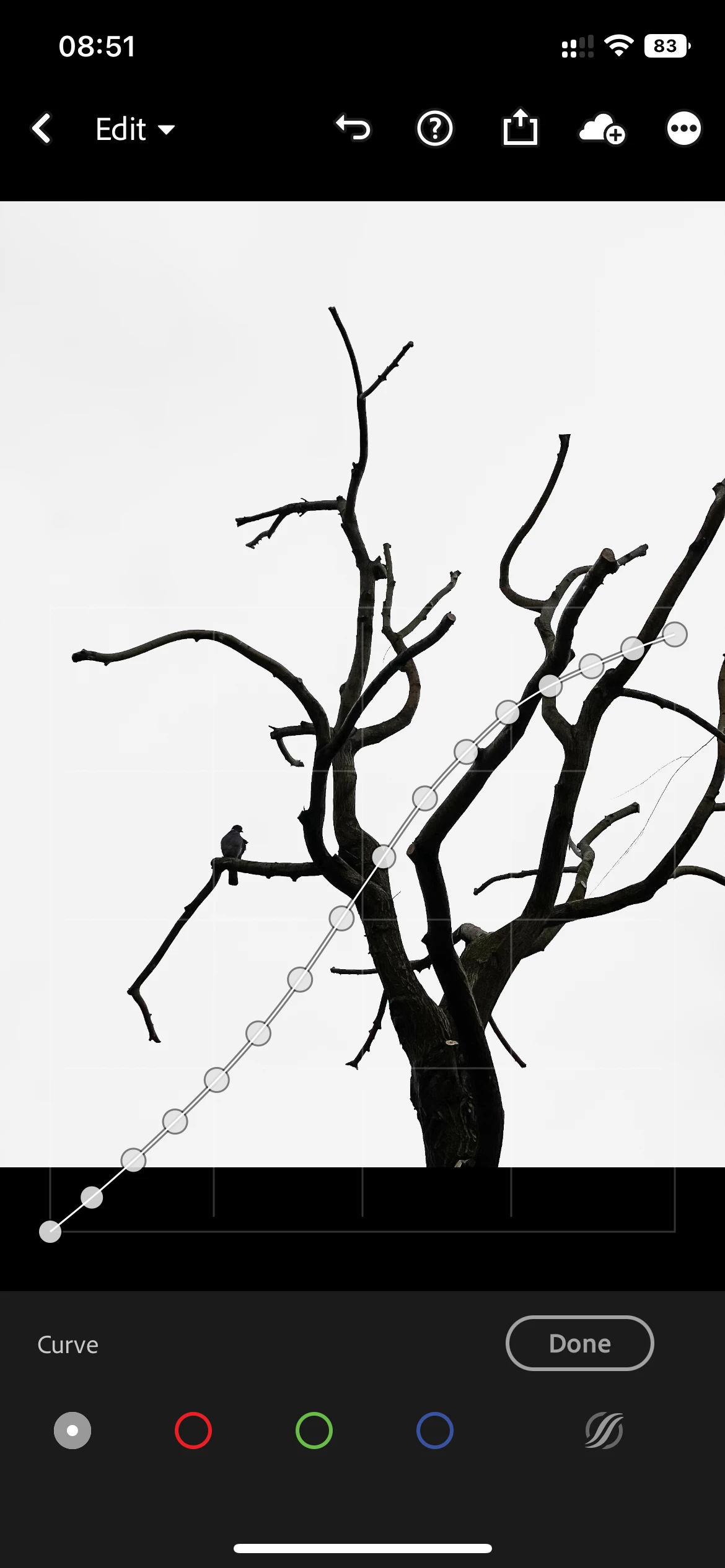
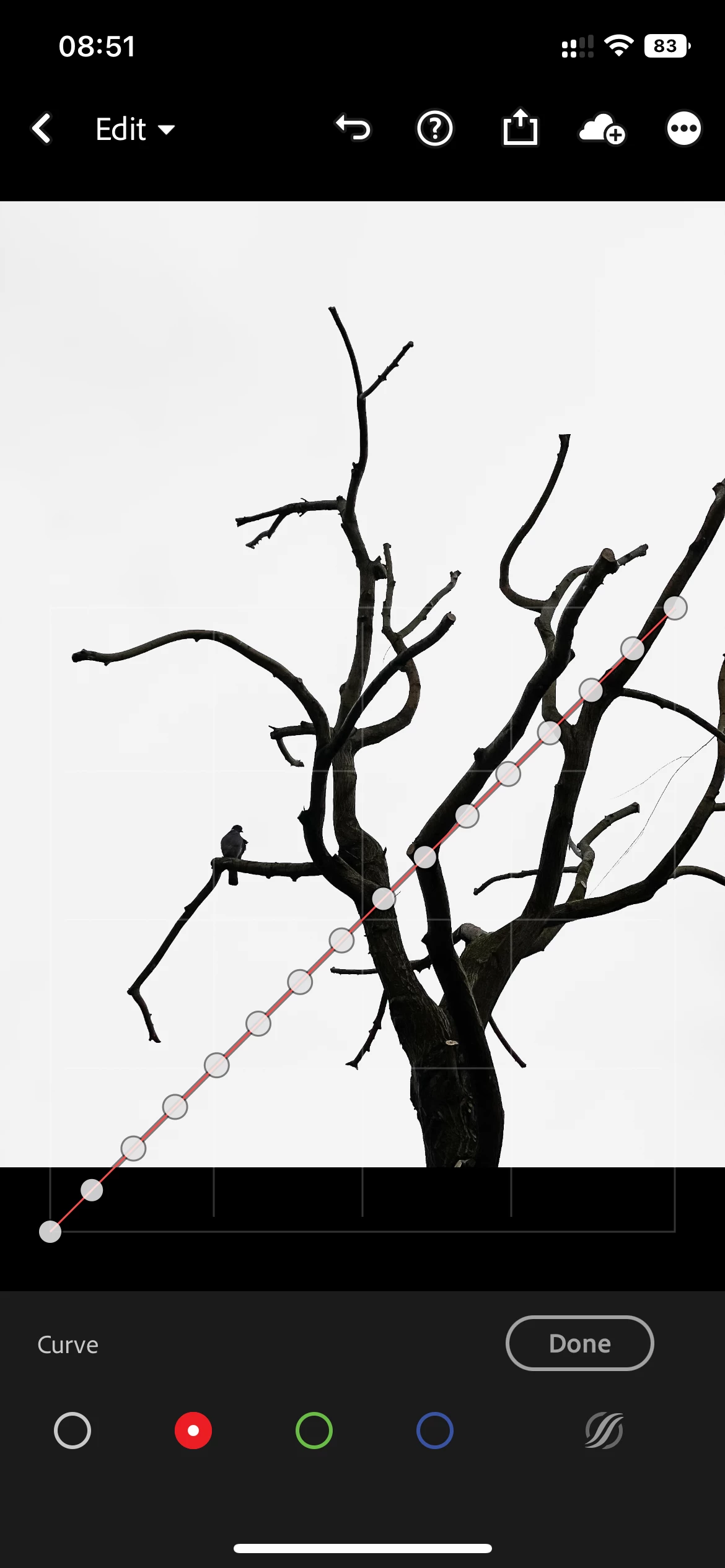
Hello, I'm bumping into this issue more and more. After I apply a preset (one I've created myself) to my images, my tone curves suddenly have all 16 points (automatically) applied (see screenshots) It happens both on my mobile and on Lr desktop. In the desktop app, I can at least reset the curve, but I can't find a way to reset on mobile other than double click on each point to remove them. Super-annoying! I don't want all those points, how can I avoid this from happening?
What causes Lr to apply all the dots? Is there a hidden setting that I'm missing? I've searched all over google and this forum to find information on this, but can't find ANYTHING remotely related. Hope someone can help me figure this out. Happy to provide more context if needed.
 AdChoices