

New Participant
December 22, 2024
Answered

Lightroom not displaying any images

  • December 22, 2024
  • 5 replies
  • 1782 views

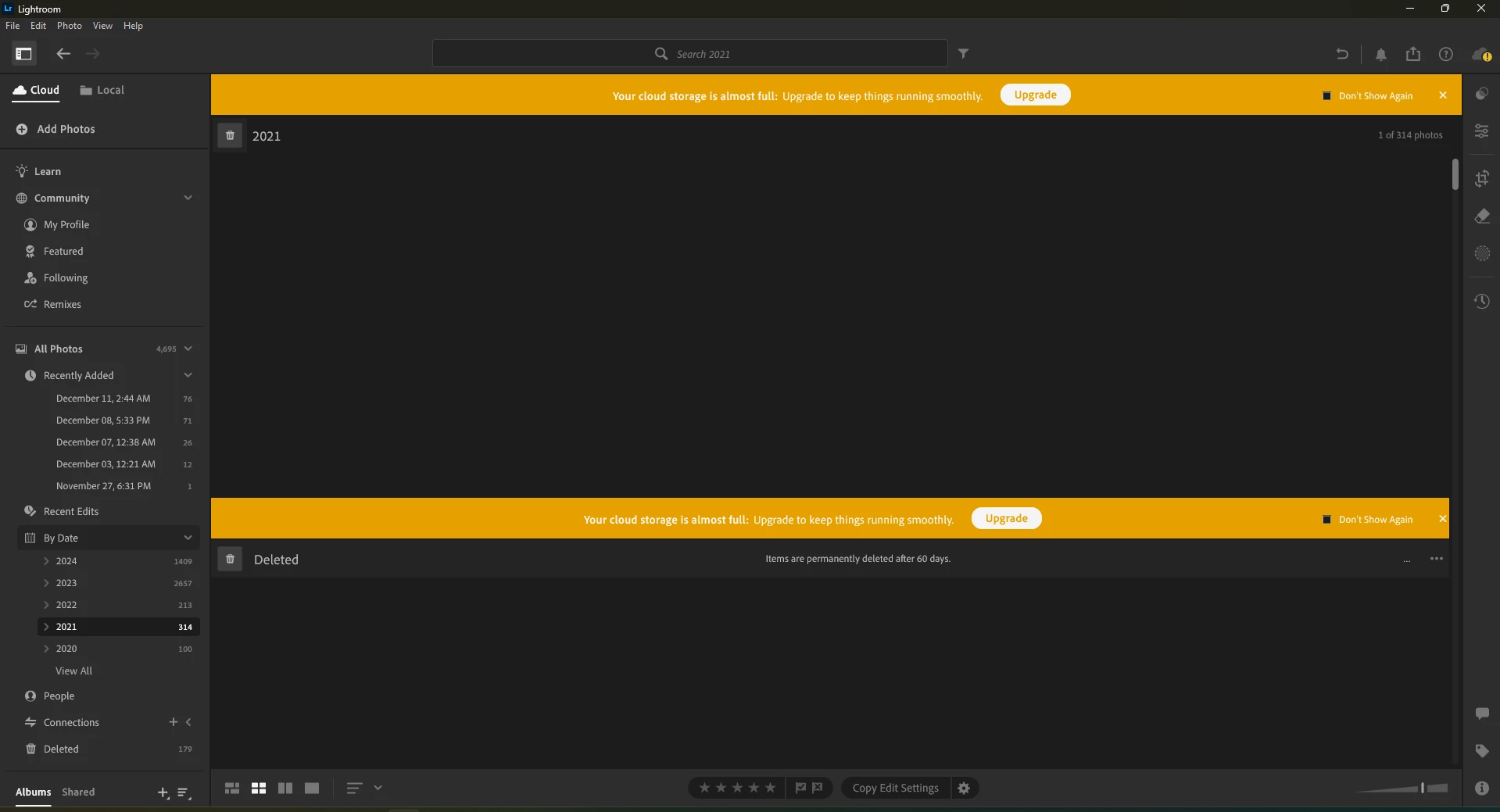
Lightroom CC isn't displaying any of my images on desktop; I just get this on my lightroom window. I've reinstalled it and cleared my cache, but neither of these have helped. 
 

Correct answer Abhishek Pratap

You can set the prefrences for the GPU to Power Saving, and that would work

5 replies

Abhishek PratapCorrect answer
Adobe Employee
February 27, 2025

You can set the prefrences for the GPU to Power Saving, and that would work

New Participant
June 27, 2025

Lifesaver! I've had this same issue for months and nothing was working till I tried this. Thank you

New Participant
January 27, 2025

I am trying to explore photos and presets in the Community section when this issue occured.

When looking into the grid view, nothing is showing. The photos are still there because when I click to the blank screen, I can still select photos. Can someone help me how to resolve this?Thank you


New Participant
January 1, 2025

Quand je fais des fusions HDR sur mon ordinateur portable (Windows 10), l'affichage des photos bug et n'est plus ajusté à mon écran.

Inspiring
December 23, 2024

I have seen this twice on my Surface Laptop, one a few months ago and again recently. In my case, the solution was to go to Windows Device Manager and delete the video driver under Display Adaptor, then reboot to force Windows to re-install the driver. Lightroom Desktop then worked normally. Maybe this will work for you - it's worth a go.

Sameer K
Community Manager
Community Manager
December 30, 2024

Hey, @KushaanC. Thanks for sharing the System info. Your machine has two GPUs: the power-saving Intel UHD Graphics and the high-performance Nvidia RTX 4060.

Please try these two suggestions:
1 - Update the graphics drivers using Intel's auto-detect program, as Nvidia's drivers are fairly recent.

2 - Follow step 6 in the content here to configure the default GPU for Lightroom: https://adobe.ly/49YQSCI


After you update the GPU drivers, try the steps below and check how it goes. The GPU info & Logs location on Windows is %APPDATA%\Adobe\CameraRaw. A shortcut to get to this folder on Windows is:

  • Press the Windows + R
  • Enter %APPDATA%\Adobe\CameraRaw

    SameerK_0-1684329421513.png


  • Rename the GPU & Logs folder in this directory by adding .old at the end. (GPU.old & Logs.old)
  • Launch Lightroom again.

Let me know how it goes. Thanks!
Sameer K

(Use '@mention' to tag me when you reply)

New Participant
December 29, 2024

I am using Lightroom Desktop version 8.1 on my laptop. In the last week the all preview photos do not show any of my photos in the photo grid, square grid preview option or the ticker bar. I can only view my photos in the compare or detail view. It shows I have photos in there but on the preview screen of photo or square grid it is just a black screen. 


Can anyone help on how to fix this glitch?


[Moved from Lightroom Classic ‘Bugs’ to Lightroom ecosystem ‘Discussions’ by moderator, according to forum rules.]

Sameer K
Community Manager
Community Manager
December 23, 2024

Hey, @KushaanC. Welcome to the Lightroom Community. I'll need more info to help you figure this out. 

Please share the system information from Lightroom Help > System info > Copy and paste into a text document > Upload and attach here. 


Does this happen after a series of steps, or have you installed Lightroom for the first time on this machine? 

You can set GPU performance in Edit > Preferences > Performance > Graphics Performance > High Performance. 

Also, in Edit > Preferences > you can clear the Cache & increase the Cache size limit & check if that helps. 


Thanks! 

Sameer K

(Type '@' and type my name to mention me when you reply)

KushaanCAuthor
New Participant
December 23, 2024

Hi Sameer,

Thanks for your response. This is how lightroom is opening up on my machine, but it used to work fine before. I have tried reinstalling and clearing the cache. I just changed the graphics settings to be high performance and restarted it, but it didn't help. The cache is at 93GB so it shouldn't be an issue or should at least display a single image. I'm attaching my system info if it helps. 


best, 

Kushaan
