Inspiring
October 24, 2023
Answered

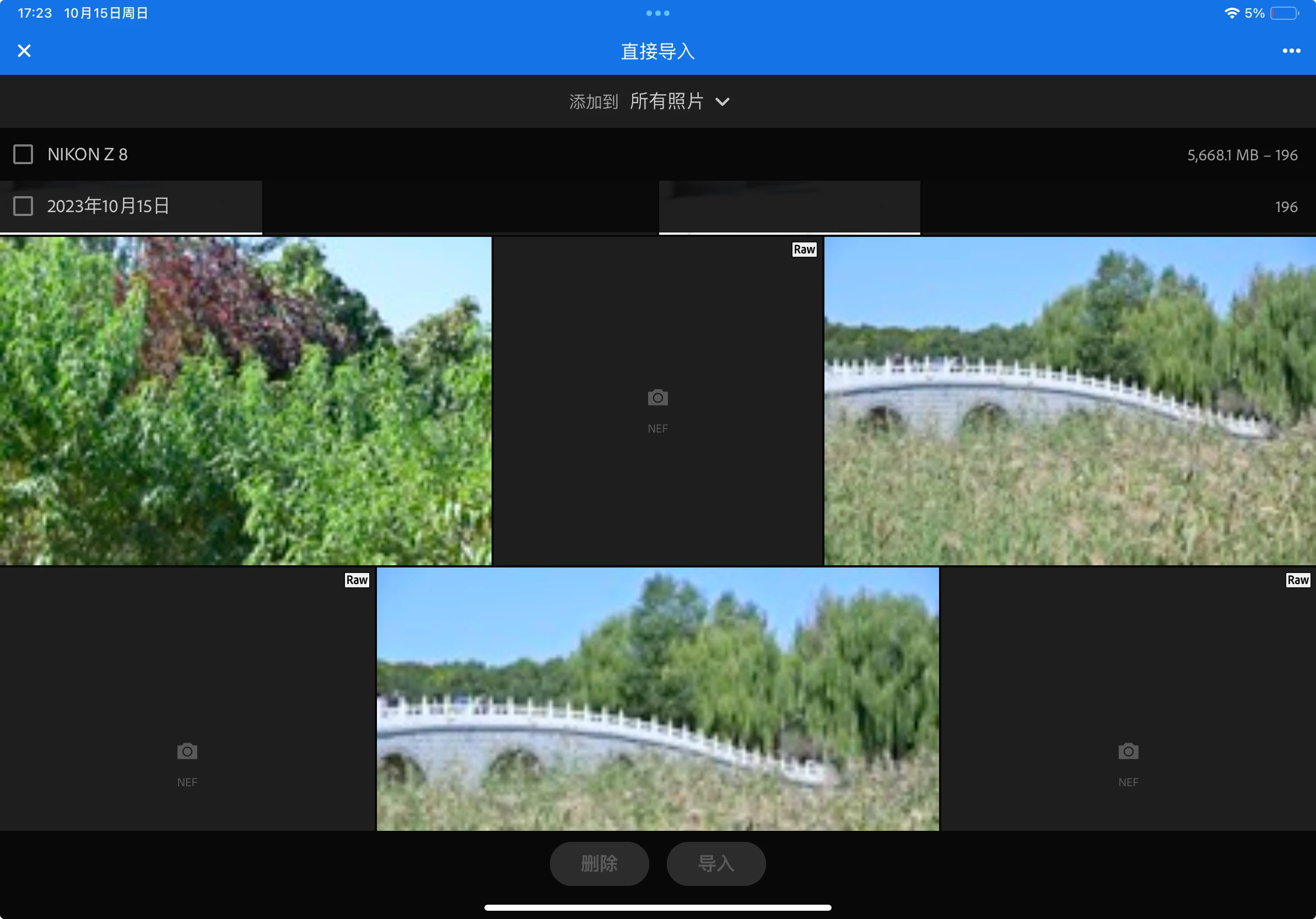
NEF file cannot be view when import

  • October 24, 2023
  • 1 reply
  • 3427 views

Hello, community. I am currently having trouble previewing NEF files when importing them into Lightroom. Only the jpg files can be previewed. What could be the issue?


Environment:

iPadOS: 17.0.3

Lightroom for iPad: 9.0.0. 


This topic has been closed for replies.
Correct answer han32783654qc7m3

Yes, thank you.  I just wanted to be clear that this represents a lack of support from Apple.  By contacting them you will be letting them know you want support for your NEF files.


Kind regards,

Charlie


Hi, @Charlie.D .

I have already asked Apple this question, but they did not reply yet. Through my own attempts, I have found a possible solution. I previously chose to use the default photo format "High Efficiency※" on Z8. Now I have changed the photo format of Z8's RAW photos to "Lossless Compression". Now iPad Photos can be opened and Lightroom for iPad can also be opened smoothly. Although the number of photos taken may decrease, at least it is usable on iPad. It seems that Apple has not adapted to the compression mode of "High Efficiency※" yet.

Thank you for your help all along!:)

1 reply

Community Manager
October 24, 2023

Hello, 

After import, Lightroom can display most images (after some processing).  However, on the import screen images are not yet processed by Lightroom, and the app depends on iOS to display thumbnails. 


In other words, if iOS Photos.app can display images, then Lightroom's import screen should also be able to display those images before importing.  Since it seems iOS cannot display your NEF raw images, you have to either choose to import the Raw based on how the related JPG looks, or just import all images and then later delete from Lightroom the image you don't want or need.

Inspiring
October 25, 2023

Thank you for your reply. Is there a way to process the images when importing them into Lightroom?

There are three reasons:

1. Currently, even if I have both JPG and RAW formats enabled on my camera, the order of the photos may not be fixed during import, which requires me to manually select many photos to ensure their correctness.

2. Sometimes, there are import failures and it consumes a large amount of storage space when I perform a full import.

3. It is too troublesome to delete unwanted photos after importing, especially when shooting hundreds of photos and only selecting a few for editing; most of the photos will be deleted.

New Participant
October 29, 2023

Hi, @Charlie.D .

I have already asked Apple this question, but they did not reply yet. Through my own attempts, I have found a possible solution. I previously chose to use the default photo format "High Efficiency※" on Z8. Now I have changed the photo format of Z8's RAW photos to "Lossless Compression". Now iPad Photos can be opened and Lightroom for iPad can also be opened smoothly. Although the number of photos taken may decrease, at least it is usable on iPad. It seems that Apple has not adapted to the compression mode of "High Efficiency※" yet.

Thank you for your help all along!:)


I tried an SD card reader, AND I tried connecting wirelessly to my iPhone - but to no avail. When I connect wirelessly, I can send the jpgs to the phone - but they edit differently than the raws. The LR Mobile app is updated to the most current version