


Participating Frequently
October 28, 2021
Answered

P: (Android) Masking of Subject or Sky Error Message "Something wrong"

  • October 28, 2021
  • 17 replies
  • 6967 views

Similar cases have been reported below

I updated to the new Lightroom mobile for android.

A red error message "Something went wrong"  occurs when performing the new masking function, sky or subject selection


My device is a Samsung Galaxy Fold (SM-F907N)
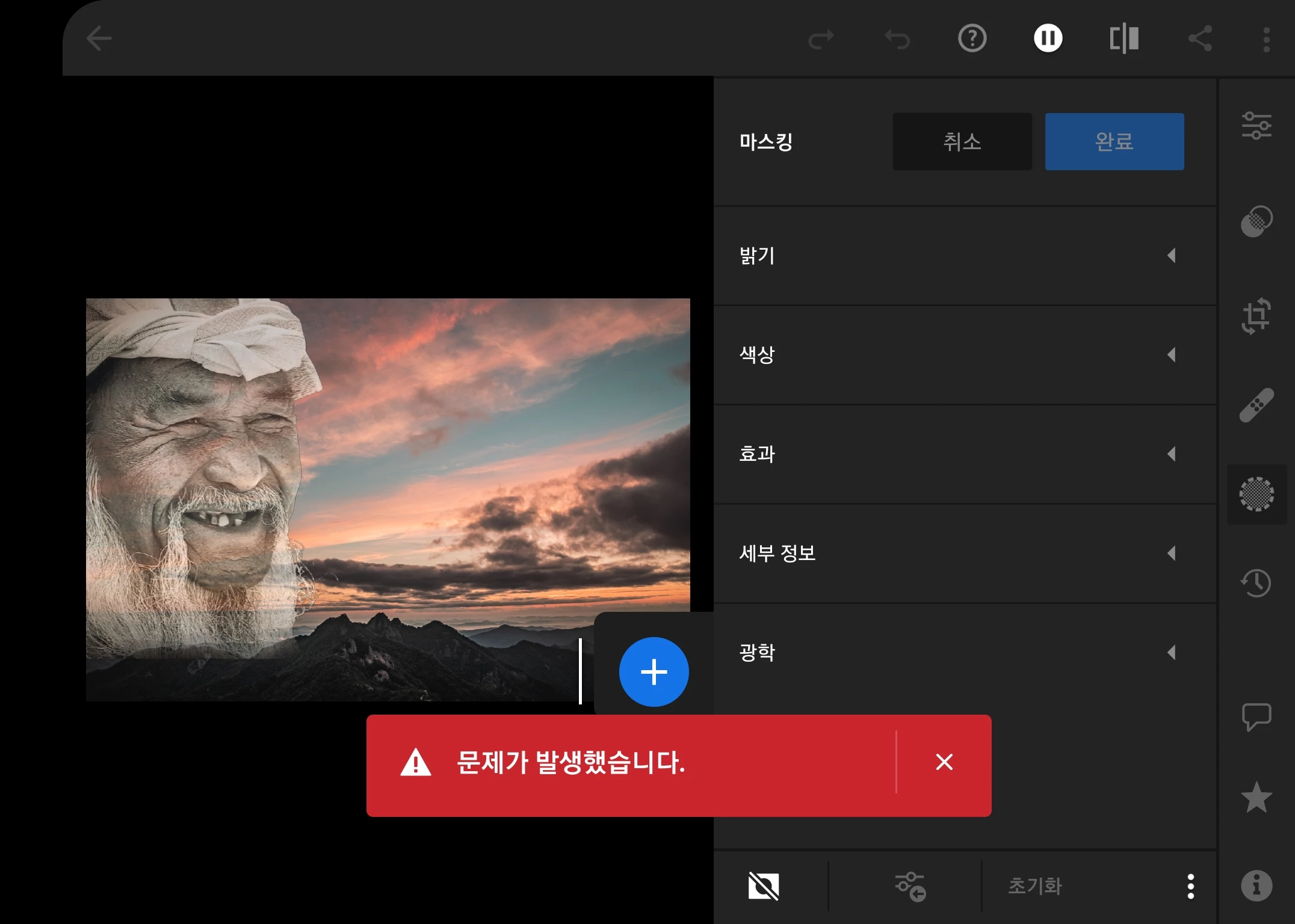
 

Correct answer Rikk Flohr_Photography

Setting status to investigating

Please verify your device meets the necessary system specifications: https://helpx.adobe.com/lightroom-cc/system-requirements.html


Note:
 

Certain features like Select Subject and Select Sky in Masking are supported only on Android devices with more than 6 GB RAM. Technology Previews (features that may not be completely production-ready yet but available to try out) are allowed on devices having between 4 GB and 6 GB RAM, but you could experience an occasional crash under memory pressure. On devices with less than 4 GB RAM, these features are unavailable.


Please hit the upvote button so we know how many of you are experiencing this issue

17 replies

New Participant
November 1, 2021

I've android  11, LR 7.0 


when try to use new feature to detect and mask the subject the app crash complete and autorestart..(no idea how to catch some logs if possible)

But It works fine on Windows though 

Rikk Flohr_Photography
Community Manager
Community Manager
October 31, 2021

Setting status to investigating

Please verify your device meets the necessary system specifications: https://helpx.adobe.com/lightroom-cc/system-requirements.html


Note:
 

Certain features like Select Subject and Select Sky in Masking are supported only on Android devices with more than 6 GB RAM. Technology Previews (features that may not be completely production-ready yet but available to try out) are allowed on devices having between 4 GB and 6 GB RAM, but you could experience an occasional crash under memory pressure. On devices with less than 4 GB RAM, these features are unavailable.


Please hit the upvote button so we know how many of you are experiencing this issue

Rikk Flohr: Adobe Photography Org
New Participant
December 28, 2021

マスク機能(空検出や被写体検出)を使うとアプリがすぐに落ちて、それまでの編集が消える。

アップデートやキャッシュ消去、端末の再起動等を行っても一度もうまくいった試しがない。

有料版に課金をしているのに使えない機能があるのは解せない。

早く改善させてください。


ネットワーク環境はWiFi接続時でも4Gでもダメ。

端末はGALAXY S9

データはRAW


New Participant
October 31, 2021

I'm trying to use the new select sky feature on lightroom mobile and it just keeps crashing. Any ideas how to fix?

GoldingD
Brainiac
October 28, 2021

Check your integrated video control driver for updates if you do not have a discrete GPU

Check your GPU driver for an update if you have a discreet GPU

The prior helped one LrC user with that issue.

deeboongAuthor
Participating Frequently
October 28, 2021

Thanks for the guide but this is a mobile phone device.

so it's not a driver issue

jojogiltsoff
Adobe Employee
Adobe Employee
October 28, 2021

Ok, that's helpful to know, will take this to the wider team if it's also being seen on other platforms!

deeboongAuthor
Participating Frequently
October 29, 2021

I want to reinstall LR Mobile to solve the problem,

but I ran into another problem where my library was not syncing with the cloud.

In the end, I had to delete all my photo history to be able to reinstall.
The moment came when my years of photography with LR were ruined.


New Participant
October 28, 2021

Hello,

I have the same problem on my computer (Windows10). Even if i try with differents pictures.The problem is the same on LR (Cloud) OR LRcc.

deeboongAuthor
Participating Frequently
October 28, 2021

As you say, this problem is the same for all photos.

I also have the problem of not being able to use the cloud for what I paid for. Adobe has a knack for stealing consumer money.

jojogiltsoff
Adobe Employee
Adobe Employee
October 28, 2021

Hi there,


This image might not be working because of the transparencies with the face and sky overlapping - can you try with a different image and let us know if that works? 


Thanks! 
Jojo 

deeboongAuthor
Participating Frequently
October 28, 2021

This problem is the same for all pictures.