



swrobel
Inspiring
April 18, 2023
Answered

P: Denoise with DNGs from iOS devices

  • April 18, 2023
  • 2 replies
  • 9589 views

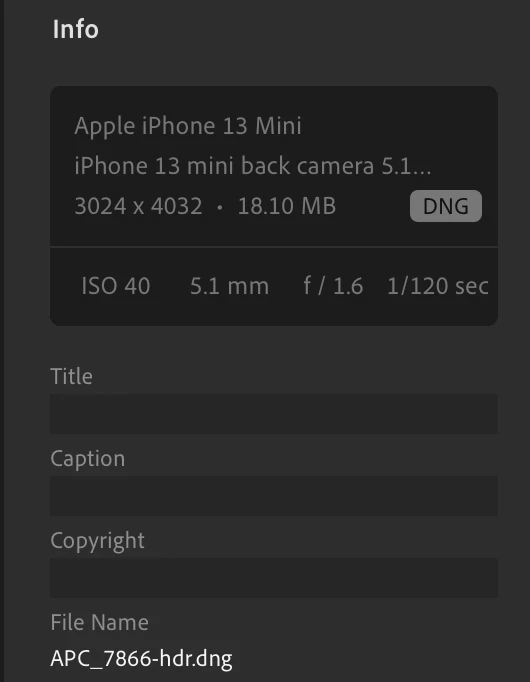
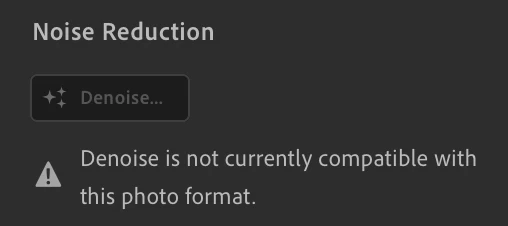
I'm disappointed to find that the brand new AI DeNoise tool isn't even compatible with photos I've shot using my iPhone in Lightroom Mobile. Small phone sensors create the most need for this tool, so this is a glaring oversight in the ecosystem!


Here's the photo info:
Here's the error that I see:
This topic has been closed for replies.
Correct answer Rikk Flohr_Photography

That explains it then. Denoise doesn't work on demosaiced images like an HDR - at least not yet!

See this document: https://helpx.adobe.com/camera-raw/using/enhance.html 

The section on Unsupported file formats for Denoise and Raw Details is pertinent here. 


2 replies

Wurstkrapfen
Inspiring
May 31, 2023

Same here on the Samsung S23 Ultra "Pro Mode" dngs, those would gain the most through noise reduction (although I found some old 1" sensor photos in my collection that benefit greatly too). And of course it would be best if LR mobile could perfom it.

I really hope that gets added soon.


Another funny thing, the Canon 5D Mark II seem to be unsupported for some reason too. 

Jim Wilde
Inspiring
May 31, 2023
quote

Another funny thing, the Canon 5D Mark II seem to be unsupported for some reason. 


By @Wurstkrapfen


No issues on my old 5DII raw files. Did you shoot full raw, or did you perhaps shoot in one of S-Raw formats? If so, they may contain demosaiced data, the AI Denoise process only works on mosaic data.

Wurstkrapfen
Inspiring
May 31, 2023

No I never used that, but you are right, some files seem to work. Even on the same event without changed settings I found some that work.

Rikk Flohr_Photography
Community Manager
Community Manager
April 18, 2023

I am trying to reproduce what you are experiencing.


Are you using DNGs created with Apple's Camera App, Lightroom's Camera App, or a third party camera app?

I also note that your filename indicates an HDR photo. Does the same issue happen on non-HDR?

Rikk Flohr: Adobe Photography Org
swrobel
swrobelAuthor
Inspiring
April 18, 2023

I am using Lightroom Camera (or as I put it "shot using my iPhone in Lightroom Mobile.")


You are correct that it affects HDR photos shot in Lightroom Mobile only. "Pro" images seem to work with the DeNoise tool.

S.Seng
Participating Frequently
September 20, 2024

That explains it then. Denoise doesn't work on demosaiced images like an HDR - at least not yet!

See this document: https://helpx.adobe.com/camera-raw/using/enhance.html 

The section on Unsupported file formats for Denoise and Raw Details is pertinent here. 


When would the AI noise reduction be available to iPad version.