


Participant
September 2, 2018
Question

"Error in catalog index" when importing photos

  • September 2, 2018
  • 21 replies
  • 13846 views

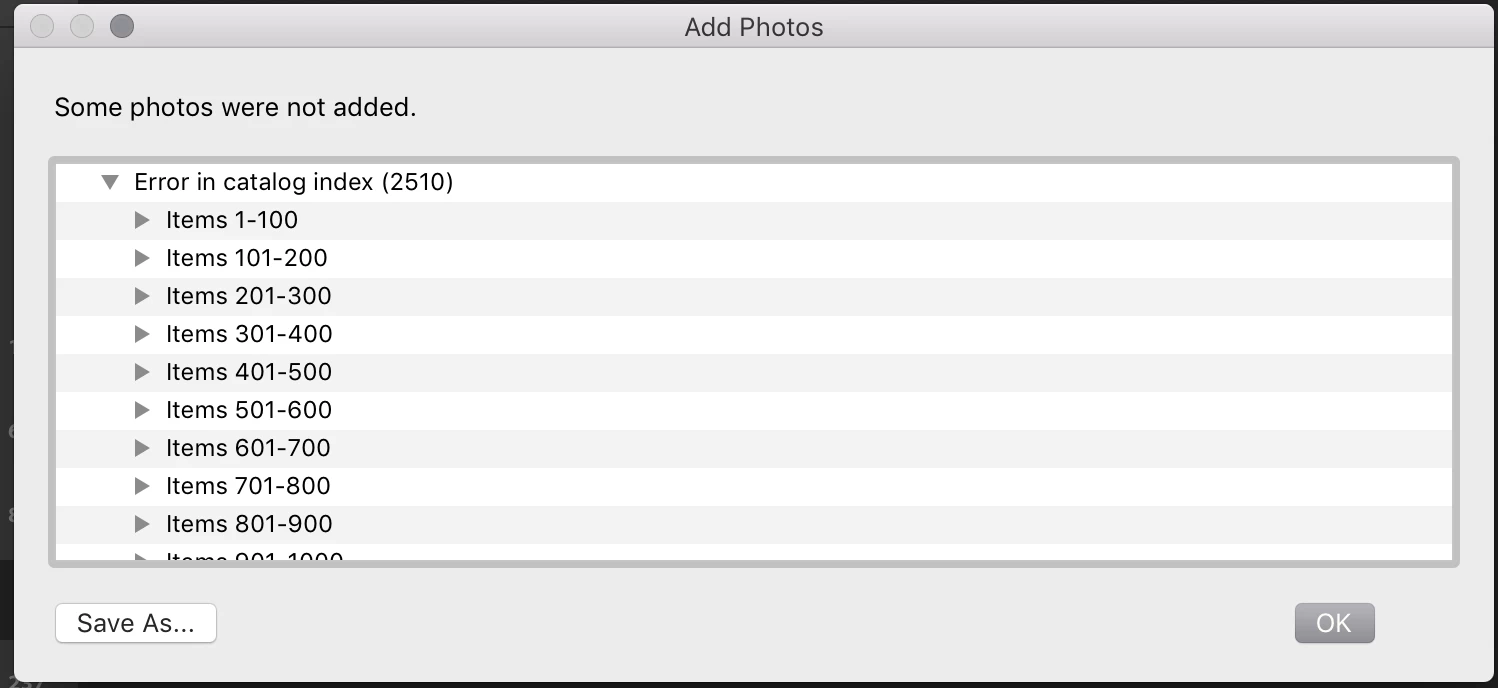
When I attempt to import photos into Lightroom CC, the import does not succeed and returns the error message "Error in catalog index". The import preview is able to "see" each photo and can open it, so I don't believe the problem is with the files themselves. This result is the same when I try to import the files directly from SD card, when I first copy the files to my local hard drive, and when I copy them to an external drive. I have attached screenshots showing the preview of the import, and the error message that I receive. Looking for suggestions on how to troubleshoot the catalog index issue, or how to escalate this to a proper support request.

Message was edited by: Mod (Discussion successfully moved from Lightroom Classic CC — The desktop-focused app to Lightroom CC — The cloud-based photo service) This discussion needs to be in the Cloud Centric Forum. DO NOT MOVE IT BACK TO the Desktop forum.

This topic has been closed for replies.

21 replies

Participant
December 3, 2020

There seems to be a solution in this similar thread:

https://community.adobe.com/t5/lightroom/cannot-import-photos-quot-error-in-catalog-index-quot-lightroom-v3-3/td-p/11336021?page=1

It involves deleting and rebuilding your local library. 

Participant
November 5, 2020

It's blatantly disrespectful that adobe has not provided any sort of solution after years of this being an issue. I have deadlines I need to hit and I dont have time for petty issues like this.

adriankinloch
Participant
October 8, 2020

Been having the same problem with D7100 sd cards, Lightroom (not classic) Mac OS. jpg or raw the same error message.

Participating Frequently
May 15, 2020

I am having the same problem, and it started right after I updated LR to version 3.2.1.  I need to GET THIS RESOLVED!  Hey Adobe, are you working on this?  This affects my business!

Participant
August 4, 2020

also having the same issue - version 3.3


Participant
April 27, 2020

Same problem here. Tried unistalling lightroom cc then reinstalling. Tried logging out of adobe then logging back in. Problem still there. Must be problem with the latest update. Adobe needs to fix this now!

Participant
January 28, 2020

I have partitioned my files to be uploaded so that they are roughly in 32GB folders. I tried to load 5 such folders successively. On the fifth folder I got the error. I had gone from about 94k photos to about 107k photos (lots of duplicates). The error leads me to believe that LR simply couldn't expand its own index any further without a restart. A restart cured my problem. 

Analagously, LR was trying to eat five cheesburgers without swallowing. A restart is a swallow and a drink of water. If that doesn't work, maybe it already choked to death. 

Zieby
Participant
October 15, 2019

THE SAME PROBLEM... no answer ... Adobe Support, Hello? 😞

Participating Frequently
January 27, 2020

I am having the same issue!  Is ANYONE from Adobe monitoring this?! I would think my monthly subscription would inclue a solution.  This is worthless program if I cannot import photos!!!

girlwithacurl
Participant
July 28, 2019

Happened to me as well. I'm also wondering why it says "assumed answered." Especially as there seem to be quite a few people here who have not been able to resolve the issue. In fact, this may be the most vague category I've ever seen in a support forum. Congratulations, Adobe, for your cutting-edge deflection tactics.

June 20, 2019

Just happened to me.  Really frustrating.  Adobe ... can't you answer this one?

traceyh36788780
Participant
June 4, 2019

I'm wondering why this says assumed answered... There is no solution. The same thing is happening to me tonight.