


damianb69903736
Participating Frequently
October 8, 2018
Question

Thumbnails (some) missing on iOS, but appearing on desktop CC (Mac and Win)

  • October 8, 2018
  • 9 replies
  • 1907 views

I run LR-CC on desktop Windows and Mac, and on mobile iOS (iPhone and iPad)
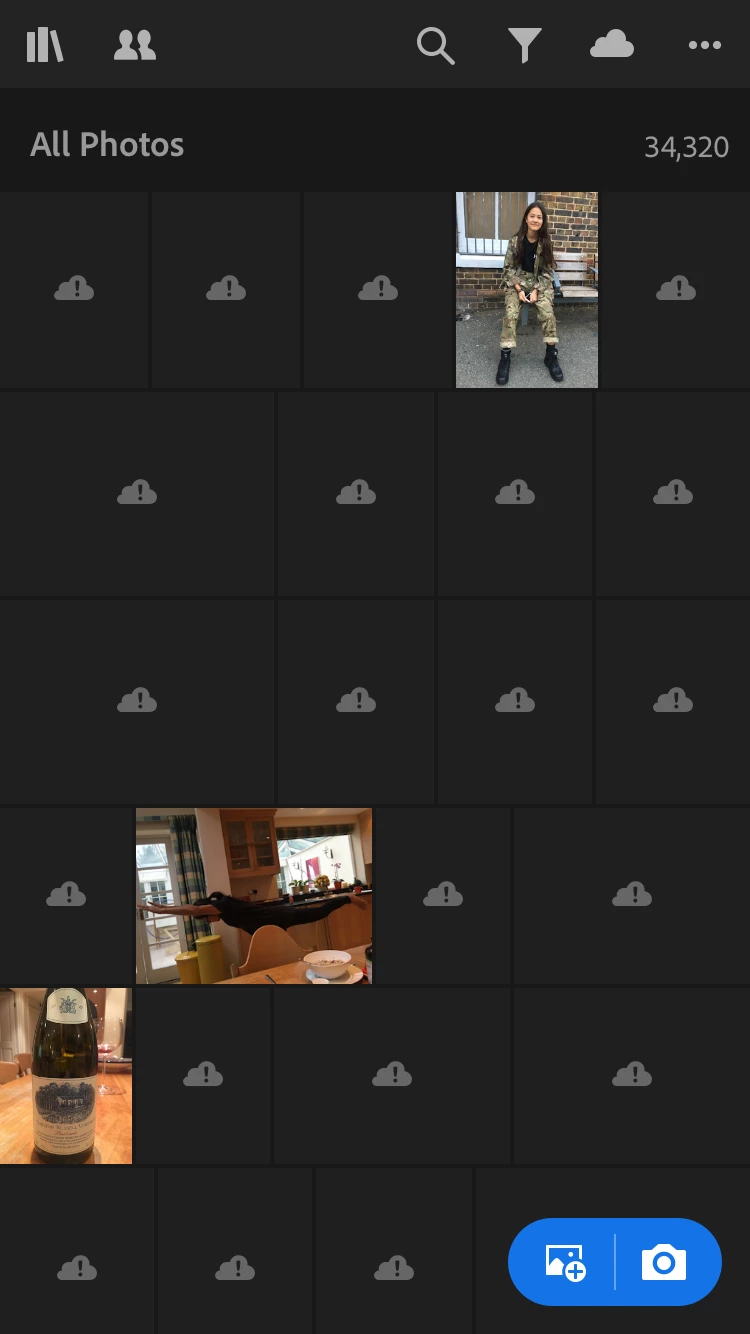
Thumbnails are missing from the Gallery View for some photos from my mobile devices.
They are replaced by Cloud+Exclamation Mark icons
If I click on an icon it downloads and shows the Smart Preview for the (.jpg) photo correctly
If I return to the gallery the thumbnail has not been rebuilt. It is still the Cloud + ! icon.

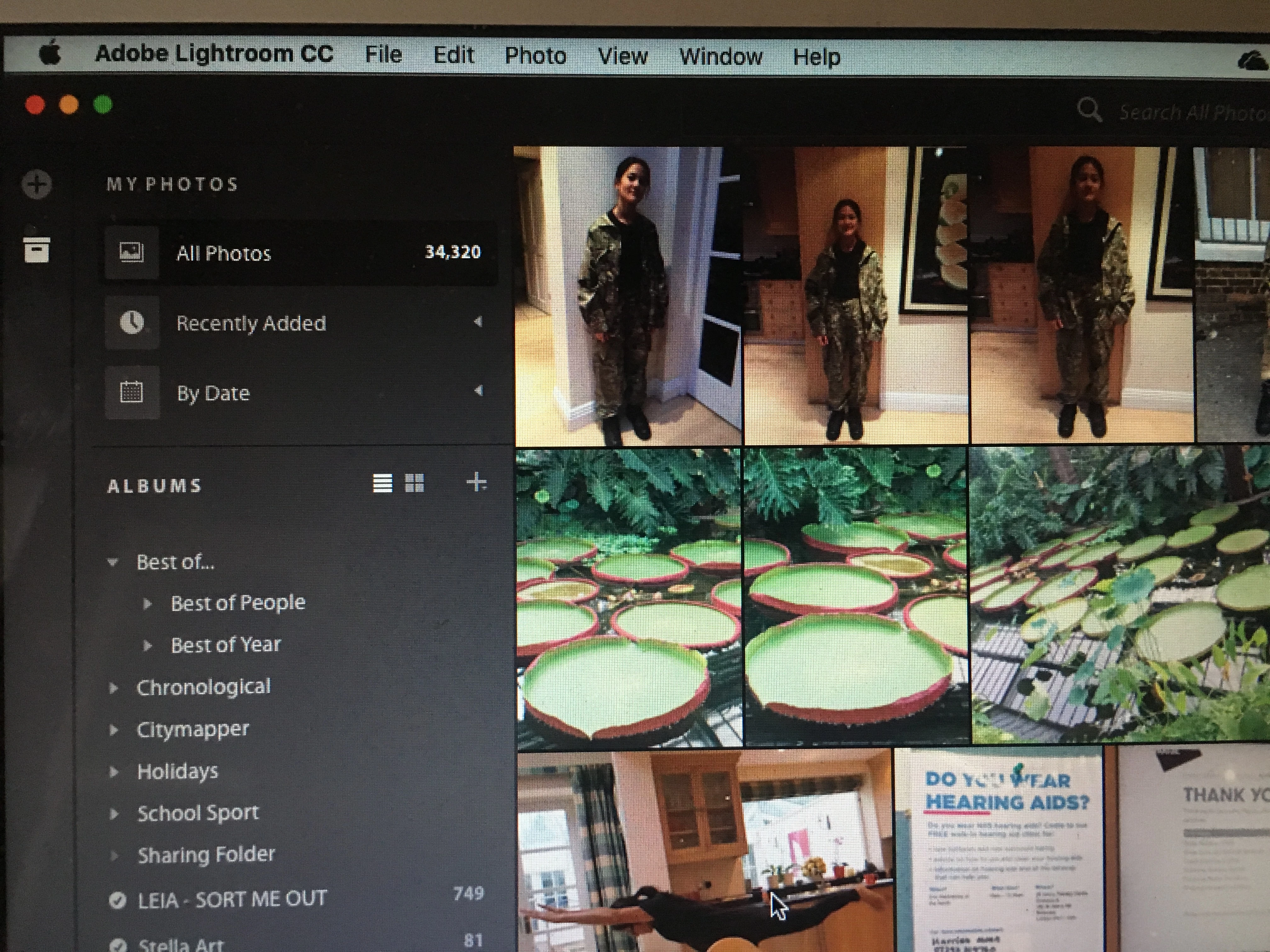
On my desktop clients (Windows and Mac) the thumbnails render fine.

NOTE:
Everything is fully synchronised

All LRCC and OS versions on all devices are up to date
I have tried purging the cache on mobile devices. Didn't work.
I have tried deleting and full reinstalling the app on my mobile device. Didn't work.
Photo count is the same in all views.

Any suggestions?? Thanks


From iOS device:
Same view on Mac Desktop
I

This topic has been closed for replies.

9 replies

Participant
October 26, 2018

This exact same problem is happening with me, too. This started with my most recently added album from this past weekend. Doing an edit to a picture with a missing thumbnail does restore the thumbnail, but since I use the original thumbnails of several similar pictures to select which one to further edit, this puts a real dent in my workflow. Lightroom 4.0.0 on an iPad Mini 4.

Community Manager
October 26, 2018

Ok, had these images from the past weekend, been imported on your iPad mini 4 with 4.0.0?
Or did they get imported with an earlier version?

thanks,
Ignacio

Participant
October 26, 2018

They were imported with version 4.0.0. I haven’t fully checked, but I suspect that earlier albums imported with earlier versions are ok.

Sean Molin
Participating Frequently
October 25, 2018

We are having the same problem as well that seems to have just started in the last few days.

No problem in Classic or Mac CC... but iPad CC... nothing. Even adjusting the images isn't helping. It's only on recent imports.

Community Manager
October 25, 2018

Hi,
Please let us know if this issue still occurs,

Thanks,
Ignacio

phillips64306981
Participant
October 24, 2018

Yes I have exactly the same problem - happened today

paul@owenstaylor.com
Known Participant
October 22, 2018

Ok, in case Adobe are reading this, related issue.....upon taking a picture on iPhone, uploads just fine to LR CC on iPhone, appears just fine on LR Classic CC but appears as a "Cloud+Exclamation Mark icon" in LR CC on iPad. Simple fix again was to simply adjust exposure and all synced up ok. Same thing happened in reverse with taking a photos on iPad, not appearing ok on iPhone LR CC

paul@owenstaylor.com
Known Participant
October 22, 2018

Ok....I followed greule's advice above and made a small exposure adjustment to the original files in LR Classic CC and suddenly they appeared just fine on both iPhone/iPad and on the web.....ok thanks, but why did this occur?

paul@owenstaylor.com
Known Participant
October 22, 2018

I just started having this exact same issue.....cannot seem to figure it it out. I just moved to LR Classic CC. Photos synced from LR Classic CC on my Mac and not a problem viewing those cloud based photos in LR CC on the same Mac, just when I try viewing them from LR CC on iPhone and iPad. I also only see thumbnail "Cloud+Exclamation Mark icons" when I try viewing them on the web. No solution identified yet....

phillippen49580429
Participant
October 22, 2018

yes, this is an annoying problem. The exclamation point is on the thumbnail icon, yet when i click on the thumbnail, the photo will load, albeit a little slow even though i am connected to wifi. then when going back to view the collection again, the preview doesnt load, just displays the cloud with the exclamation point over it!

phillippen49580429
Participant
October 22, 2018

is anyone else having this issue? I am having the same problem, any solutions?

greule
Community Manager
Community Manager
October 11, 2018

Could you try to make a tiny edit from within Lr CC desktop and let it sync and see if this helps to create a new version of the thumbnail on the server-side. - Guido/ LrMobile QE

selondon
Community Expert
Community Expert
October 8, 2018