tracey@ktrmanagers.com.au
Participant
October 23, 2022
Answered

Why won't Lightroom save my edits when I export them?

  • October 23, 2022
  • 1 reply
  • 5923 views

Hi,

I am new to Lightroom and am unsure what I am doing wrong.

I am using Adobe Photoshop Lightroom V6, Windows 11 Home
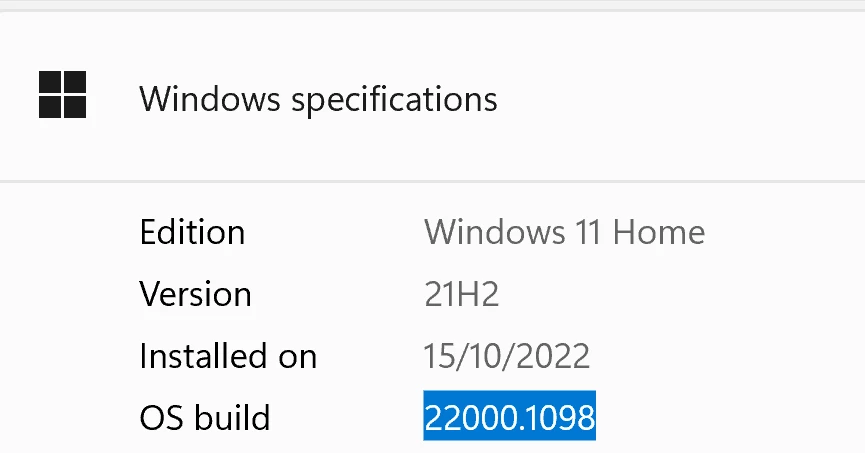
 

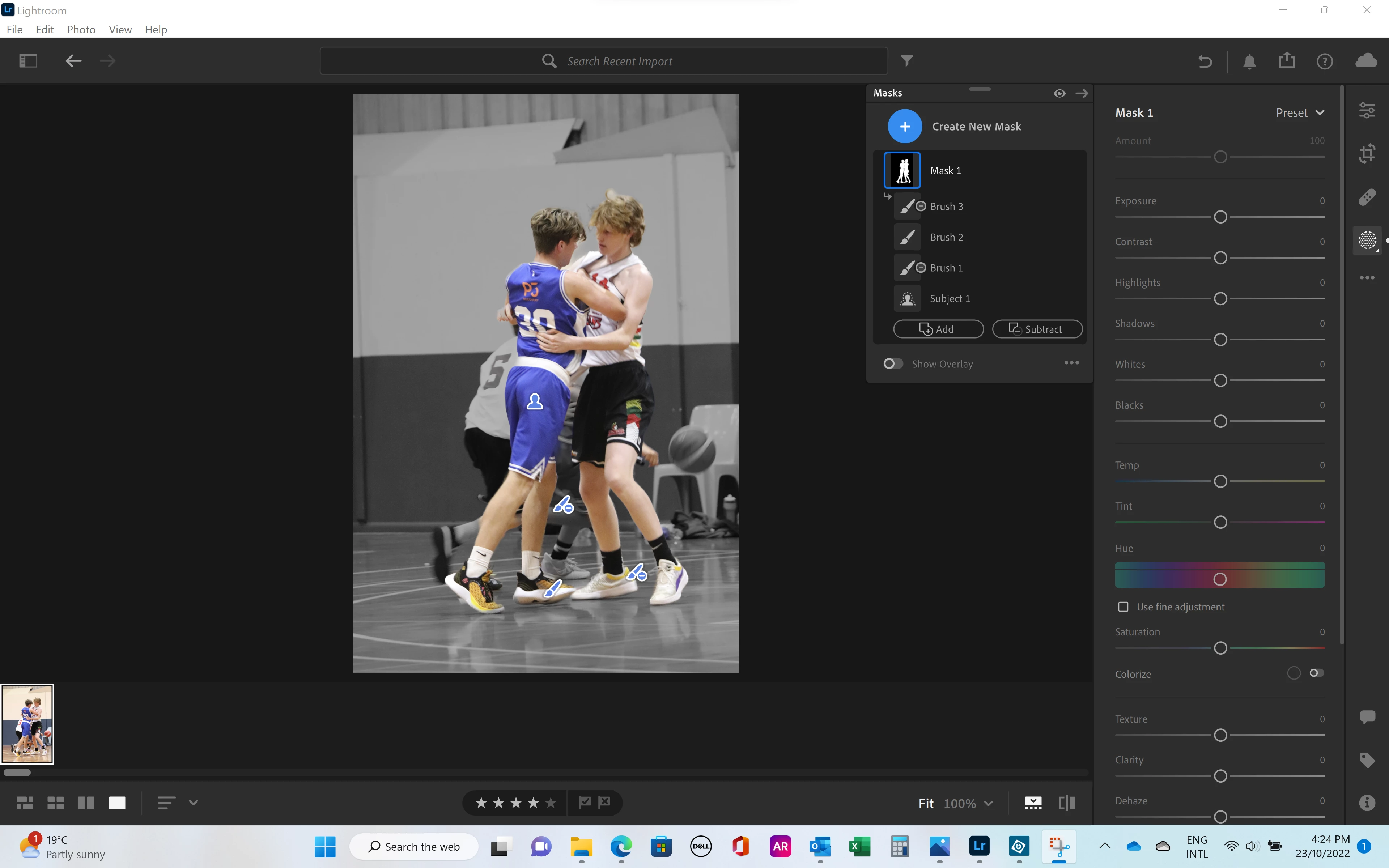
I have edited a photo to have a black and white background and colour people using a mask, below.


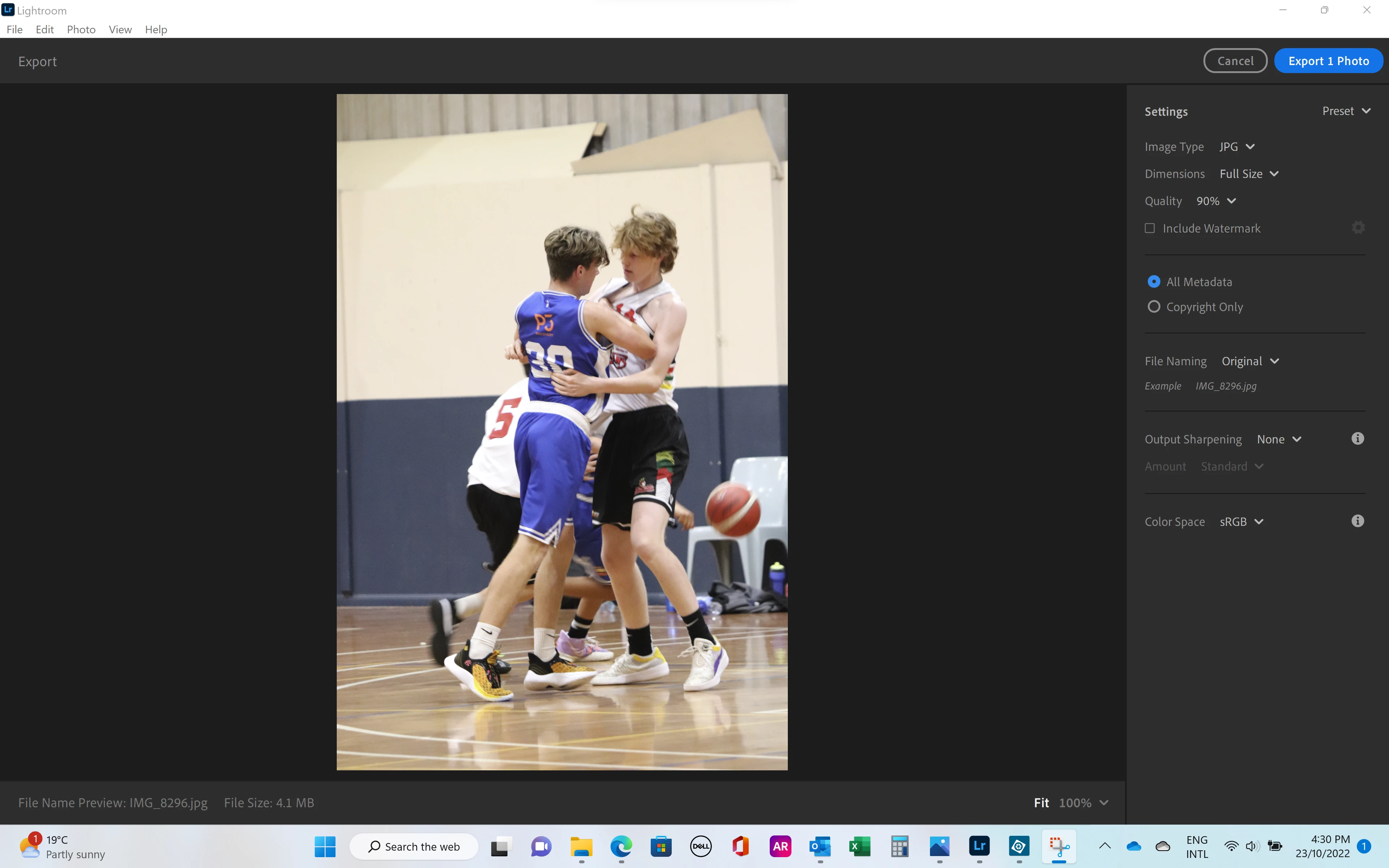
When I try to export it reverts to a full colour photo. Am I missing a step?
 

Thank you very much in advance for your help  🙂


[moved to the correct forum - Mod.]

Correct answer JohanElzenga

@Jim Wilde is correct. If you look at the sliders in your second screenshot, then you'll see that they are all still at zero. That means that you have created the mask, but you haven't made any adjustments to that masked area yet. You are looking at the mask overlay, not at the result. This is a common misunderstanding. Here's what to do: First you need to invert the mask, so the background is masked. Right now the subject is. Then set the Saturation slider to -100. Now the background will really be B&W and stay that way if you export the image.


1 reply

Jim Wilde
Community Expert
Community Expert
October 23, 2022

How did you turn the background to B&W? Looking at the image in the filmstrip of the masking screenshot, the background is still in colour, which implies that you haven't yet converted the background. Are you by chance using the mask overlay style of "Image on B&W", which is in fact merely a visual overlay aid and not an actual adjustment to the image.

Participating Frequently
December 6, 2024

Hi Jim, Im having the same problem, however I am creating the mask, editing the part of the photo that was masked, and then exporting to large jpeg. The edits are not showing in the final exported jpeg. My sliders are NOT at zero as shown in Tracey's screen shots. Please advise if you can - its driving me CRAZY since this only happens on random photos, not all of them. Ive been using LR for a year and have created several edited final products but every now and then this happens.

Community Manager
December 10, 2024

Hi @Aleke . So when I export I always choose JPEG Large. There are no other settings Im using. I tried exporting small jpeg. No luck. Im telling you, there's no reason this should be happening other than a glitch in Adobe's LR program. Another interesting thing about the sliders is that when the gradients disappear, all I have to do is click on a slider without even sliding it and the colors reappear again. But I still can't export them. Do you think because lightroom is cloud based this is causing my issue? I paused syncing because I didnt want it to sync what was on my laptop lightroom since I use my desktop and laptop for different kinds of projects. Maybe I should try using LRC instead? Maybe I need to uninstall and reinstall lightroom? That would be a pain considering all the photos I have - Id need to export them all to back them up. But what other choice might I have?  I honestly dont think this will fix. I challenge any Adobe software programmer expert to fix this for me - I bet they cannot.


Hey @EDPcorp! Sorry we haven't figured this out yet. Could you try a couple more things for me?

First, try exporting the image through Lightroom Web. Sometimes when the app is having issues, the web version might do the job.

If that doesn't help, try exporting the edited image as a DNG and share it with us. This format keeps your edits, so we can test it on our end. To do this, select the photos you want to export, then go to File > Export, choose DNG from the file formats list, and export it.


Thank you for your patience!

Alek

*(If you mention me with an @, like @Aleke, I’ll get a notification and can respond faster.)*