
geekformante
Participant
December 22, 2023
Answered

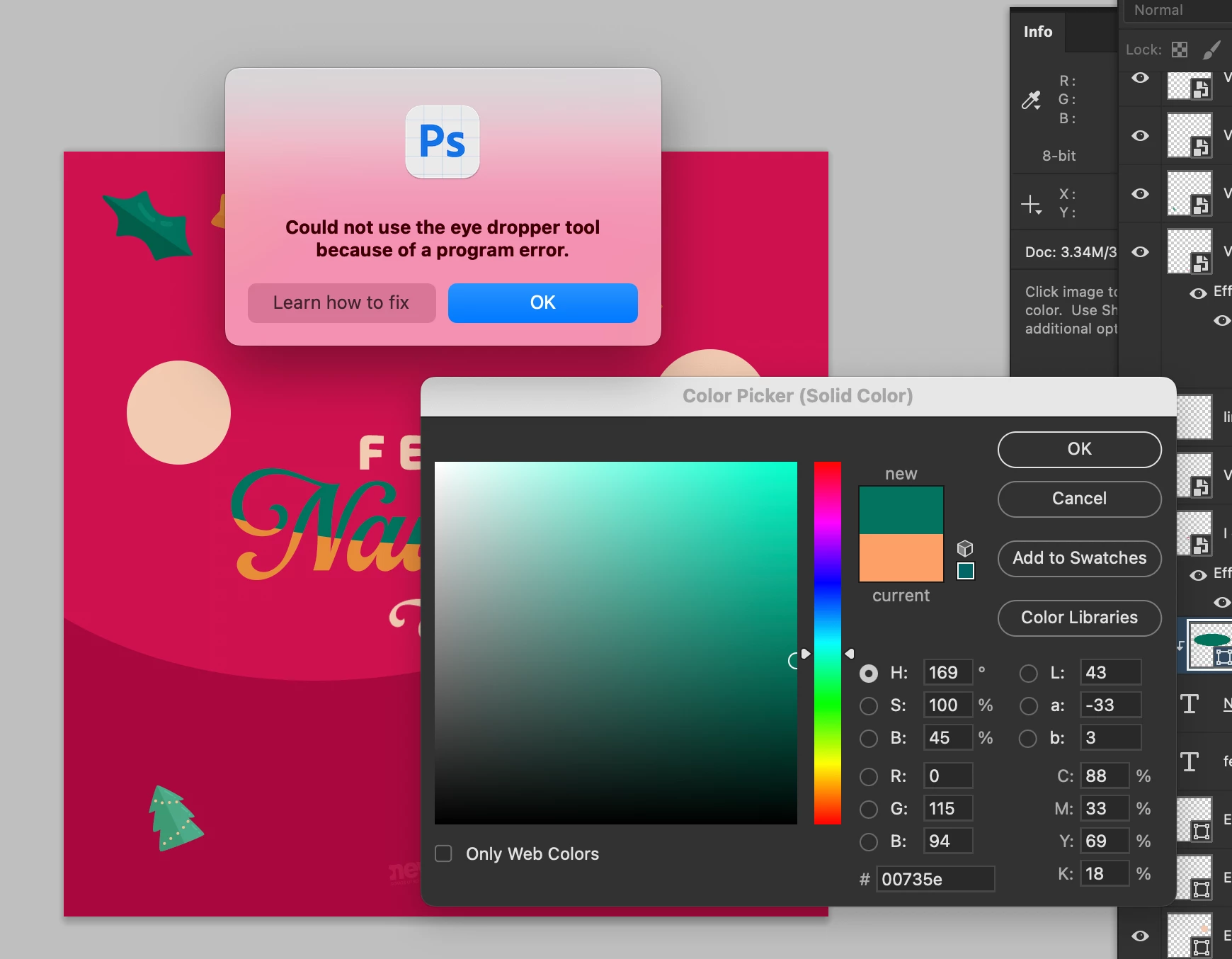
Eye dropper error: Could not use the eye dropper tool because of a program error

  • December 22, 2023
  • 102 replies
  • 35758 views

Hi.


Does anyone know how to fix this error? I can't pick colors from with the eye dropper. I have the most recent versión of Photoshop Beta: 25.4.0


I tried reseting preferences, erase them, hidding layers, etc.


Here is a capture of the problem:


102 replies

Inspiring
January 25, 2024

I have been getting this error for the last month in both normal Photoshop and Beta

Participant
January 24, 2024

I'm running into the same issue. Hopefully this is fixed in the next update. 

Participant
January 19, 2024

The Eyedropper too is not working for some reason, It says there's a problem with it whenever I try to use it.

Participant
January 18, 2024

I keep getting this error every time I try to use the Eye Dropper tool.


"Could not use the eye dropper tool because of a program error."

Participant
January 17, 2024

I updated Beta yesterday, same issue, cannot use eyedropper tool.

Participant
January 15, 2024

Same here

Participant
January 10, 2024

Also encountering the same issue. Just updated to the very latest today and still having the same issue.

MAC OSX Ventura 13.5

Photoshop Beta 25.4

Participant
January 3, 2024

I am running into this same issue! Installed an earlier beta as a temporary fix.

MacOS 14.2

PS(Beta) 25.4

EthosWhippet
Known Participant
January 3, 2024

I can't get the eye dropper tool to work from the properties panel. It throws the error "Could not use the eye dropper tool because of a program error". Super annoying. It will work sometimes from the tools menu, sometimes not. 

Participant
January 3, 2024

I am running into this same issue! Installed an earlier beta as a temporary fix.

MacOS 14.2

PS(Beta) 25.4

Participant
January 3, 2024

I just updated Photoshop Beta to v25.4.

and I encouter a problem of Unable to use Eyedropper in shape tool occasionally.

Bakhtiar Uddin
Participating Frequently
March 13, 2024

The solution seems to be updating to the latest version, v25.5.1. Updating to this version resolves the eyedropper tool issue for most users.

Participating Frequently
March 13, 2024

This has also been working for me since updating a couple days ago. Hope it works for everyone else. Thanks Adobe for fixing this.