
Participant
August 4, 2021

P: Color Distortion When Opening Images saved from Facebook in Photoshop 26.5

  • August 4, 2021
  • 75 replies
  • 28208 views

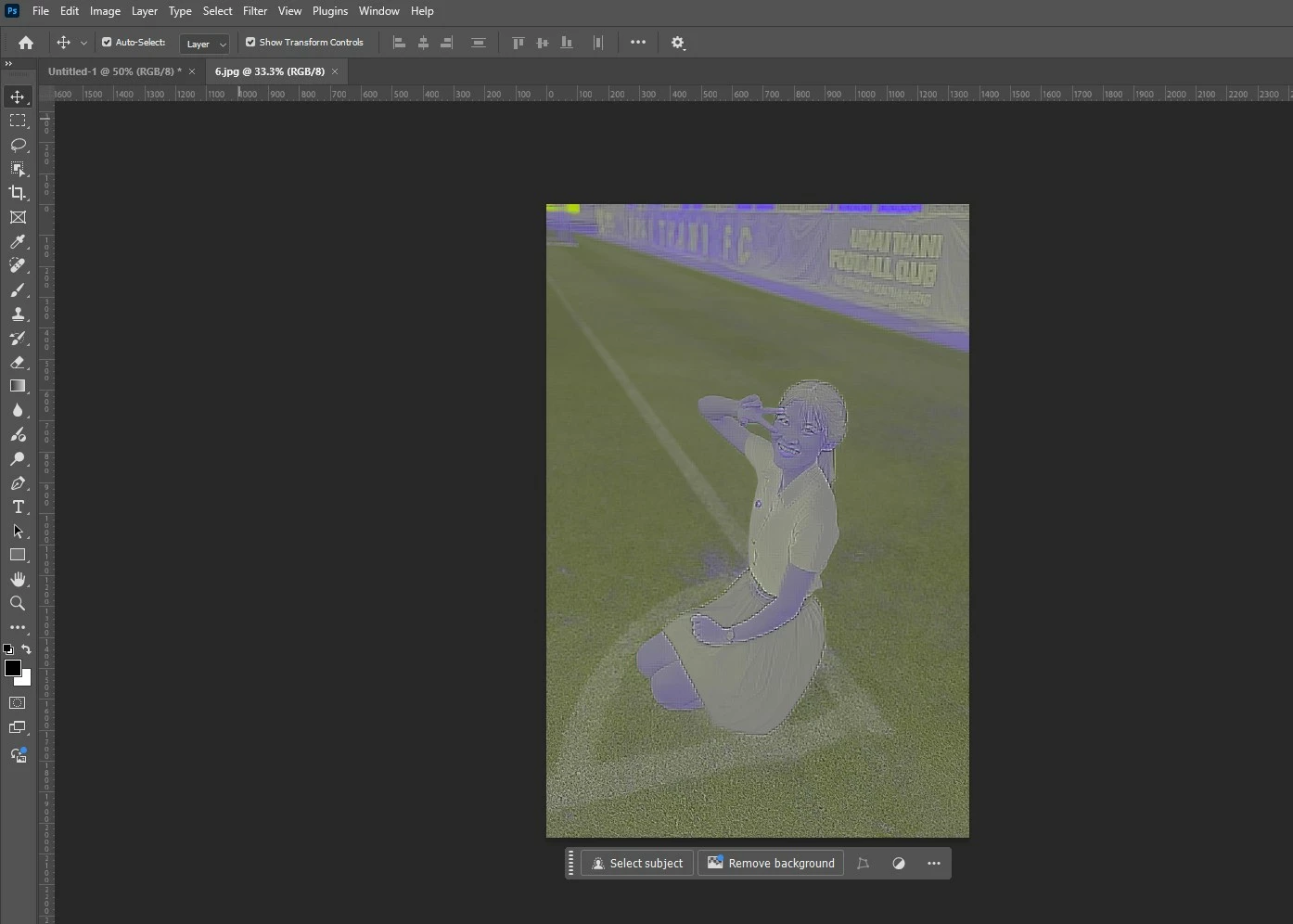
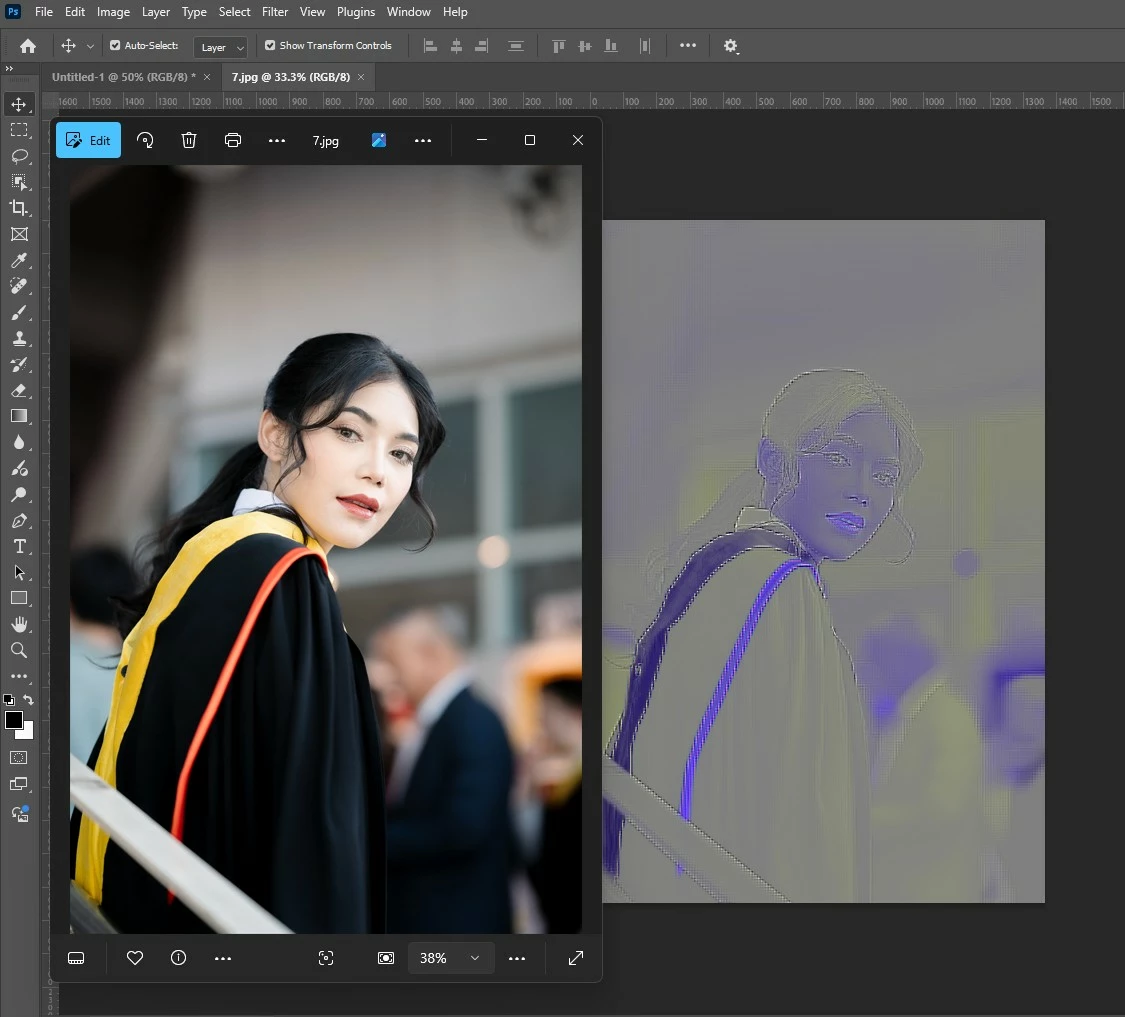
After updating to the latest version of Photoshop, we encountered an issue where images saved from Facebook from the previous year display color distortions when opened in the program. However, images saved recently from Facebook open without any issues and display correctly.


75 replies

Legend
February 9, 2026

There was an ongoing issue with JPEG files saved from Facebook, but that was color distortion and not total failure. Could it be the file path is too long? Try renaming your file to something with a shorter name. Also, are you sure these are JPEG files? Do they work in Bridge and Lightroom?

If you post one on Dropbox we can take a look at it.

ascendjoe
Participating Frequently
February 9, 2026

This file was downloaded from Facebook, but I feel like I’ve also had similar issues with other photos clients have sent us. Its possible they were sending us downloaded FB images though.

I did start using Camera Raw to import images as I was having the issue where jpegs were coming in as all blue with horizontal lines a few months ago, I think what you’re describing. I’m probably lumping that issue into this in my mind as it feels like for several months jpegs have been having issues.

I tried renaming it to a shorter file name - same issue.
I’m pretty sure they are JPEGs. If I put it into a file type checker they come back as JPEG and the original image on FB shows its a JPEG in the console, not something like a webp with a jpg file extension.

Bridge cannot create the preview for it and same issue if I try to open it there. I don’t currently have lightroom installed to test.

Heres a drive link to download the file:
https://drive.google.com/file/d/185535Mqk2gN7qbBHkZdmU1uVRpvhKvA2/view?usp=sharing

I have a bunch of JPGs that are currently totally failing, so its not just this one off image.


Legend
February 9, 2026

Hopefully Adobe staff sees this and can file a bug if needed.

ascendjoe
Participating Frequently
February 9, 2026

I keep running into issues with Photoshop where it says its unable to parse the file. 

Microsoft Paint is able to open it just fine. Please tell me how the free microsoft application can open the file when the $22.99 a month dedicated photo editor software cant. 

My workflow shouldnt be open in MS paint, save, then open in Photoshop for the cost of the software.

Attatched is an example of an image that cannot be opened.

davescm
Community Expert
Community Expert
February 10, 2026

@ascendjoe  asked  ‘Please tell me how the free microsoft application can open the file when the $22.99 a month dedicated photo editor software cant.’

Photoshop parses the file as per the jpeg specifications, but that means the file should adhere to those specifications. Some software applications ignore parts of the specification and will therefore open a file that does not adhere to them.

Dave

ascendjoe
Participating Frequently
February 10, 2026

I disagree with the sentiment that Photoshop SHOULD fail if a file doesn't completely adhere to the specifications. Software at photoshops level of expertise with image formats should be resilient enough to handle these use cases.

I’m just saying it looks bad for Adobe when every free tier software (gimp, affinity, ms paint, any browser) can open it but the $22.99 a month software cant. That’s when people start switching.

Participant
November 13, 2025

Since the recent upgrade to 27.0 Photoshop has been opening what appear to be corrupted versions of images that look O.K. in Preview, but not in Photoshop. It renders Photoshop unusable. I tried uninstalling and re-installing with the same result. Mac Mini M4 Pro, everything is up to date.


D Fosse
Community Expert
Community Expert
November 13, 2025

That's a known issue with images specifically downloaded from facebook.


The workaround is to open jpegs through Camera Raw (set it to open all jpegs in Camera Raw settings) and from there into Photoshop.


Hard to tell where the problem is, Photoshop or facebook, but most likely facebook encodes jpegs not strictly to jpeg specification.

Participant
November 14, 2025

It doesn't open in Camera Raw from Bridge, it doesn't show a thumbnail, and says "loading" but doesn't open.

Participant
November 5, 2025

i have tried all of the suggestions given online and nothing seems to work. when pulling a pic in to ps the pic either has lines through half of it or it looks like a negative. i even uninstalled and reinstalled.

nikunj.m
Community Manager
Community Manager
November 5, 2025

Hi, thanks for reaching out, and we're sorry about the trouble! 

Please go to the Help menu in Photoshop, then System Info, and copy the text. You can share the info with us by either pasting it as a reply here or in a text file and sharing the file with us. 

You can try going to the Edit menu, then Preferences, then Performance, and disable the option to Use Graphics Processor. Once done, relaunch the app to check if that helps. 


Thanks,
Nikunj

Participant
October 29, 2025

I should have posted I found out the problem and how to fix it. The memes are saved as .jpg which Photoshop does not like. If I tap it to preview it in the windows basic photo viewer and save it as a .jpeg it works fine.

tw35
Participant
October 29, 2025

Open the image in preview and Exort it as a png. Just worked for me.

Known Participant
October 23, 2025

Hey,


So I've had this issue so much I'm starting to wonder if it's a PSD issue rather than the files being corrupt. I import into PSD and they look like the attached. 

Ged_Traynor
Community Expert
Community Expert
October 23, 2025
Known Participant
October 23, 2025

FB, instagram and some websites. I download a lot of online images for my client. Some import into indd with the same appearance. 

Participating Frequently
October 6, 2025

Easiest way I found to fix this is (with a mac) open it with preview and export it as a png. Then I can open the image in Photoshop.

Participant
October 6, 2025

Sometimes, majority black and white photos (memes) are either half greyed and the other half is b/w stripes or all dark greyed out. They are saved the same way so it is not just a visual setting. reset everything possible and it still does it. Any ideas? 

Participant
September 5, 2025

I have managed to get around this issue by running the images through Tiny Png. The compressed downloaded file opens normally. The images I just started having this issue with yesterday came from social media (FB) client accounts. Last week these same images opened fine. So a bug in the latest software must have surfaced.

Participant
September 3, 2025

This is also happening to me now. This particular photo is from Facebook. Weirdly, it only happens to images that has been posted a long time ago, new image in facebook works fine.


I tried the pinned solution but an error appears "could no complete the command because the file format module"

I'm pasting multiple photos and it's time consuming and annoying to convert this images so it could work. Hope this would be solved asap.
