


Participant
June 3, 2020

P: Error 205 while launching Photoshop

  • June 3, 2020
  • 51 replies
  • 18021 views

oi, toda vez que eu abro o photoshop 2022 aparece que deu o erro 205 e então fecha automaticamente, já desinstalei e instalei o photoshop. Como posso resolver esse problema
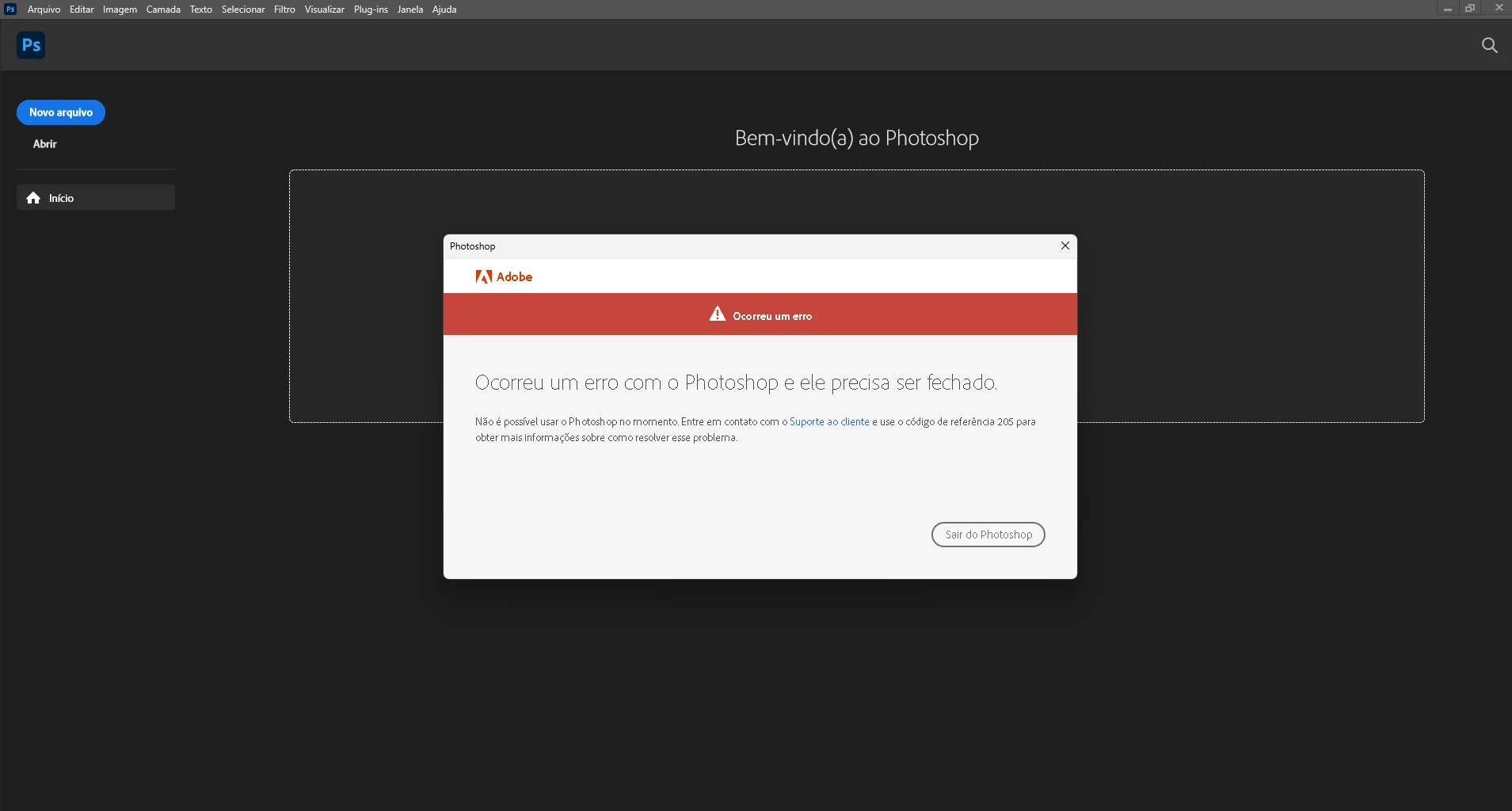
 

{Moderator Note: Edited the thread title}

This topic has been closed for replies.

51 replies

Participant
April 11, 2023

This also was the solution for me. 

Download "Adobe Creative Cloud Cleaner Tool" and cleaned the "adobe id credentials" in this software. This works similarly to log off and log in, but the cleaner tool actually clears out the Cache for Creative cloud credentials. 

AxelMatt
Community Expert
Community Expert
March 25, 2023

Please see here: Troubleshoot unexpected behavior in specific user account (adobe.com)

Scroll down to the Windows section and check the appropriate points.


My System: Intel i7-8700K - 64GB RAM - NVidia Geforce RTX 3060 - Windows 11 Pro 25H2 -- LR-Classic 15 - Photoshop 27 - Nik Collection 8 - PureRAW 5 - Topaz Photo
Participant
March 25, 2023

Sorry, the log entries got truncated...


SessionID=63949b4a-0373-41c9-80a8-fdceac1315db.1679740680718 Timestamp=2023-03-25T21:38:01:944+1100 ThreadID=29620 Component=ngl-lib_NUSecureProfileDao Description="SaveSecureProfile : Saving ASNP"
SessionID=63949b4a-0373-41c9-80a8-fdceac1315db.1679740680718 Timestamp=2023-03-25T21:38:01:948+1100 ThreadID=29620 Component=ngl-lib_DataStorage Description="SaveToUserStorage failed in writing credentials error: 8"
SessionID=63949b4a-0373-41c9-80a8-fdceac1315db.1679740680718 Timestamp=2023-03-25T21:38:01:948+1100 ThreadID=29620 Component=ngl-lib_NUSecureProfileFetcher ErrorID=SPDaoLevelStatus:3 Description="ProcessAsnp : Failed to save ASNP"
SessionID=63949b4a-0373-41c9-80a8-fdceac1315db.1679740680718 Timestamp=2023-03-25T21:38:01:956+1100 ThreadID=29620 Component=ngl-lib_DataStorage Description="GetFromUserStorage error 1168 data not found in storage."

Participant
March 25, 2023

I'm on Windows 11 and have tried every suggestion on these forums to no avail.

Every app returns a 205 error at startup without exception.

I did notice in the NGL directory logs entries like this appear all the time....


SessionID=63949b4a-0373-41c9-80a8-fdceac1315db.1679740680718 Timestamp=2023-03-25T21:38:01:944+1100 ThreadID=29620 Component=ngl-lib_NUSecureProfileDao Description="SaveSecureProfile : Saving ASNP"
SessionID=63949b4a-0373-41c9-80a8-fdceac1315db.1679740680718 Timestamp=2023-03-25T21:38:01:948+1100 ThreadID=29620 Component=ngl-lib_DataStorage Description="SaveToUserStorage failed in writing credentials error: 8"
SessionID=63949b4a-0373-41c9-80a8-fdceac1315db.1679740680718 Timestamp=2023-03-25T21:38:01:948+1100 ThreadID=29620 Component=ngl-lib_NUSecureProfileFetcher ErrorID=SPDaoLevelStatus:3 Description="ProcessAsnp : Failed to save ASNP"
SessionID=63949b4a-0373-41c9-80a8-fdceac1315db.1679740680718 Timestamp=2023-03-25T21:38:01:956+1100 ThreadID=29620 Component=ngl-lib_DataStorage Description="GetFromUserStorage error 1168 data not found in storage."


A definitive solution to this would be good. It's annoying to say the least to be paying so much every month for something that's unusable.

CShubert
Community Manager
Community Manager
March 16, 2023

@Illus2848562997fq could you share your workflow and how that script is being used when you see the error? Could you record a video of the workflow for the team?


Participant
March 15, 2023

command prompt

for /F "tokens=1,* delims= " %G in ('cmdkey /list ^| findstr /c:"Adobe App "') do cmdkey /delete %H


Participant
March 15, 2023

These error 205 solutions are never worked out.


Participant
February 20, 2023

Everytime I open photoshop it keeps saying "Sorry, Photoshop has encountered an error and needs to close."

What do I do?


Ged_Traynor
Community Expert
Community Expert
February 20, 2023

Hi

Take a look at this thread to see if it helps, it's recommended to sign out of the Creative Cloud app and sign back in again

https://community.adobe.com/t5/photoshop-ecosystem-bugs/p-error-205-while-launching-photoshop/idi-p/12968215

hindy07
Participating Frequently
February 3, 2023

CShubert
Community Manager
Community Manager
January 23, 2023

Sorry you are seeing this issue @hindy07 could you share a screenshot of what you are seeing?


It may help if we could see your Photoshop System Info. Launch Photoshop, and select Help >System Info...and copy/paste the text in a reply.  


Thank you,

Cory