
Participant
August 4, 2021

P: Color Distortion When Opening Images saved from Facebook in Photoshop 26.5

  • August 4, 2021
  • 返信数 73.
  • 27487 ビュー

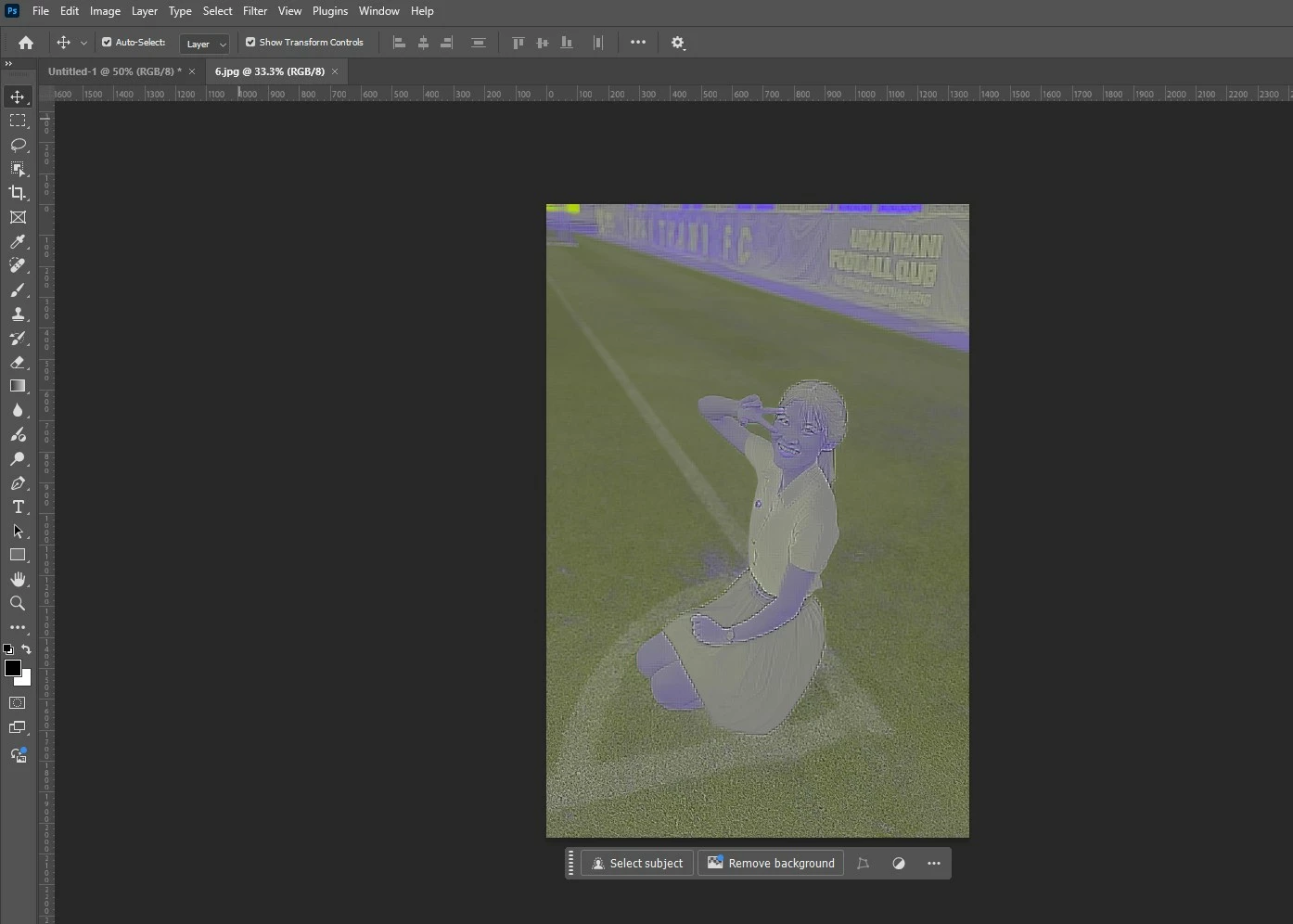
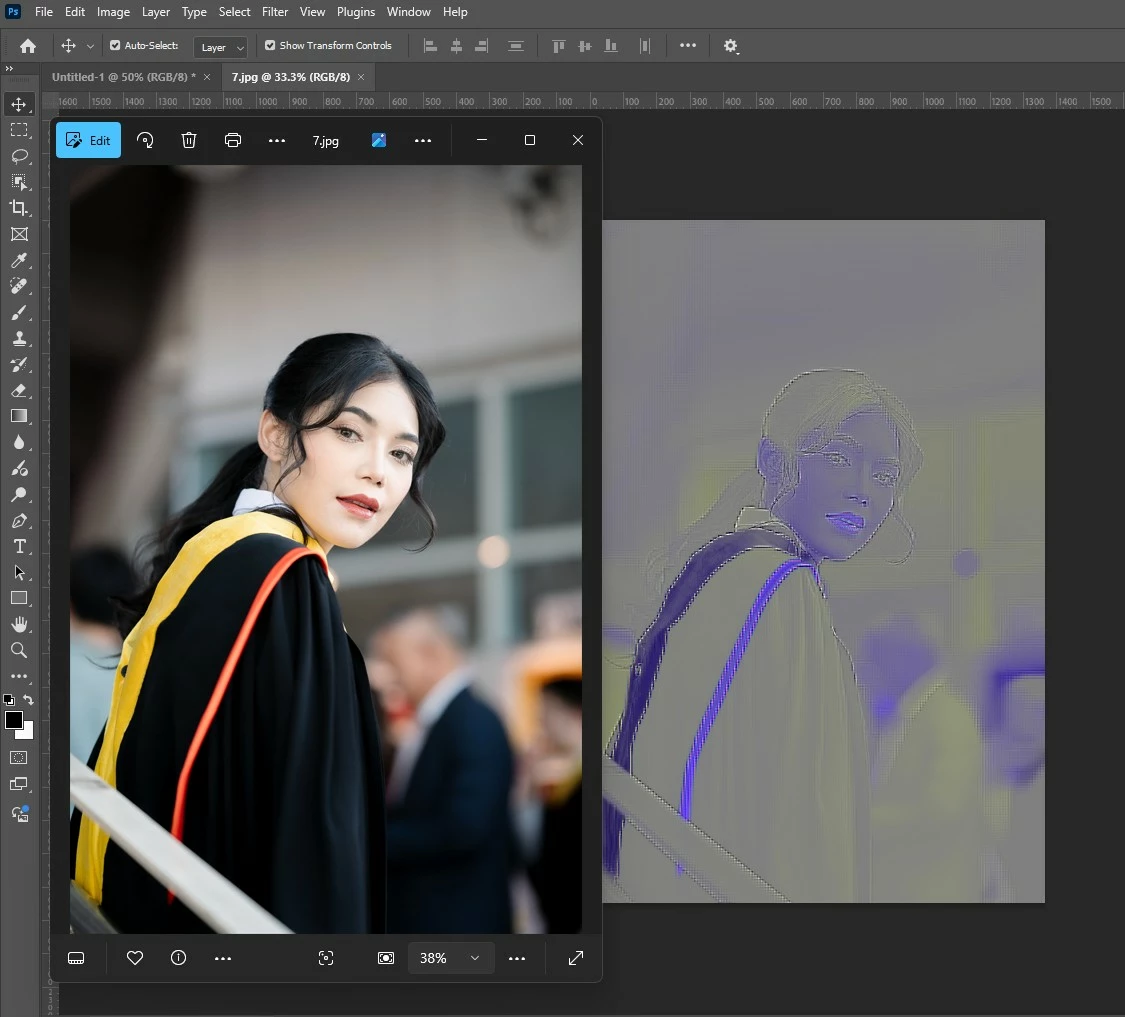
After updating to the latest version of Photoshop, we encountered an issue where images saved from Facebook from the previous year display color distortions when opened in the program. However, images saved recently from Facebook open without any issues and display correctly.


返信数 73

Participant
May 24, 2025

Has anyone found a solution?

Participating Frequently
May 19, 2025


i already tried hard reset and reinstall my adobe i doesn't work

Ged_Traynor
Community Expert
Community Expert
May 19, 2025

@mike_sebastian_6244 looks like a GPU driver related issue, can you post your Photoshop system info, in Photoshop go to Help > System Info, hit the copy button and paste the entire thing into this thread

Participating Frequently
May 19, 2025


Participant
May 8, 2025

@Anshul_Saini Hey thanks for the clarifications! I just wanted to let you know that unchecking the 'use GPU' checkbox in the performance tab doesn't change the result. A Facebook image I wanted to edit from some time ago still looks distorted the exact same way as shared earlier.

Participant
May 8, 2025

Had the same issue and was able to figure out a bit of a work-around for now.


If you open the image in Safari, then copy-paste it into a new Photoshop document, the image comes in with the correct colours.


Bit of a pain, but does the job.

Participant
April 28, 2025

Bonjour,

Depuis l'installation de la dernière mise à jour, j'ai de gros bugs qui me bloquent dans mon utilisation de photoshop. 
Les 3/4 des photos que j'ouvre s'affichent avec des lignes violettes et ont perdu leur colorimétrie d'origine. Je ne peux plus faire de créas avec ces photos dégradées. 
Les mêmes photos fonctionnent parfaitement sur les autres logiciels et sur le photoshop de ma stagiaire qui a une version plus ancienne.

Un ami photographe a exactement le même problème depuis l'installation de la dernière mise à jour.

Que puis-je faire ? Qui d'autre a ce problème ?
J'ai déjà : désinstaller/réinstaller photoshop, essayer de convertir mes photos sur un autre logiciel et les réouvrir avec Photoshop, retélécharger les photos... rien à faire. Ce bug est devenu systématique. Tous les jours, les 3/4 des photos que j'ouvre ou que j'importe sont dégradées par Photoshop....

Ged_Traynor
Community Expert
Community Expert
April 28, 2025

@sandrine_hubert4507 looks like it could be a GPU driver related issue, can you post your Photoshop system info, in Photoshop go to Help > System Info, hit the copy button and paste the entire thing into this thread

Participant
April 27, 2025

I am trying to open some simple jpegs of art of mine and am getting what looks like corrupted files, but the preview images look just fine.

Stephen Marsh
Community Expert
Community Expert
April 28, 2025

There have been other reports of this bug, the file is OK, it's a Photoshop issue.


If I remember correctly, one solution was to use Adobe Camera Raw to open the files, perhaps with GPU disabled... I'll see if I can find the topic.


https://community.adobe.com/t5/photoshop-ecosystem-bugs/p-jpg-from-themoviedb-dot-org-opening-purple-with-horizontal-lines/idc-p/15284035/page/2#M121367


https://community.adobe.com/t5/photoshop-ecosystem-discussions/facebook-picture-import-crashes/m-p/15287319#M862701

Known Participant
April 27, 2025

Opening and re-saving the image in any other image viewer/editor is also viable, but that's definitely not a solution. The solution is for this not to be happening in the first place since every other image viewer and editor simply works as intended.

Sameer K
Community Manager
Community Manager
April 29, 2025

Hi all! Special thanks to our expert @Andrew Yoole and all others who provided sample images. The team is investigating this. In the meantime, you can use Camera Raw to render the images while opening them in Photoshop. 


Go to Photoshop(macOS)/Edit (Win) > Settings/Preferences > Camera Raw > File Handling > Set JPEG to 'Automatically Open all Support JPEGs' 


Thanks!

Sameer K

Inspiring
April 23, 2025

It should be possible to extract the uRGB profile and save it to the Profiles folder. Then convert the offending image file to that profile before uploading to FB. Then you would have a predictable preview and better color control.

Participant
April 23, 2025

I genuinely feel like they just update the apps for the sole purpose of justifying the subscription model.  I'm probably gonna start sailing the high seas if this keeps up.

Stephen Marsh
Community Expert
Community Expert
April 23, 2025

@J453 


Although not the same exact issue, the following topic has a different error with a JPEG that Engineering may wish to be notified of:


https://community.adobe.com/t5/photoshop-ecosystem-discussions/facebook-picture-import-crashes/td-p/15282180
