



Jeff Arola
Community Expert
Community Expert
March 15, 2022

P: Photoshop 23.2.2 Share Button is distracting

  • March 15, 2022
  • 170 replies
  • 20899 views

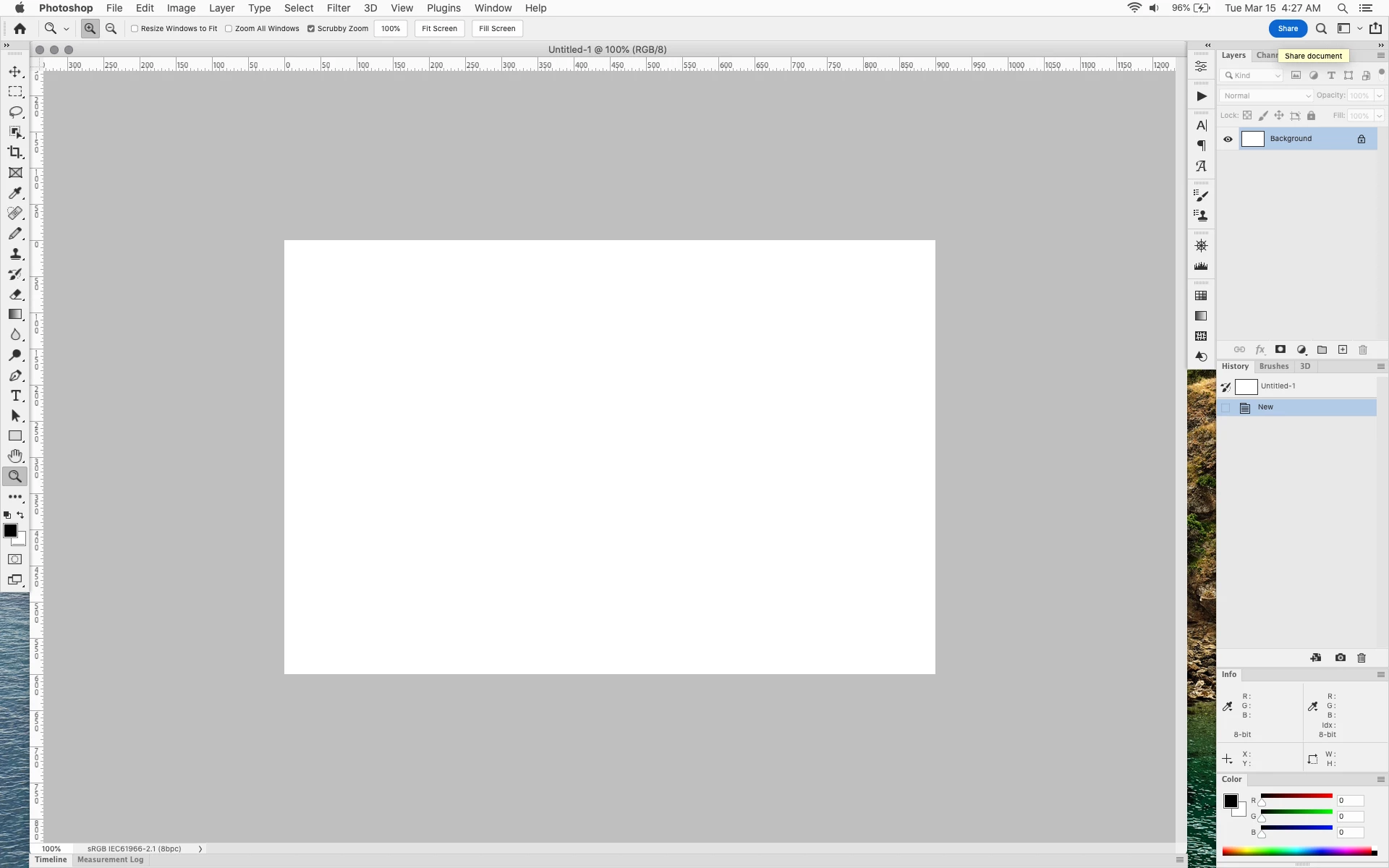
In photoshop 2022 (version 23.2), photoshop implemented a Blue Share button in the

top right corner of the app workspace that is supposed to turn into a button of the sme color as

the other tool options bar icons.


With the latest 23.2.2 update the Blue Share button does not go away after first use as described

on this page under Easily find the Share button


https://helpx.adobe.com/photoshop/using/whats-new/2022-1.html


I reset the photoshop preferences as i do after every photoshop update by trashing the preferences folder.


Share button that the Blue Share button is supposed to appear as after first use
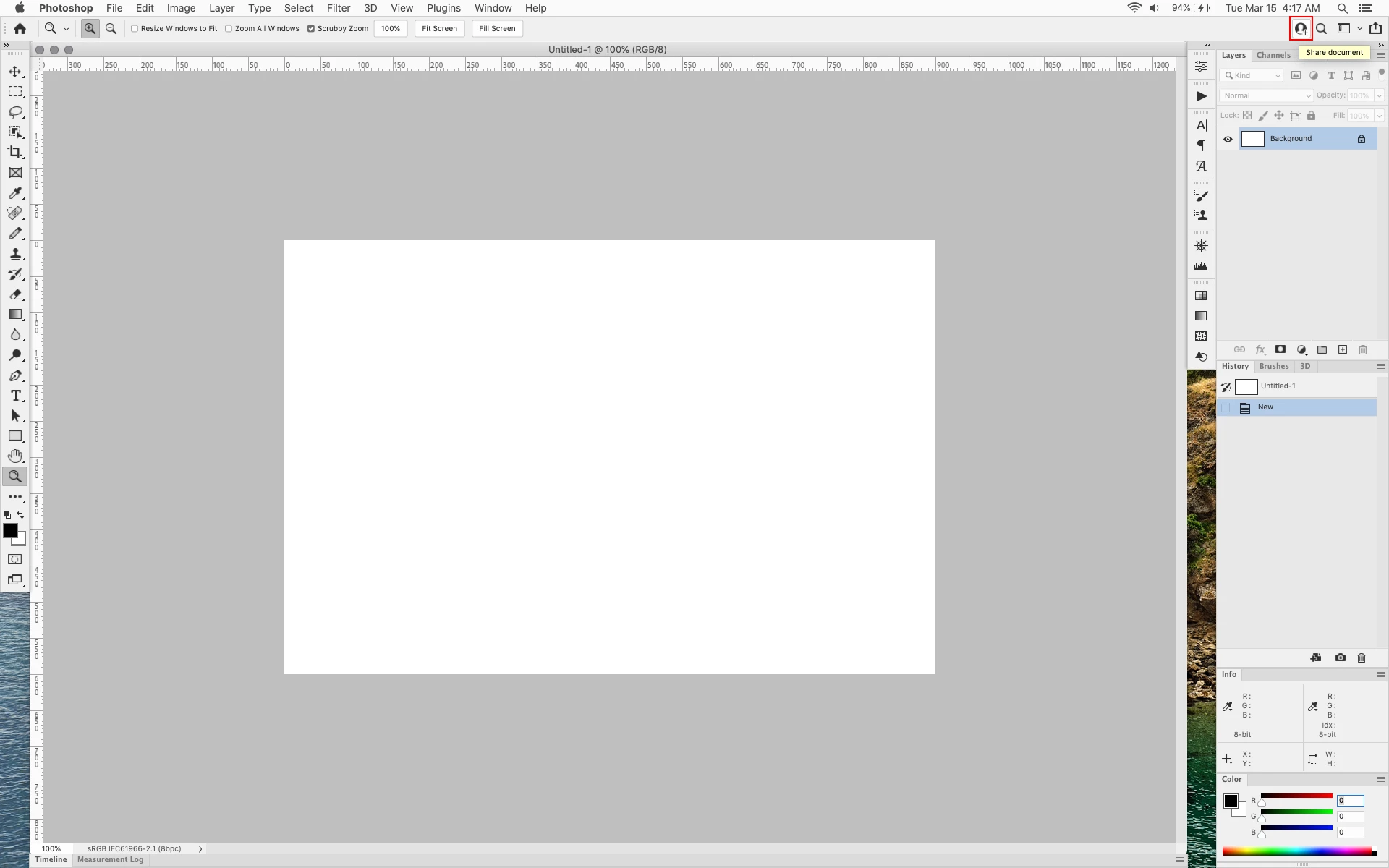


In the 23.2.2 update the button still stays as a Blue Share button after first use


170 replies

jane-e
Community Expert
Community Expert
September 2, 2022


@kind_adventures15D5  wrote

...please make this "Share Button" a UIX option to make visible or hide.


Modify UIColors.txt to change the fill and stroke to match your interface. Scroll through the thread to find out how.


Jane

Known Participant
September 2, 2022


There is an option in the Direct Select tool that controls Paths behavior. I prefer the legacy behavior. I had to hope that the check box visible just to the left of the Share button was the option select.
I was in luck.
But Adobe, please make this "Share Button" a UIX option to make visible or hide.
I will never use it.
Adobe keeps making changes to PS that folks don't ask for, but won't make changes that lots of people do ask for. Like the bloated Save dialog box. Let me select which formats I use most frequently, and hide the rest. When was the last time anyone used EPS DCS? IFF? Portable BitMap? Dicom? ScitexCT? I often accidently select TARGA when I'm aiming for TIFF.

Jeff Arola
Community Expert
Community Expert
September 1, 2022

Craig,


Can you share a screenshot?

Known Participant
August 31, 2022

The Share Button sits over top of Tool Preferences for the Direct Selection tool, preventing me from modifying function.
Terrible UIX design – I can't move it to actually see the tool prefs. Adobe designers didn't see this?
I will NEVER use the Share function.
• How do I get rid of it?
• If people need it, why isn't it baked into the interface? Why does it float?
• How do I get rid of it? (redundant, but I really want to delete it, not change it's color.

Participant
August 23, 2022

Thanks!


Legend
August 23, 2022

Upgrade to 23.5

Participating Frequently
August 23, 2022

I'm running 23.4.2, and there is no "Neutral Color Mode" visible in my Preferences dialog.
Has this option been removed?

Participant
August 18, 2022

Neutral Color is great... but it still blinks!!!!!!


😞

Pete.Green
Community Manager
Community Manager
August 18, 2022

Updating status.


Please use Preferences > Interface > Neutral Color Mode to adjust the Share button's color.

To learn more, see Use Preferences to set a neutral color scheme for Photoshop


Ged_Traynor
Community Expert
Community Expert
August 18, 2022

I still don't like the share button, seems like the white boarder looks pixelated and unprofessional, so I went back to the modified UIColors.txt and now I don't even have to look at it 😁

Seriously Adobe, is this really acceptable for a professional application?

Why can't Adobe do the same as the Illustrator share button, it looks nice and not in your face