
Yustas240
Inspiring
December 28, 2017

P: Photoshop 23.3 opens images with everything in white color.

  • December 28, 2017
  • 150 replies
  • 76890 views

Hey!

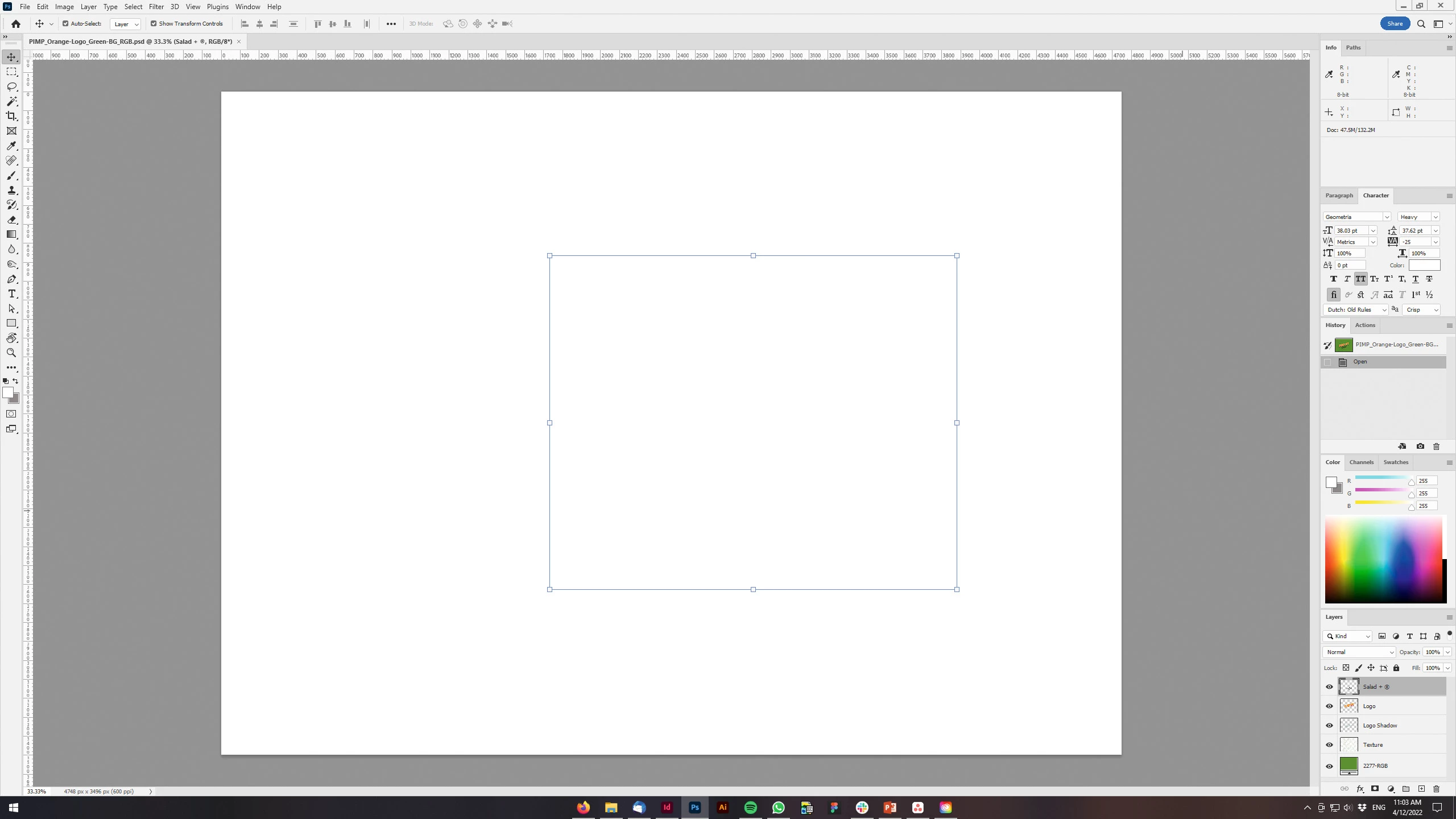
Just updated my Photoshop to 23.3 version. And when I'm trying to open any RGB file - it opens with all layers colored in white color. Seems like RGB is not active at all.

IF I transfer it into CMYK - all good.


Windows 10 Home.

Below is the print screen of RGB file turned into CMYK. Cuz I was unable even to make a printscreen in RGB.
 

150 replies

michaelj31754639
Participating Frequently
May 17, 2023

When opening a jpg or png all I get it a white screen, disabled the generator still the same.

If I minimise the screen it goes black, I get the image in the layers but not on the canvas


Peru Bob
Community Expert
Community Expert
May 17, 2023

Try enabling Deactivate Native Canvas in General Preferences and then restart Photoshop.

michaelj31754639
Participating Frequently
May 17, 2023

When opening a jpg or png all I get it a white screen, disabled the generator still the same.

If I minimise the screen it goes black, I get the image in the layers but not on the canvas

Met0
Inspiring
May 17, 2023

Are you saying you are exporting from Illustrator and getting this? (You posted to the Illustrator forum).

Try copy paste...

michaelj31754639
Participating Frequently
May 17, 2023

Sorry should have been the photoshop forum

Participant
March 27, 2023

Thank you, really

davescm
Community Expert
Community Expert
May 17, 2022

@نزيهة24484477cctg There is no increase in price for downloading the last version. Version updates are included in a subscription, so if you have a subscription for the previous version, then the last version is no additional cost.

Dave

Kukurykus
Legend
May 17, 2022

It seems it should be moved to: Account, Payment, & Plan. Then label changed to Billing.

Thomas 42541987
Known Participant
April 26, 2022

23.3.1 does NOT help.

Participant
April 26, 2022

Hi:

Just started having an issue with PS22. I open a file that I know has content and it looks blank. The preview on the layer window shows the content. If I use the magic wand tool, it selects where the content should be but I can't fill in the selection with the paint bucket tool. 

The content shows up in the Paint program, e-mail previews, etc. Using Windows 10 Pro.

Thank you for your help

LinSims
Community Expert
Community Expert
April 26, 2022

Let me move this to the Photoshop forum for you, which is the appropriate forum for your question.

The Using the Community forum is for help in using the Adobe Support Community forums, not for help with specific programs, installation issues, or account issues such as subscription questions or billing problems, or generalized questions about Creative Cloud services.

* Product questions should be posted in the associated product community.
* Installation questions should be posted in the Download & Install community.
* Account issues, including subscription questions or billing problems, should be posted in the Account, Payment, & Plan community.
* Questions about the Creative Cloud desktop app or general questions about apps in the Creative Cloud should be posted to the Creative Cloud Services community.

Thomas 42541987
Known Participant
April 25, 2022

@___John_B___ 

Hi John, 
thank you for the reply.
I tried that before, but it did not help.
Some further investigation: Everything works (with all GPU-settings on) when I open an CMYK-file.
RGB or LAB displays only when GPU is completely off.

Community Manager
April 25, 2022

@Thomas 42541987 you can try just disabling GPU compositing, rather than disabling the GPU completely. You can find the setting at Preferences > Performance > Advanced Settings

Thomas 42541987
Known Participant
April 24, 2022

footnote: current Photoshop Beta works fine.