
Participant
November 20, 2022

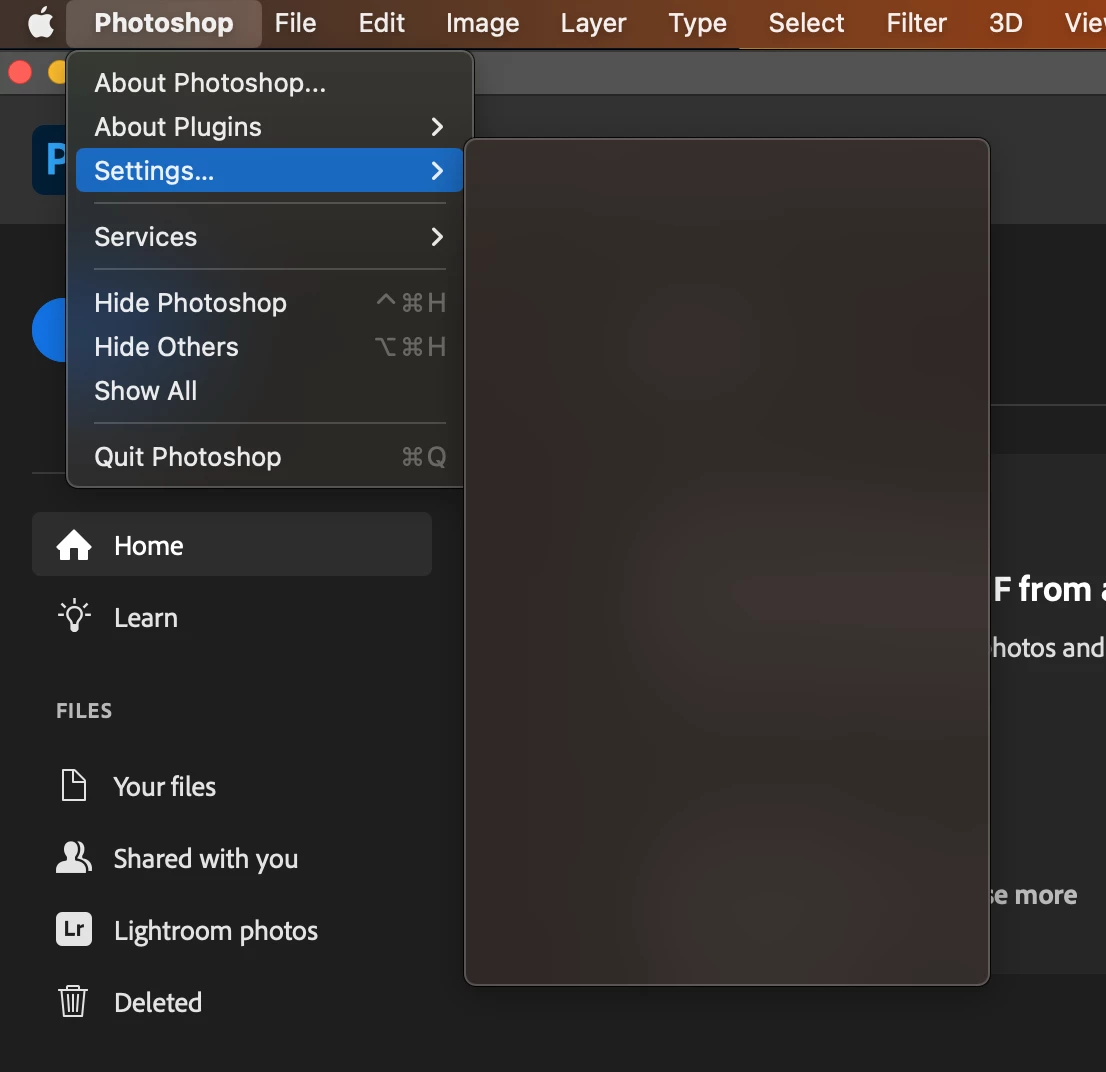
P: Preferences Menu is blank on macOS 13.1 Beta 3

  • November 20, 2022
  • 19 replies
  • 1798 views

Hi, since the last update 4 days ago. When clicking Photoshop->Setting the menu is blank.

I need to change my settings. Anyone else have the same problem?

I have done all the usual rebooting, checking for updates ect.

MacOS, MacBook Pro, 16GB memory ect...


Many thanks in advance.


This topic is closed to new replies. Start a new post to keep the conversation going.

19 replies

chrisb93613869
Participant
December 7, 2022

Confirmed @James Grove this fixed the issue, thank you and the Adobe support team!

CShubert
Community Manager
Community Manager
December 7, 2022

Thank you @James Grove for the update on what you found for this issue.


Cory

Participating Frequently
December 7, 2022

UPDATE : Fixed in 13.1 RC

chrisb93613869
Participant
December 6, 2022

Yes still an issue in Version 13.1 Beta (22C5059b)

Participating Frequently
December 2, 2022

@J453  FYI the bug still exists in 13.1 Beta 4 which I expect to be a RC next week.

Legend
November 30, 2022

@James Grove That's the plan.

Participating Frequently
November 30, 2022
 

@J453  Thank you, I reported it to Apple as well via feedback assistant, hopefully this can be addressed prior to 13.1 release 👍

Legend
November 30, 2022

Thanks. We can repro with macOS 13.1 Beta. We'll work with Apple to investigate this.

CShubert
Community Manager
Community Manager
November 28, 2022

Hi @darreng30895212, as @TheDigitalDog sharred in the link above, it might be that you are using Mac OS beta and not a release version?  Please confirm what OS version you see this issue.


It may help if we could see your Photoshop System Info. Launch Photoshop, and select Help >System Info...and copy/paste the text in a reply.  


Thank you,

Cory

TheDigitalDog
Inspiring
November 28, 2022
Author “Color Management for Photographers" & "Photoshop CC Color Management/pluralsight"