


October 25, 2023

P: macOS 14.1 / Photoshop 2024 v25.0/25.1 Toolbar click through issue

  • October 25, 2023
  • 47 replies
  • 22998 views

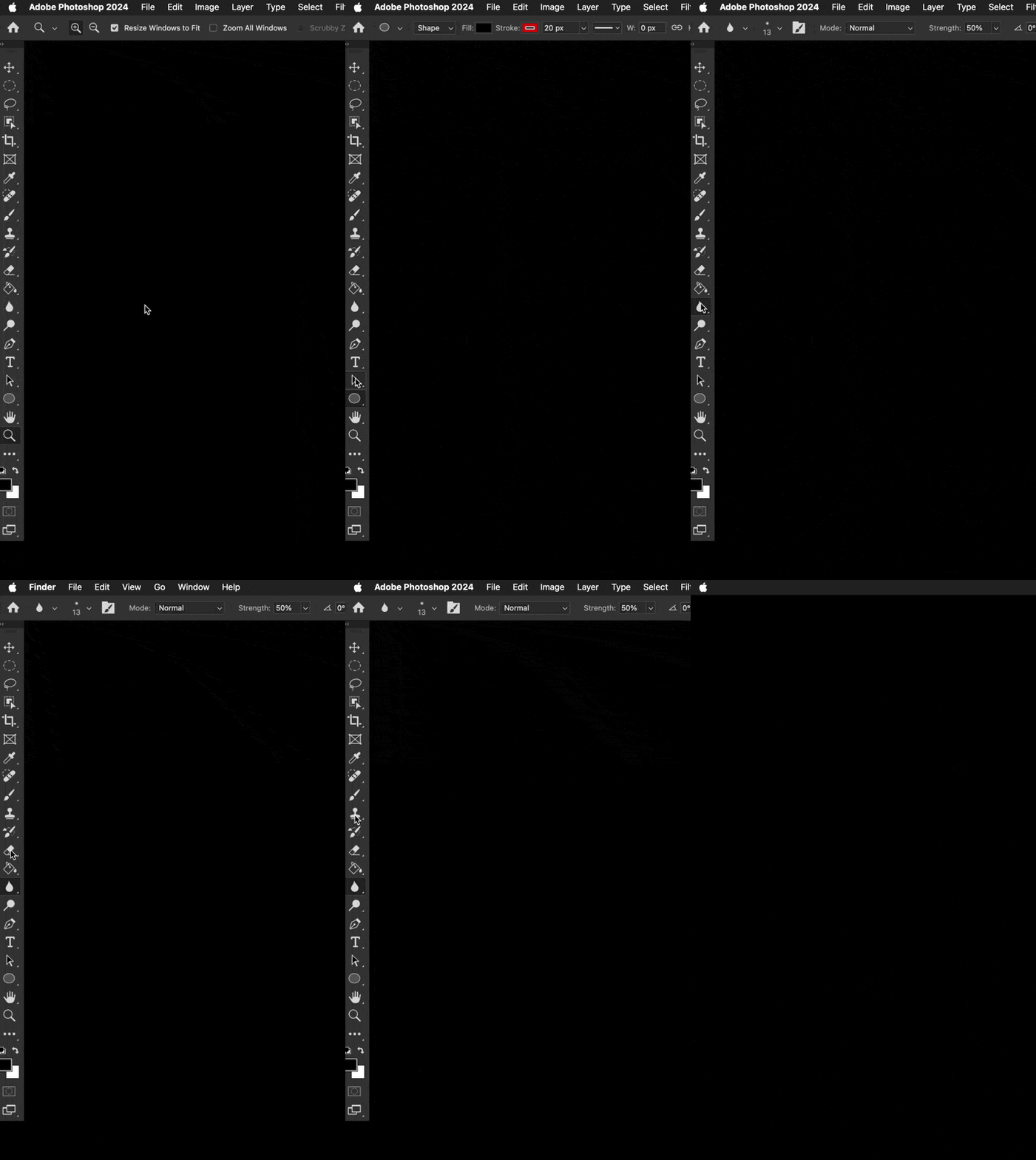
Well ... that wasn't something I ever expected or have ever seen. Was using Photoshop 2024 v 25.0.0 just this morning no problem with macOS 14.0.1. Updated to macOS 14.1 this afternoon, and now the top half of the toolbar clicks THROUGH the toolbar into the Finder. What? The bottom half of the toolbar works as usual. I've turned off most of the toolbar and tool prefs & that does nothing. Did a bunch of Interweb searches ... nothing relevent yet.


This is pretty new Photoshop behaviour ... wondering if anyone else has run into this yet.


Any ideas?


I could temporarily move all the most used tools to the bottom half of the toolbar. Though all the tools can be chosen by keyboard commands ... just can't click on those tools in the bar.


Color me perplexed. ¯\_(ツ)_/¯ 
 

47 replies

October 27, 2023

G'day All,

I'm not sure if this is a bug or something I've overlooked. I'm using Ps 25.1.0 (see bottom for full specs) and switched to full screen mode with panels showing. However, while I can select tools and panels, the windows outlined in magenta are not selectable. I very rarely work in full screen mode so perhaps this is normal, or maybe there's something I've overlooked? I have searched the Known Issues for my system and found nothing and searched this forum. This happens on both my Cintiq 24 Pro and my main display (BenQ) with the Cintiq turned off so as not to invoke the Wacom drivers (just in case). See below for screen shot and system particulars. Can anyone clue me in on what I may have/have not set correctly, or what the correct operation is? Thanks a bunch.


 System Specs:

Apple M1 Max Studio

Memory:  32 GB

OS:  Sonoma 14.1

SSD Drive Space:  1 TB with 0.78 TB free

Wacom Cintiq 24 Pro

Wacom Driver Set 6.4.4-2 (latest set as of 27/Oct/2023)

Photoshop v25.1.0

Jeff Arola
Community Expert
Community Expert
October 27, 2023

No that's not normal and definitely a serious bug.

Did you notice whether this started after you updated macOS Sonoma to 14.1?


I also see that on macOS Sonoma 14.1 with photoshop 2024 (ps ver 25.1) on a 2022 Mac Studio.

Michał Ziółkowski
Participating Frequently
October 27, 2023

I agree, but the pallets on the right still don't work. Once clicked, they disappear.

Participant
October 27, 2023

Checking Application Frame, then dragging the Toolbar out of position, then unchecking App frame worked for me. 

Sadly the same issue has risen it's ugly head in Illustrator... although managed to fix that by simply rebuilding a new cutom Toolbar. Time consuming and very poor between Adobe and Apple. It only started hapenning after the iOS Sonoma 14.1 update so I'm mostly blaming Apple.

Camagna
Known Participant
October 26, 2023

Hello everybody. Since a few days I cannot anymore select tools when I'm in the select and mask window. I tried this evening upgrading to ps 25.1 and also to the newest Sonoma dev beta but no luck. Bug still there. When I click on a tool it seems like it's transparent, it's like clicking on desktop. Bug is not there if I keep Application Frame on, but I don't want to use it. Same bug, but worse; also in PS beta. There every tool, not only in Select and Mask, is "transparent" unless I keep the App Frame on. Any ideas? I'm pretty desperate because I frankly hate to have App Frame on. I don't really know since when I've this bug but it's not a lot of time and my M1 Max MacBook Pro is pretty much the same; I haven't installed anything obscure or bizarre.

spacespencer
Participating Frequently
October 27, 2023
Participant
October 26, 2023

Hi,


I just did the update to Sonoma, working in Photoshop 2024. I am having the issue that some of the tools are not working along the toolbar. My computer won't let me change between the three types of healing brush and I can't click the marquee tool. Does anyone have a solve for this?? Still won't work even in full screen.


Thanks!

spacespencer
Participating Frequently
October 27, 2023
October 26, 2023

Yup. That did the trick. Thanks!


Did a whole uninstall, delete prefs, & clean install of PS 25.1. That didn't do anything. But turning on Application Frame, undock the toolbar & turn off AF did the trick.


Now at least Photoshop is usable. Awesome! 👍

spacespencer
Participating Frequently
October 26, 2023

Same here. At first I thought it was the update to PS 25.0.1 but after downgrading to 25.0.0 again I still had the issue, so it's definitely Sonoma 14.1. I can't even use shortcuts and I can reach just the very last tools. Super annoying.

Participant
October 25, 2023

On the current Photoshop 25.0.0 running on Macbook M1 with Sonoma OS, when the Application Frame option is unchecked, the cursor will not open any tools on the toolbars as it registers a toolbar click as clicking on the desktop and thereby leaving the program. It works fine with the Application Frame option checked, but for my purposes I need to keep it unchecked.


This issue is not in Illustrator or InDesign, just Photoshop.

kglad
Community Expert
Community Expert
October 25, 2023

in the future, to find the best place to post your message, use the list here, https://community.adobe.com/

p.s. i don't think the adobe website, and forums in particular, are easy to navigate, so don't spend a lot of time searching that forum list. do your best and we'll move the post (like this one has already been moved) if it helps you get responses.


<"moved from using the community bugs">