Participant
2월 28, 2023 8:46 오전 UTC
해결됨

포토샵 설치 후 실행 불가능 문제 ㅠㅠ

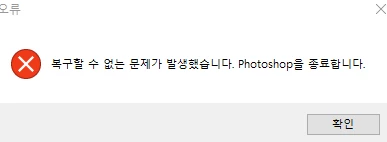
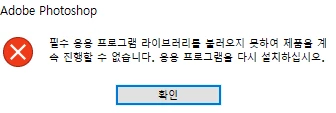
포토샵을 다운로드 했습니다... 이제 실행하려고 누르면 이런 창들이 뜨면서 실행이 안 되는데 대체 무슨 이유일까요 ㅠㅠ ................ ?
 

이 주제는 답변이 닫혔습니다.
kglad
kglad답변
Community Expert
2월 28, 2023 1:55 오후 UTC

@ssolll45654 


uninstall ps including preferences per https://helpx.adobe.com/creative-cloud/help/uninstall-remove-app.html

check for, and if available, update your os

if windows is your os, repair all ms visual c++ versions that can be repaired (use google if you don't know how to do this)

if windows is your os update your ms visual c++, if it can be updated (use google if you don't know how to do this)

restart your computer (don't skip this)

reinstall ps

4 답변

Community Expert
2월 28, 2023 8:53 오전 UTC

Can you tell what the error message says?

-Manan

번역
-Manan
ssolll45654작성자
Participant
2월 28, 2023 10:34 오전 UTC

1. The required application library could not be loaded and the product could not proceed. Reinstall the application.


2. An unrecoverable problem has occurred. Exit Photoshop.


here ! 🥲🥲

번역
Abambo
Community Expert
Community Expert
2월 28, 2023 12:25 오후 UTC

Do you know that there is a Korean version of these fora? Do you prefer to get moved there?

번역
ABAMBO | Hard- and Software Engineer | Photographer