


BatchUpdateSmartObjects.jsx - I'm in over my head... help ?
Hi everyone !
I'm ultra new to scripts in Photoshop but I've been trying to do something I apparently can't do without them :
I currently have two folders with images I'm trying to merge. One with 535,000 images in PNG format with a unique title (eg: QR50000000001.png, QR50000000002.png, ...). The other folder has 535,000 images in TIFF format with a matching unique title (eg: banner50000000001.tif, banner50000000002.png, ...).
What I need to do is align the QR files with the Banner files, merge them, and save them with the title of the original QR image.
My "banners" look like this and are 625px / 600px :
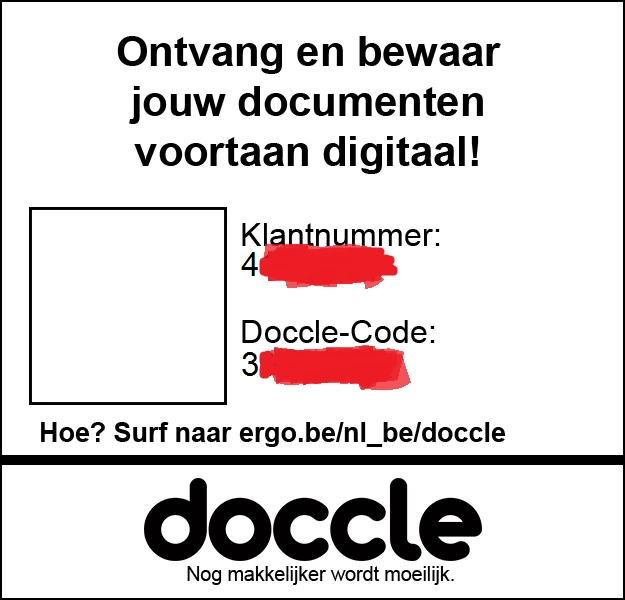
(I masked some private info)
My QR images look like this and are 295px / 295px:

(Same, sloppy censoring, sorry)
The final result should look like this.
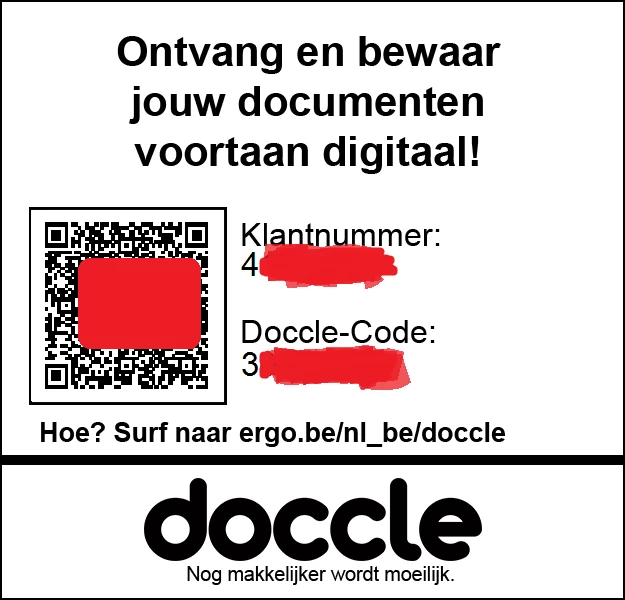
Having done some research, I've found @JJMack's amazing response to a similar type of question and
have done quite a lot of attempts to try and make it work.
Until now, I've been able to adapt the "Crossroads2500" template to match my final design.
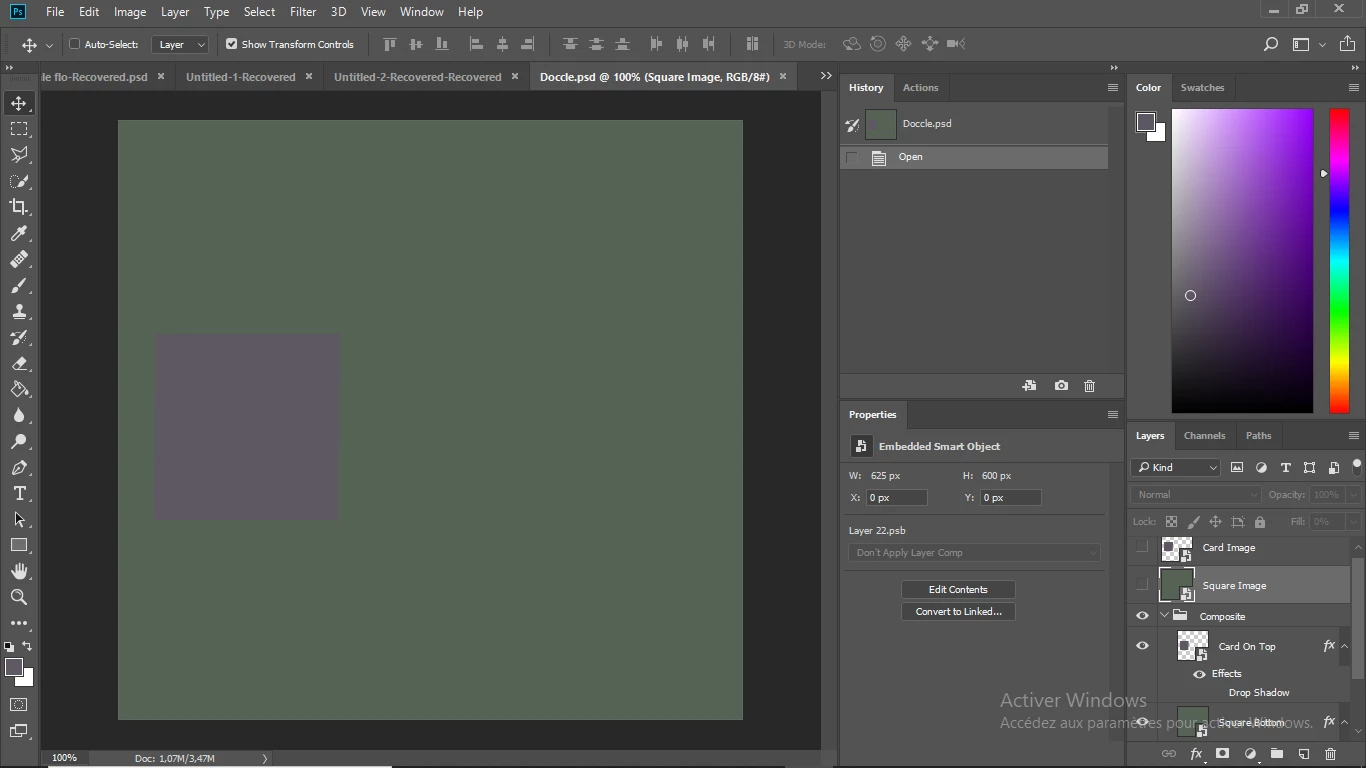
With this design, I've been able to successfully run the script BatchUpdateSmartObjects.jsx using the original files JJMack uploads in his example.
/* ==========================================================
// 2010  John J. McAssey (JJMack)
// ======================================================= */

// This script is supplied as is. It is provided as freeware.
// The author accepts no liability for any problems arising from its use.

// Image files and Template  objects should have the same orientation close matching Aspect Ratios same
// ratio is even better.  This script can try to edit smart objects and fit any size image the
// best as it can and even try to handle orientation miss matches.

/* Help Category note tag menu can be used to place script in automate menu
<javascriptresource>
<about>$$$/JavaScripts/BatchUpdateSmartObjects/About=JJMack's Batch Update Smart Image MockUp.^r^rCopyright 2019 Mouseprints.^r^rBatch Update Top Layers Smart Object</about>
<category>JJMack's Collaga Script</category>
</javascriptresource>
*/

// enable double-clicking from Mac Finder or Windows Explorer
#target photoshop // this command only works in Photoshop CS2 and higher

// bring application forward for double-click events
app.bringToFront();

//////////////////////////////////
//       SET-UP Preferences	//
//////////////////////////////////
//@include "PCTpreferences.jsx"

var gVersion = 1.0;

// a global variable for the title of the dialog
// this string will also be used for the preferences file I write to disk
// Photoshop Install Directory/Presets/Image Processor/Image Processor.xml for example

var gScriptName = "BSOCollage";

// remember the dialog modes
var saveDialogMode = app.displayDialogs;
app.displayDialogs = DialogModes.NO;

try {
	// make sure they are running Photoshop CS2
	CheckVersion();

}
// Lot's of things can go wrong, Give a generic alert and see if they want the details
catch(e) {
	if ( confirm("Sorry, something major happened and I can't continue! Would you like to see more info?" ) ) {
		alert(e + ': on line ' + e.line, 'Photoshop Error', true);
	}
}


// Save the current preferences
var startRulerUnits = app.preferences.rulerUnits;
var startTypeUnits = app.preferences.typeUnits;
var startDisplayDialogs = app.displayDialogs;

// Set Photoshop to use pixels and display no dialogs
app.displayDialogs = DialogModes.NO;
app.preferences.rulerUnits = Units.PIXELS;
app.preferences.typeUnits = TypeUnits.PIXELS;

// Set the script location

var scriptLocation = findScript() + "0";

// Stuff I don't know much about
var strButtonSelect = localize("$$$/JavaScripts/ExportLayersToFiles/Select=Select...");
var strButtonBrowse = localize("$$$/JavaScripts/ExportLayersToFiles/Browse=Browse...");
var strAlertSpecifyTemplateFile = localize("$$$/JavaScripts/ExportLayersToFiles/SpecifyTemplateFile=Please specify a template file.");
var strAlertTemplateFileNotExist = localize("$$$/JavaScripts/ExportLayersToFiles/TemplateFileDoesNotExist=Template file does not exist.");
var strAlertSpecifyInputFolder = localize("$$$/JavaScripts/ExportLayersToFiles/SpecifyInputFolder=Please specify an input folder.");
var strAlertInputFolderNotExist = localize("$$$/JavaScripts/ExportLayersToFiles/InputFolderDoesNotExist=Input folder does not exist.");
var strAlertSpecifyDestination = localize("$$$/JavaScripts/ExportLayersToFiles/SpecifyDestination=Please specify an output folder.");
var strAlertDestinationNotExist = localize("$$$/JavaScripts/ExportLayersToFiles/DestionationDoesNotExist=Output folder does not exist.");

var exportInfo = new Object();
initExportInfo(exportInfo);										// ??????

// define the dialog
// [left, top, right, bottom]
function createDialog(){

	// Create an empty dialog window near the upper left of the screen
	var dlg = new Window('dialog', 'Simple Smart Object Template');
	dlg.frameLocation = [78, 100];

	// Add a panel to hold title and 'message text' strings
	dlg.msgPn0 = dlg.add('panel', undefined, 'Simple MockUp Template File');
	dlg.msgPn0.orientation = "column";
	dlg.msgPn0.alignChildren = 'Right';
	// Add a panel to hold title and 'message text' strings
	dlg.msgPn0.TemplateFile = dlg.msgPn0.add('group');
	dlg.msgPn0.TemplateFile.orientation = "row";
	dlg.msgPn0.etTemplateFile = dlg.msgPn0.add("edittext", undefined, exportInfo.destination.toString());
	dlg.msgPn0.etTemplateFile.preferredSize.width = 550;
	dlg.msgPn0.etTemplateFile.helpTip = "Choose a collage template to populate.";

	dlg.msgPn0.btnSelect = dlg.msgPn0.add("button", undefined, strButtonSelect);
	dlg.msgPn0.btnSelect.helpTip = "Select a collage template to populate.";
	dlg.msgPn0.btnSelect.onClick = function() {
		var dir = Folder(dlg.msgPn0.etTemplateFile.text.substr(0, dlg.msgPn0.etTemplateFile.text.lastIndexOf("\\")+1));
		if (!dir.exists) var dir =  Folder(templateFolder);

		dlg.selTemplateFile = dir.openDlg(dlg.msgPn0.etTemplateFile.text , "Select:*.psd;*.psdt;*.psb");
		if ( dlg.selTemplateFile != null ) {
	        dlg.msgPn0.etTemplateFile.text = dlg.selTemplateFile.fsName;
	    }
		//dlg.msgPn0.defaultElement.active = true;
	}

	// Add a panel to hold title and 'message text' strings
	dlg.msgPn2 = dlg.add('panel', undefined, 'Objects Collection Folder');
	dlg.msgPn2.orientation = "column";
	dlg.msgPn2.alignChildren = 'Right';

	dlg.msgPn2.InputFolder = dlg.msgPn2.add('group');
	dlg.msgPn2.InputFolder.orientation = "row";
	dlg.msgPn2.etInputFolder = dlg.msgPn2.add("edittext", undefined, exportInfo.destination.toString());
	dlg.msgPn2.etInputFolder.preferredSize.width = 550;
	dlg.msgPn2.etInputFolder.helpTip = "Choose a folder of images to process.";

	dlg.msgPn2.btnBrowse = dlg.msgPn2.add("button", undefined, strButtonBrowse);
	dlg.msgPn2.btnBrowse.helpTip = "Select the Collection of objects folders to process.";
	dlg.msgPn2.btnBrowse.onClick = function() {
		var defaultFolder = dlg.msgPn2.etInputFolder.text;
		var testFolder = new Folder(dlg.msgPn2.etInputFolder.text);
		if (!testFolder.exists) {
//			defaultFolder = "~";
			defaultFolder = imagePath;
		}
		// var selFolder = Folder.selectDialog(dlg.msgPn2.etInputFolder.text, defaultFolder);
		dlg.selInputFolder = Folder.selectDialog(dlg.msgPn2.etInputFolder.text, defaultFolder);
		if ( dlg.selInputFolder != null ) {
	        dlg.msgPn2.etInputFolder.text = dlg.selInputFolder.fsName;
	    }
		//dlg.msgPn2.defaultElement.active = true;
	}

	// Add a panel to hold title and 'message text' strings
	dlg.msgPn3 = dlg.add('panel', undefined, 'Output Folder');
	dlg.msgPn3.orientation = "column";
	dlg.msgPn3.alignChildren = 'Right';

	dlg.msgPn3.Destination = dlg.msgPn3.add('group');
	dlg.msgPn3.Destination.orientation = "row";
	dlg.msgPn3.etDestination = dlg.msgPn3.add("edittext", undefined, exportInfo.destination.toString());
	dlg.msgPn3.etDestination.preferredSize.width = 550;
	dlg.msgPn3.etDestination.helpTip = "Choose a folder to export your collages to.";

	dlg.msgPn3.btnBrowse = dlg.msgPn3.add("button", undefined, strButtonBrowse);
	dlg.msgPn3.btnBrowse.helpTip = "Select a folder to export your collages to.";
	dlg.msgPn3.btnBrowse.onClick = function() {
		var defaultFolder = dlg.msgPn3.etDestination.text;
		var testFolder = new Folder(dlg.msgPn3.etDestination.text);
		if (!testFolder.exists) {
			defaultFolder = "~";
		}
		dlg.selOutputFolder = Folder.selectDialog(dlg.msgPn3.etDestination.text, defaultFolder);
		if ( dlg.selOutputFolder != null ) {
	        dlg.msgPn3.etDestination.text = dlg.selOutputFolder.fsName;
	    }
		//dlg.msgPn3.defaultElement.active = true;
	}

	// Add a panel to hold title and 'message text' strings
	dlg.msgPnl = dlg.add('panel', undefined, 'Options');
	dlg.msgPnl.orientation = "column";
	dlg.msgPnl.alignChildren = 'right';

	dlg.msgPnl.EditImage = dlg.msgPnl.add('group');
	dlg.msgPnl.EditImage.orientation = "row";
	dlg.msgPnl.EditImage.alignment='left';
	dlg.msgPnl.EditImage.st = dlg.msgPnl.EditImage.add('checkbox', undefined, 'Edit Smart Object');
	dlg.msgPnl.EditImage.helpTip = "Edit Smart Object insead of replace content";

	dlg.msgPnl.RotateForFit = dlg.msgPnl.add('group');
	dlg.msgPnl.RotateForFit.orientation = "row";
	dlg.msgPnl.RotateForFit.alignment='left';
	dlg.msgPnl.RotateForFit.st = dlg.msgPnl.RotateForFit.add('checkbox', undefined, 'Rotate For Best Fit');
	dlg.msgPnl.RotateForFit.helpTip = "Rotate For Best Fit.";

	dlg.msgPnl.FitImage = dlg.msgPnl.add('group');
	dlg.msgPnl.FitImage.orientation = "row";
	dlg.msgPnl.FitImage.alignment='left';
	dlg.msgPnl.FitImage.st = dlg.msgPnl.FitImage.add('checkbox', undefined, 'Fit Image');
	dlg.msgPnl.FitImage.helpTip = "Fit Image not Fill Area.";

	dlg.msgPnl.SavePSDfile = dlg.msgPnl.add('group');
	dlg.msgPnl.SavePSDfile.orientation = "row";
	dlg.msgPnl.SavePSDfile.alignment='left';
	dlg.msgPnl.SavePSDfile.st = dlg.msgPnl.SavePSDfile.add('checkbox', undefined, 'Save PSD file');
	dlg.msgPnl.SavePSDfile.helpTip = "Save a layered PSD file as well.";

	// Add a panel with buttons to test parameters and
	dlg.buttonPanel = dlg.add('panel', undefined);
	dlg.buttonPanel.orientation = "row";
	dlg.buttonPanel.cancelBtn = dlg.buttonPanel.add ('button', undefined,'Cancel');
	dlg.buttonPanel.helpBtn = dlg.buttonPanel.add ('button', undefined,'Help');
	dlg.buttonPanel.runBtn = dlg.buttonPanel.add ('button', undefined,'Create Mockup Collages');

	return dlg;
	}

	var params = new Array();
	params[''] = "";
	params['InputFolder'] = "";
	params['OutputFolder'] = "";

	LoadParamsFromDisk( GetDefaultParamsFile(), params );

        function initializeDialog (BSOCollage){
		with(BSOCollage) {

		msgPn0.etTemplateFile.text = params['TemplateFile'];
		msgPn2.etInputFolder.text = params['InputFolder'];
		msgPn3.etDestination.text = params['OutputFolder'];

		// Collage
		// checking for valid settings
		buttonPanel.runBtn.onClick = function() {

			// check if the template setting is proper
			var tmpltfld = BSOCollage.msgPn0.etTemplateFile.text;
			if (tmpltfld.length == 0) {
				alert(strAlertSpecifyTemplateFile);
				return;
			}
			var testFile = new File(tmpltfld);
			if (!testFile.exists) {
				alert(strAlertTemplateFileNotExist);
				return;
			}

			var inptfld = BSOCollage.msgPn2.etInputFolder.text;
			if (inptfld.length == 0) {
				alert(strAlertSpecifyInputFolder);
				return;
			}
			var testFolder = new Folder(inptfld);
			if (!testFolder.exists) {
				alert(strAlertInputFolderNotExist);
				return;
			}

			// check if the output folder setting is proper
			var destination = BSOCollage.msgPn3.etDestination.text;
			if (destination.length == 0) {
				alert(strAlertSpecifyDestination);
				return;
			}
			var testFolder = new Folder(destination);
			if (!testFolder.exists) {
				alert(strAlertDestinationNotExist);
				return;
			}

			// See if the input folder and the output folder are the same
			if (BSOCollage.msgPn3.etDestination.text == BSOCollage.msgPn2.etInputFolder.text) {
				var result = confirm("Are you sure you want your output folder to be the same as your input folder");
				if (result) {
				} else {
					return;
				}
			}

  	close( 1 ); // Close dialog window and process
	}

	buttonPanel.helpBtn.onClick = function() {help();}

	buttonPanel.cancelBtn.onClick = function() {close( 2 );}
	}
} // end createDialog

function runDialog(BSOCollage){
	// Warn the user if they have an open document and exit the script with return
	//if (documents.length > 0){
	//	alert ("This script requires that there are no open documents to run.");
	//return;
	//}
	BSOCollage.onShow = function() {
		var ww = BSOCollage.bounds.width;
		var hh = BSOCollage.bounds.height;
		BSOCollage.bounds.x  = 78;
		BSOCollage.bounds.y  = 100;
		BSOCollage.bounds.width  = ww;
		BSOCollage.bounds.height  = hh;
		}
	return BSOCollage.show()
}

//=====================Start=====================================================

var BSOCollage = createDialog()
initializeDialog(BSOCollage)

if (runDialog(BSOCollage) == 1){
	// transfer values from the dialog to my internal params
	params['TemplateFile'] = BSOCollage.msgPn0.etTemplateFile.text;
	params['InputFolder'] = BSOCollage.msgPn2.etInputFolder.text;
	params['OutputFolder'] = BSOCollage.msgPn3.etDestination.text;
	// Save the params from the above
	SaveParamsToDisk( GetDefaultParamsFile(), params );

	// Gets the template file from the UI
	var templateFile = BSOCollage.msgPn0.etTemplateFile.text;
	//alert(templateFile);

	// Gets the input folder from the UI
	var inputFolder = BSOCollage.msgPn2.etInputFolder.text;
	//alert(inputFolder);
	var inputFolder = new Folder(inputFolder);

	// Gets the output folder from the UI
	var outputFolder = BSOCollage.msgPn3.etDestination.text;
	//alert(outputFolder);
	var outputFolder = new Folder(outputFolder);

	//alert('Template="' + templateFile + '"\nImages from "' + inputFolder + '"\nSaved to "' + outputFolder +'"');
	startDate = (getDateTime());
	var time1 = Number(timeString());
	open(File(templateFile));
	// Isolate Tenplate Name
	var templateName =  decodeURI(templateFile).replace(/\.[^\.]+$/, '');	// strip the extension off
	var templateName =  templateName.substr(templateName.lastIndexOf("\\")+1);

    app.activeDocument.suspendHistory('BatchUpdateSmartObject','main(templateName)');

	activeDocument.close(SaveOptions.DONOTSAVECHANGES);							// Close No Save
	if (countSame) {
		if (replaceCount) {
			var time2 = Number(timeString());
			endDate = (getDateTime());
			alert(startDate + " Start\n"
			+ "Processed " + replaceCount + " files\n"
			//+ ((time2-time1)/1000 )+" Seconds "
			+((time2-time1)/60000 ).toPrecision(2)+" Minutes "
			//+((time2-time1)/3600000 ).toPrecision(1)+" Hours "
			+ endDate + "  End"
			);
		}
		else alert("No files found");
	}
} // end if (runDialog(BSOCollage) == 1)

// Return the app preferences
app.preferences.rulerUnits = startRulerUnits;
app.preferences.typeUnits = startTypeUnits;
app.displayDialogs = saveDialogMode;

//////////////////////////////////////////////////////////////////////////////////
//				The end						//
//////////////////////////////////////////////////////////////////////////////////
function main(templateName){
	//var templateName = activeDocument.name.replace(/\.[^\.]+$/, '');
	try {
		var myDocument = app.activeDocument;
	    var layers = myDocument.layers;
		var theLayer = layers[0];
 		if (theLayer.kind != "LayerKind.SMARTOBJECT") { alert(" Top layer is not a smart object") }
		else {
		    // add support for more tha one smart object layer
			//Count top smart obj
			var objCount = 0;
			i=0
			var theLayers = new Array();
			while ( layers[i].kind == "LayerKind.SMARTOBJECT" ) { theLayers.push(layers[i]);objCount++ ; i++;}
			//alert("objCount " + objCount);
			// test the input folders exists
			foundFolders=true; notFound = "Required Folders missing\n";
			var objFolders = new Array();
			for (var i = 0; i < objCount; i++) {
				objFolders.push(new Folder(inputFolder + "/obj" + i));
			    if (!objFolders[i].exists) {
					notFound = notFound + objFolders[i] + "\n";
					foundFolders=false;
				}
			}
			if (!foundFolders) alert(notFound);
			else {
				var rplFiles = new Array();
				if (!BSOCollage.msgPnl.EditImage.st.value) for (var i = 0; i < objCount; i++) {  rplFiles[i] = objFolders[i].getFiles(/\.(psd|tif|jpg|jpe|png)$/i); }	// gets file list
				else for (var i = 0; i < objCount; i++) {  rplFiles[i] = objFolders[i].getFiles(/\.(nef|cr3|cr2|crw|dcs|raf|arw|orf|dng|psd|tif|jpg|jpe|png)$/i); }	// gets file list
				replaceCount=rplFiles[0].length;
				//alert(replaceCount)
				countSame=true;
				for (var i = 0; i < objCount; i++) { if (rplFiles[i].length!=replaceCount) countSame=false;} // test all flist are the same lengt

				if (countSame){
					for (var r = 0; r < replaceCount; r++) {   			// or replacement count
						for (var o = 0; o < objCount; o++) {			// for objCount
							//The Layer and the file
							if (BSOCollage.msgPnl.EditImage.st.value) {
								if (objectIsPsObject(theLayers[o])) theLayer = editContents(rplFiles[o][r], theLayers[o], BSOCollage.msgPnl.RotateForFit.st.value, BSOCollage.msgPnl.FitImage.st.value);
								else {
									alert (theLayers[o] + " Object is not safe to edit");
									return;
								}
							}
							else theLayer = replaceContents(rplFiles[o][r], theLayers[o]);
						}
						var theNewName = rplFiles[0][r].name.match(/(.*)\.[^\.]+$/)[1];
						outputFile = outputFolder + "/" + theNewName +" " + templateName ;	// Construct full output file path
						SaveAsJPEG( outputFile , 10 );
						if (BSOCollage.msgPnl.SavePSDfile.st.value) SaveAsPSD( outputFile, true );
					}
				}
				else alert("Replacemen object counts are not the same " + replaceCount);
			}
		}
	}
	catch(e) { alert(e + ': on line ' + e.line, 'Photoshop Error', true); }
	return;
}
//////////////////////////////////////////////////////////////////////////////////
//			Helper Functions					//
//////////////////////////////////////////////////////////////////////////////////

function replaceContents(newFile, theSO) {
    try {
		var lyrVis = theSO.visible;
        app.activeDocument.activeLayer = theSO;
        var idplacedLayerReplaceContents = stringIDToTypeID("placedLayerReplaceContents");
        var desc3 = new ActionDescriptor();
        var idnull = charIDToTypeID("null");
        desc3.putPath(idnull, new File(newFile));
        var idPgNm = charIDToTypeID("PgNm");
        desc3.putInteger(idPgNm, 1);
        executeAction(idplacedLayerReplaceContents, desc3, DialogModes.NO);
		theSO.visible =	lyrVis;
        return app.activeDocument.activeLayer
        }
    catch(e) { alert(e + "\nFile " + newFile, 'replaceContents', true); }
}

function objectIsPsObject(SOlayer) {
	//Thanks to r-bin
	var ext = smartobject_file_ext(SOlayer);
    var rc = true;
	switch (ext)
		{
		case "nef":
		case "cr3":
		case "cr2":
		case "crw":
		case "raf":
		case "orf":
		case "mrw":
		case "dcr":
		case "mos":
		case "raw":
		case "pef":
		case "srf":
		case "dng":
		case "x3f":
		case "erf":
		case "sr2":
		case "kdc":
		case "mfw":
		case "mef":
		case "arw":
		case "nrw":
		case "rw2":
		case "rwl":
		case "iiq":
		case "3fr":
		case "fff":
		case "srw":
		case "ai":
		case "svg":
		case "pdf":
		case "esp":
			rc = false;
			break;
		case "error":
			rc = false;
			break;
  		default:
			rc = true;
			break;
    }
	return rc;
}

function smartobject_file_ext(layer) {
    try {
        var r = new ActionReference();
        r.putProperty(stringIDToTypeID("property"), stringIDToTypeID("smartObject"));
        r.putIdentifier(stringIDToTypeID("layer"), layer.id);
        var name = executeActionGet(r).getObjectValue(stringIDToTypeID("smartObject")).getString(stringIDToTypeID("fileReference"));

        var n = name.lastIndexOf(".");
        if (n < 0) return "";

        return name.substr(n+1).toLowerCase();
        }
    catch (e) { return "error"; }
}

function editContents(newFile, theSO, rotateForBestFit, fitImage) {
    try {
		var lyrVis = theSO.visible;
        app.activeDocument.activeLayer = theSO;
		var smartObject = openSmartObject (theSO);			// open smart object;
		smartObject.flatten()
		smartObject.activeLayer.isBackgroundLayer=0;		// Make it a normal Layer
		smartObject.selection.selectAll();
		smartObject.selection.clear();						// One clear did not work
		var objWidth=smartObject.width.value;
		var objHeight=smartObject.height.value;
		open(File(newFile));								// open it into a document
		var layers = activeDocument.layers;
		activeDocument.activeLayer = layers[layers.length-1]; // Target Bottom Layer
		activeDocument.activeLayer.isBackgroundLayer=0; 	// Make it a normal Layer
		try {
			var objFile= app.activeDocument;				// image document
			if (rotateForBestFit) {
				if (objFile.width.value<objFile.height.value&&objWidth>objHeight ) { objFile.rotateCanvas(-90.0);  } // Rotate portraits
				if (objFile.height.value<objFile.width.value&&objHeight>objWidth ) { objFile.rotateCanvas(-90.0);  } // Rotate landscapes
				}
			if (!fitImage) {
				if (objFile.width.value/objFile.height.value > objWidth/objHeight) { objFile.resizeImage(null, objHeight, null, ResampleMethod.BICUBIC); } // wider
				else {objFile.resizeImage(objWidth, null, null, ResampleMethod.BICUBIC);} // same aspect ratio or taller
			}
			else{
				if (objFile.width.value/objFile.height.value > objWidth/objHeight) {objFile.resizeImage(objWidth, null, null, ResampleMethod.BICUBIC);  }  // wider
				else {objFile.resizeImage(null, objHeight, null, ResampleMethod.BICUBIC);}
			}
			try {objFile.resizeCanvas(objWidth, objHeight, AnchorPosition.MIDDLECENTER);}
			catch(e){}
			objFile.selection.selectAll();
			try {objFile.selection.copy(true); }			//copy merge resized image into clipboard
			catch(e){objFile.selection.copy(); }			//copy resized image into clipboard
			objFile.close(SaveOptions.DONOTSAVECHANGES);	//close image without saving changes
			smartObject.paste();							//paste change smart object content from being empty
		}
		catch(e) { objFile.close(SaveOptions.DONOTSAVECHANGES); } // close image without saving changes smart object is empty though
		if (smartObject.name.indexOf(".jpg")!=-1) smartObject.flatten();
		smartObject.close(SaveOptions.SAVECHANGES);			//close and save
		theSO.visible =	lyrVis;
        return app.activeDocument.activeLayer
    }
	catch(e) { alert(e + "\nFile " + newFile, 'editContents', true); }
}

////// open smart object //////
function openSmartObject (theLayer) {
	current = app.activeDocument;
	if (theLayer.kind == "LayerKind.SMARTOBJECT") {
		runMenuItem(stringIDToTypeID('placedLayerEditContents'));
		if ( current == app.activeDocument) {
			try {
				var r = new ActionReference();
				r.putProperty(stringIDToTypeID("property"), stringIDToTypeID("smartObject"));
				r.putIdentifier(stringIDToTypeID("layer"), theLayer.id);
				var name = executeActionGet(r).getObjectValue(stringIDToTypeID("smartObject")).getString(stringIDToTypeID("fileReference"));
				}
			catch (e) { throw theLayer + " Smart Object Did not Open"; }
			var workFile = new File(Folder.temp + "/" +  name);  // May work for both Windows and Mac
			if (workFile.exists) app.open(File(workFile));
			if ( current == app.activeDocument) throw theLayer + " Smart Object Did not Open";
		}
	}
	return app.activeDocument
};

function SaveAsJPEG(saveFile, jpegQuality){
	var doc = activeDocument;
	if (doc.bitsPerChannel != BitsPerChannelType.EIGHT) doc.bitsPerChannel = BitsPerChannelType.EIGHT;
	jpgSaveOptions = new JPEGSaveOptions();
	jpgSaveOptions.embedColorProfile = true;
	jpgSaveOptions.formatOptions = FormatOptions.STANDARDBASELINE;
	jpgSaveOptions.matte = MatteType.NONE;
	jpgSaveOptions.quality = jpegQuality;
	activeDocument.saveAs(File(saveFile+".jpg"), jpgSaveOptions, true,Extension.LOWERCASE);
}

function SaveAsPSD( inFileName, inEmbedICC ) {
	var psdSaveOptions = new PhotoshopSaveOptions();
	psdSaveOptions.embedColorProfile = inEmbedICC;
	app.activeDocument.saveAs( File( inFileName + ".psd" ), psdSaveOptions );
}

function help() {
	try{
		var URL = new File(Folder.temp + "/PhotoCollageToolkit.html");
		URL.open("w");
		URL.writeln('<html><HEAD><meta HTTP-EQUIV="REFRESH" content="0; url=http://www.mouseprints.net/old/dpr/PhotoCollageToolkit.html"></HEAD></HTML>');
		URL.close();
		URL.execute();
	}catch(e){
		alert("Error, Can Not Open.");
	};
}

///////////////////////////////////////////////////////////////////////////////
// Function: initExportInfo
// Usage: create our default parameters
// Input: a new Object
// Return: a new object with params set to default
///////////////////////////////////////////////////////////////////////////////
function initExportInfo(exportInfo) {
    exportInfo.destination = new String("");
    exportInfo.fileNamePrefix = new String("untitled_");
    exportInfo.visibleOnly = false;
//    exportInfo.fileType = psdIndex;
    exportInfo.icc = true;
    exportInfo.jpegQuality = 8;
    exportInfo.psdMaxComp = true;
    exportInfo.tiffCompression = TIFFEncoding.NONE;
    exportInfo.tiffJpegQuality = 8;
    exportInfo.pdfEncoding = PDFEncoding.JPEG;
    exportInfo.pdfJpegQuality = 8;
    exportInfo.targaDepth = TargaBitsPerPixels.TWENTYFOUR;
    exportInfo.bmpDepth = BMPDepthType.TWENTYFOUR;

    try {
         exportInfo.destination = Folder(app.activeDocument.fullName.parent).fsName; // destination folder
        var tmp = app.activeDocument.fullName.name;
        exportInfo.fileNamePrefix = decodeURI(tmp.substring(0, tmp.indexOf("."))); // filename body part
    } catch(someError) {
        exportInfo.destination = new String("");
//        exportInfo.fileNamePrefix = app.activeDocument.name; // filename body part
    }
}

// Find the location where this script resides
function findScript() {
	var where = "";
	try {
		FORCEERROR = FORCERRROR;
	}
	catch(err) {
		// alert(err.fileName);
		// alert(File(err.fileName).exists);
		where = File(err.fileName);
	}
	return where;
}

function timeString () {
  var now = new Date();
  return now.getTime()
};

// Function for returning current date and time
    function getDateTime() {
        var date = new Date();
        var dateTime = "";
        if ((date.getMonth() + 1) < 10) {
            dateTime += "0" + (date.getMonth() + 1) + "/";
        } else {
            dateTime += (date.getMonth() + 1) + "/";
        }
        if (date.getDate() < 10) {
            dateTime += "0" + date.getDate() + "/";
        } else {
            dateTime += date.getDate() + "/";
        }
        dateTime += date.getFullYear() + ", ";
        if (date.getHours() < 10) {
            dateTime += "0" + date.getHours() + ":";
        } else {
            dateTime += date.getHours() + ":";
        }
        if (date.getMinutes() < 10) {
            dateTime += "0" + date.getMinutes() + ":";
        } else {
            dateTime += date.getMinutes() + ":";
        }
        if (date.getSeconds() < 10) {
            dateTime += "0" + date.getSeconds();
        } else {
            dateTime += date.getSeconds();
        }
        return dateTime;
    }

// resetPrefs function for resetting the preferences
	function resetPrefs() {
		preferences.rulerUnits = startRulerUnits;
		preferences.typeUnits = startTypeUnits;
		displayDialogs = startDisplayDialogs;
	}

// CheckVersion
function CheckVersion() {
	var numberArray = version.split(".");
	if ( numberArray[0] < 9 ) {
		alert( "You must use Photoshop CS2 or later to run this script!" );
		throw( "You must use Photoshop CS2 or later to run this script!" );
	}
}

// load my params from the xml file on disk if it exists
// gParams["myoptionname"] = myoptionvalue
// I wrote a very simple xml parser, I'm sure it needs work
function LoadParamsFromDisk ( loadFile, params ) {
	// var params = new Array();
	if ( loadFile.exists ) {
		loadFile.open( "r" );
		var projectSpace = ReadHeader( loadFile );
		if ( projectSpace == GetScriptNameForXML() ) {
			while ( ! loadFile.eof ) {
				var starter = ReadHeader( loadFile );
				var data = ReadData( loadFile );
				var ender = ReadHeader( loadFile );
				if ( ( "/" + starter ) == ender ) {
					params[starter] = data;
				}
				// force boolean values to boolean types
				if ( data == "true" || data == "false" ) {
					params[starter] = data == "true";
				}
			}
		}
		loadFile.close();
		if ( params["version"] != gVersion ) {
			// do something here to fix version conflicts
			// this should do it
			params["version"] = gVersion;
		}
	}
	return params;
}

// save out my params, this is much easier
function SaveParamsToDisk ( saveFile, params ) {
	saveFile.encoding = "UTF8";
	saveFile.open( "w", "TEXT", "????" );
	// unicode signature, this is UTF16 but will convert to UTF8 "EF BB BF"
	saveFile.write("\uFEFF");
	var scriptNameForXML = GetScriptNameForXML();
	saveFile.writeln( "<" + scriptNameForXML + ">" );
	for ( var p in params ) {
		saveFile.writeln( "\t<" + p + ">" + params[p] + "</" + p + ">" );
	}
	saveFile.writeln( "</" + scriptNameForXML + ">" );
	saveFile.close();
}

// you can't save certain characters in xml, strip them here
// this list is not complete
function GetScriptNameForXML () {
	var scriptNameForXML = new String( gScriptName );
	var charsToStrip = Array( " ", "'", "." );
	for (var a = 0; a < charsToStrip.length; a++ )  {
		var nameArray = scriptNameForXML.split( charsToStrip[a] );
		scriptNameForXML = "";
		for ( var b = 0; b < nameArray.length; b++ ) {
			scriptNameForXML += nameArray[b];
		}
	}
	return scriptNameForXML;
}

// figure out what I call my params file
function GetDefaultParamsFile() {
	//var paramsFolder = new Folder( path + "/Presets/" + gScriptName );
	//var paramsFolder = new Folder( Folder.temp + "/JJMack's Scripts/" + gScriptName );
	var paramsFolder = new Folder( "~/Application Data/JJMack's Scripts/" + gScriptName );
	//alert("paramsFolder = " + paramsFolder );
	paramsFolder.create();
	return ( new File( paramsFolder + "/" + gScriptName + ".xml" ) );
}

// a very crude xml parser, this reads the "Tag" of the <Tag>Data</Tag>
function ReadHeader( inFile ) {
	var returnValue = "";
	if ( ! inFile.eof ) {
		var c = "";
		while ( c != "<" && ! inFile.eof ) {
			c = inFile.read( 1 );
		}
		while ( c != ">" && ! inFile.eof ) {
			c = inFile.read( 1 );
			if ( c != ">" ) {
				returnValue += c;
			}
		}
	} else {
		returnValue = "end of file";
	}
	return returnValue;
}

// very crude xml parser, this reads the "Data" of the <Tag>Data</Tag>
function ReadData( inFile ) {
	var returnValue = "";
	if ( ! inFile.eof ) {
		var c = "";
		while ( c != "<" && ! inFile.eof ) {
			c = inFile.read( 1 );
			if ( c != "<" ) {
				returnValue += c;
			}
		}
		inFile.seek( -1, 1 );
	}
	return returnValue;
}
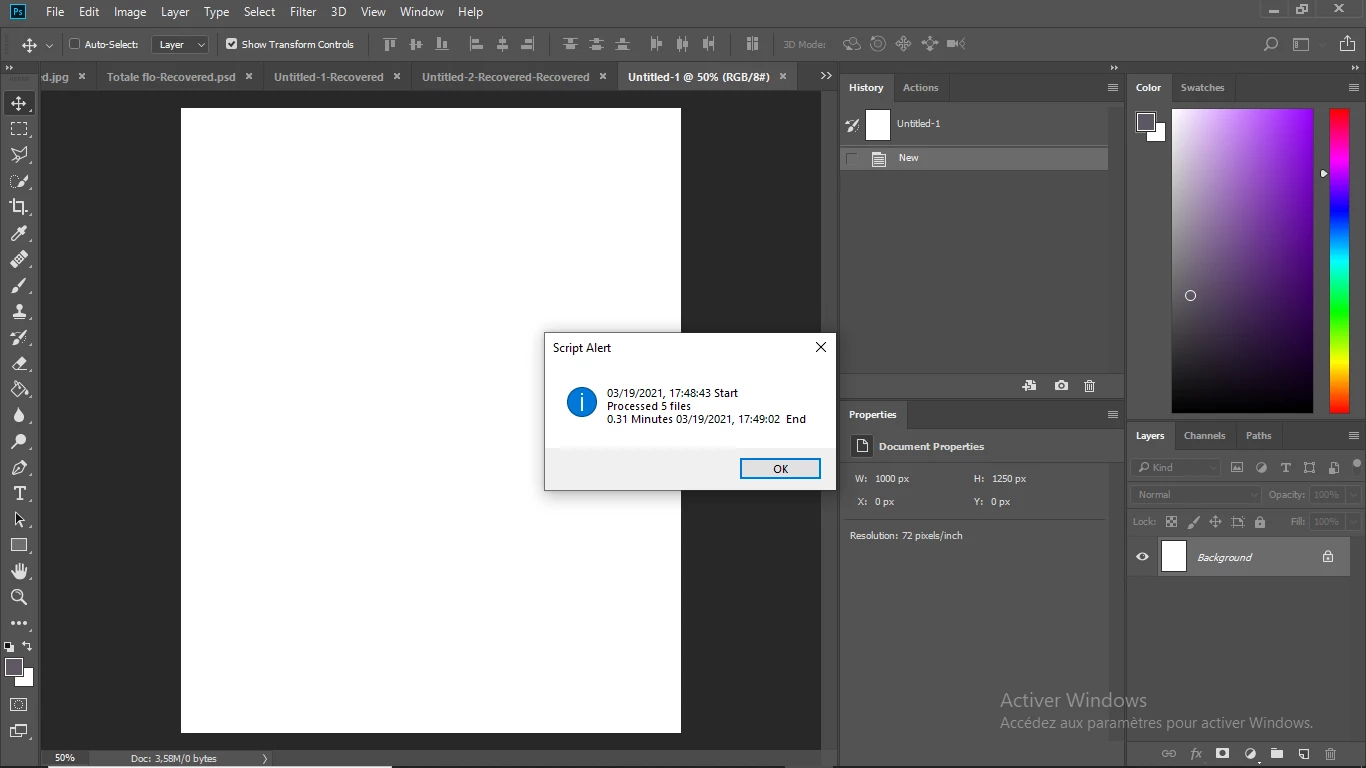
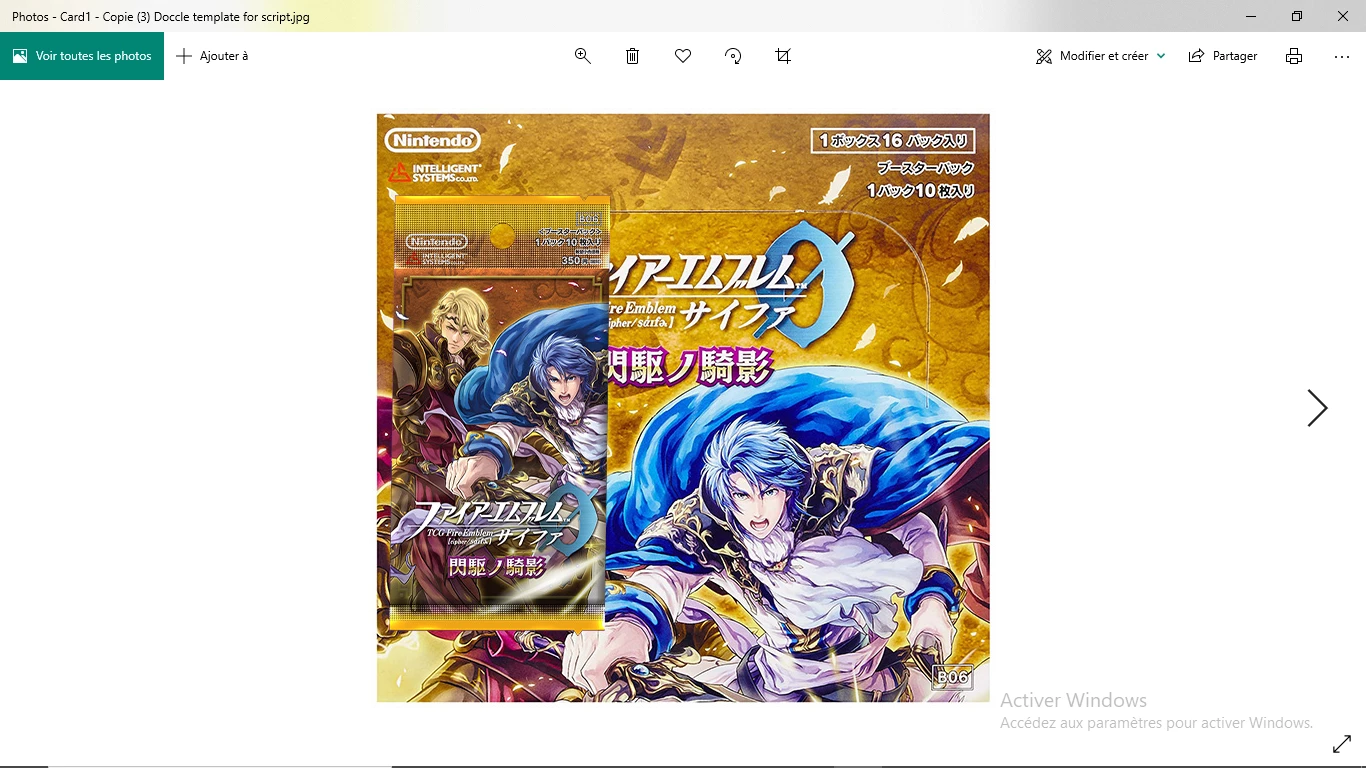
Unfortunately, I've got an issue when I try to replace the example's source files by my own source files.
Even though the proportion of my images seems to match my template, I always receive the following error message :
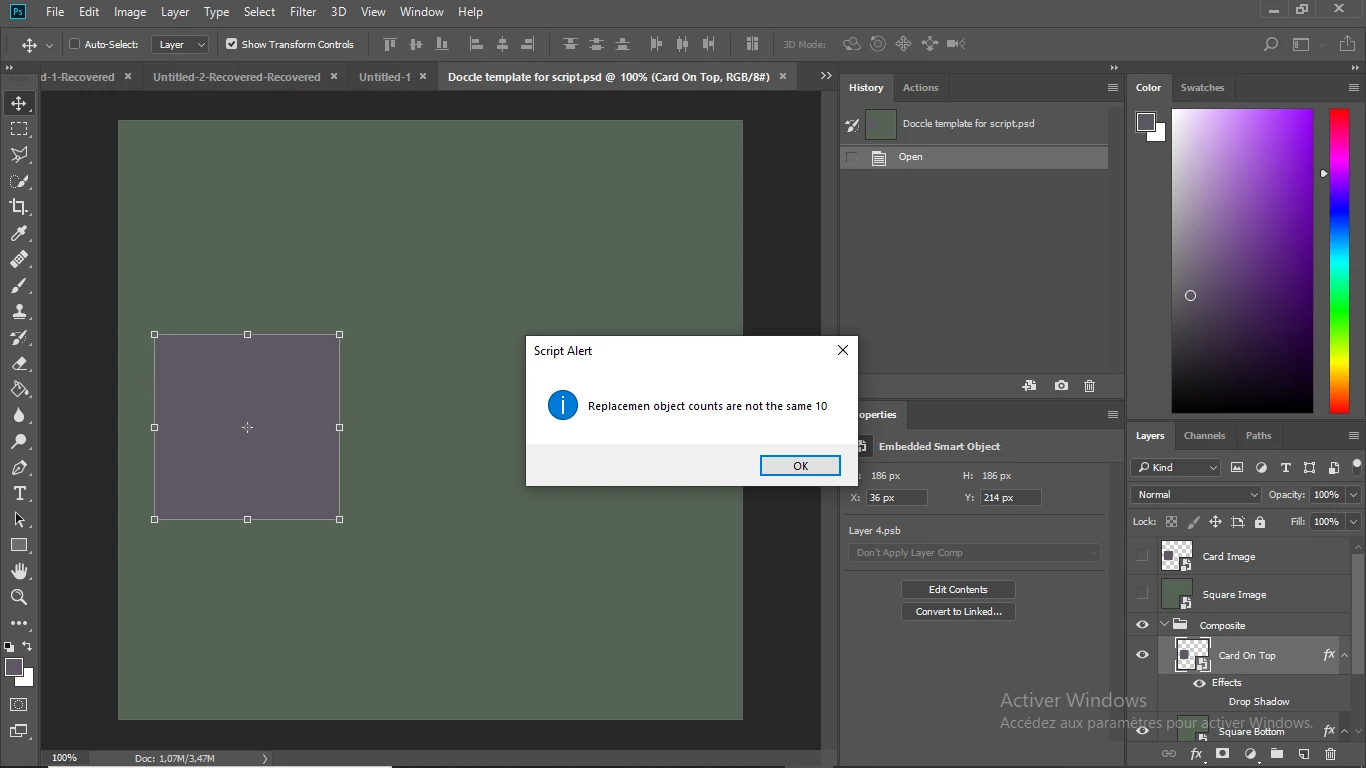
"Replacemen object counts are not the same "
Reading from the script I suppose it has to do with this part of the script
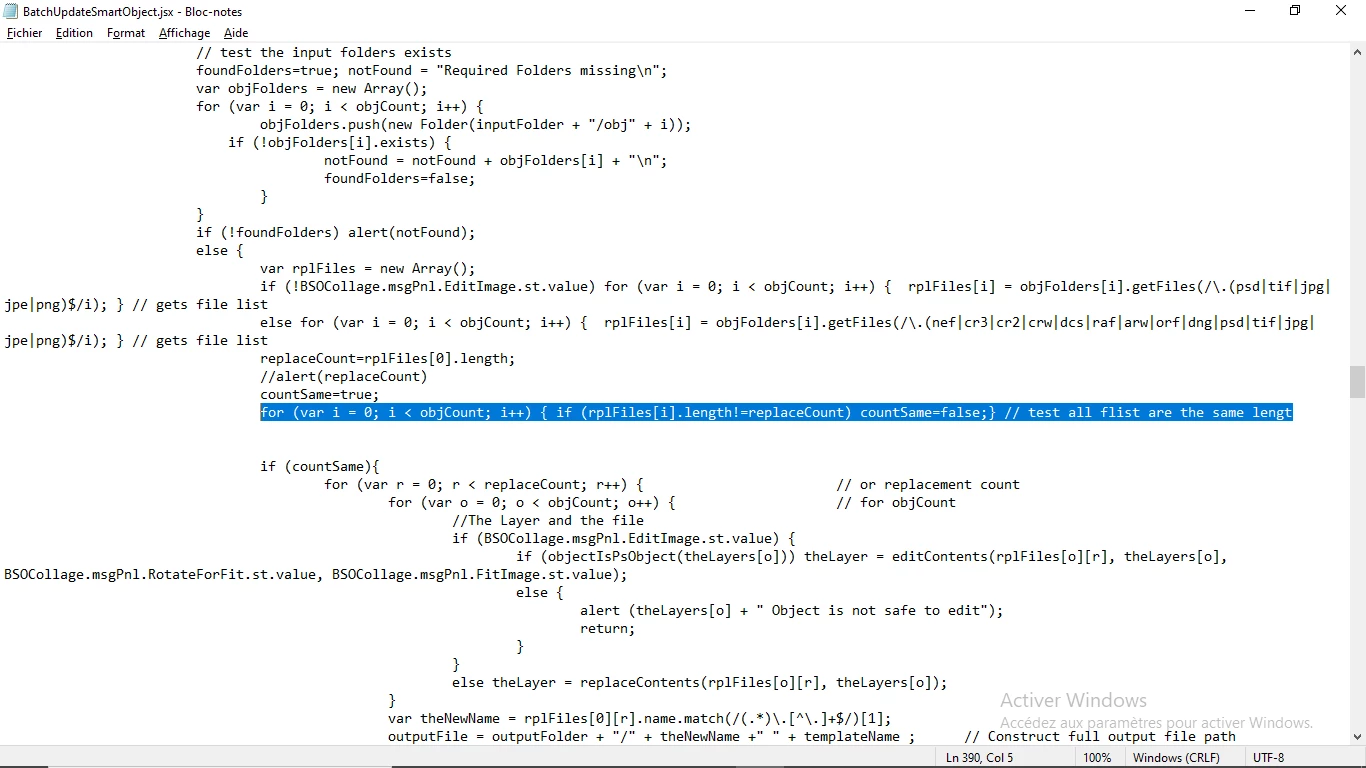
... but since I don't know much about Java coding, I'm totally lost.
Could anyone help me make this work ?
I would quite literally save my life.
Thanks in advance,
Seb.
 AdChoices