

Daniel_s_Design
Known Participant
June 25, 2019
Question

'Color Table' defects at 'SAVE WEB LEGACY'

  • June 25, 2019
  • 2 replies
  • 7285 views

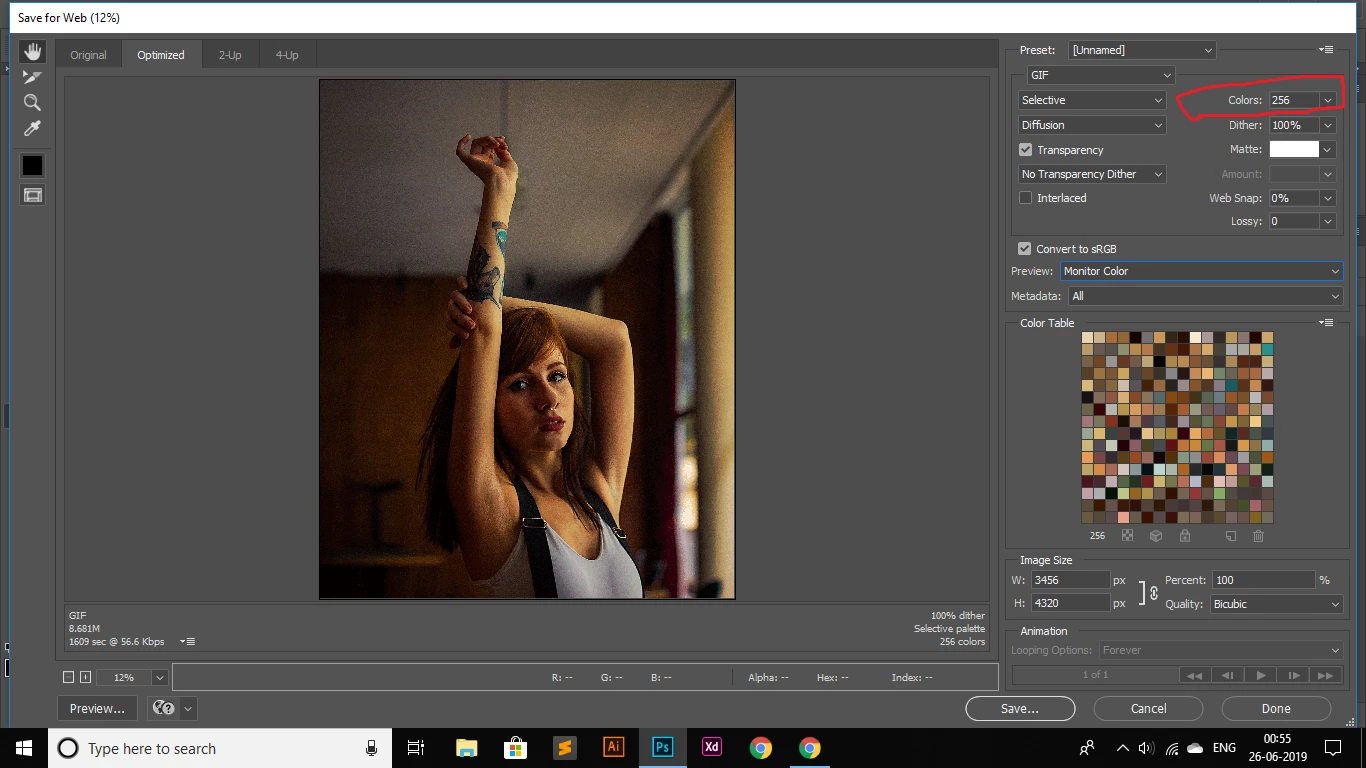
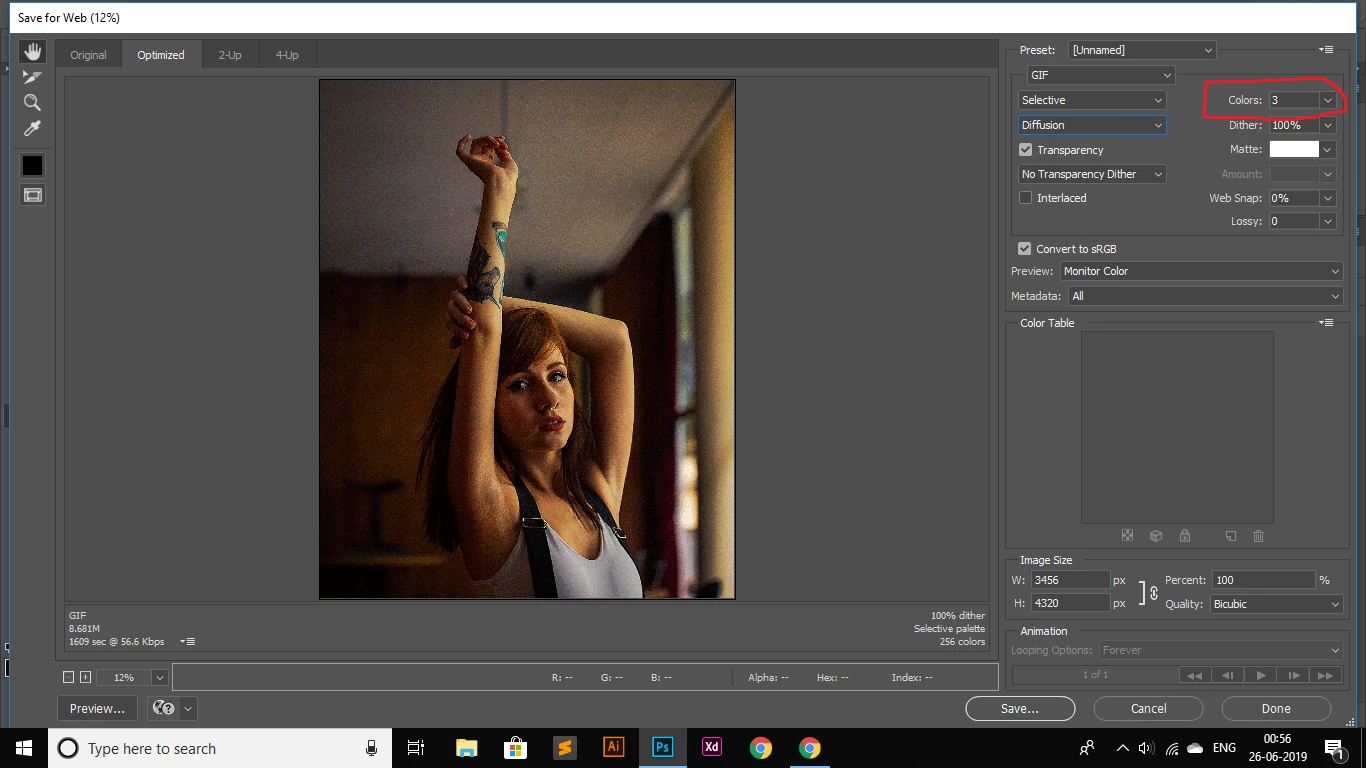
Hi, I'm stuck with a problem at photoshop cc, the time I open 'SAVE WEB LEGACY' > Presets: GIF > COLORS: 256 (when I change it to NUMBER 3) > COLOR TABLE goes blank(Doesn't show me the required 3 colors as directed), what will be the best solution for it? A helping hand will be appreciated

The first image shows the 256 colors with the Colors in COLOR TABLE
THE SECOND IMAGE SHOWS "COLORS: 3" but no sign of the 3 colors at the COLOR TABLE
Daniel

This topic has been closed for replies.

2 replies

D Fosse
Community Expert
Community Expert
June 21, 2020

Daniel, why are you making a GIF at more than 4000 x 3000 pixels?

Participant
August 20, 2020

He's not. As he stated it is part of a color conversion in the video he linked. I too am having the same problem. 

davescm
Community Expert
Community Expert
June 25, 2019

Hi

I can't replicate it - what happens when you change the colour reduction algorithm from Selective to one of the others?

Dave

Daniel_s_Design
Known Participant
June 25, 2019

Have a look...COLORS: 3 ​but on the detail list it's still showing up ​256 colors...Did you notice that?

Cheers,

Dave

gener7
Community Expert
Community Expert
June 26, 2019

It shows a blank ​COLOR TABLE...​as shown in the second image.


I'm not seeing anything unusual. My copy of Photoshop is CC 2019 ver 20.0.5 for the Mac and I tried the image you downloaded.

Is it the same for any image you feed into it or just this one?  It is quite large, like something from a DSLR

Since you are on Creative Cloud, you can also install CC 2018 and see if the problem persists.

If you want to try resetting Save for Web, hold down the Alt key on your keyboard, Cancel will change to Reset. Just click on it.

And if course Photoshop Reset

Just a few things to try. I've been using Ps for 20 years, first I've seen this. So just giving you a few "do no harm" tips.