



How do I do a full purge of Photoshop and make a clean re-install?
I've had Photoshop on my computer for a few years without issue. Recently, however, for no clear reason, it has been having problems. I'm using version 24.0.1 on Windows 11 on a Surface Pro 6 laptop.
Problem one is that in Windows Explorer, if I right click on a JPG, PNG, or other image files, the menu that appears shows "photoshop.exe" with a default executable file icon. If I click to select Photoshop, nothing happens.
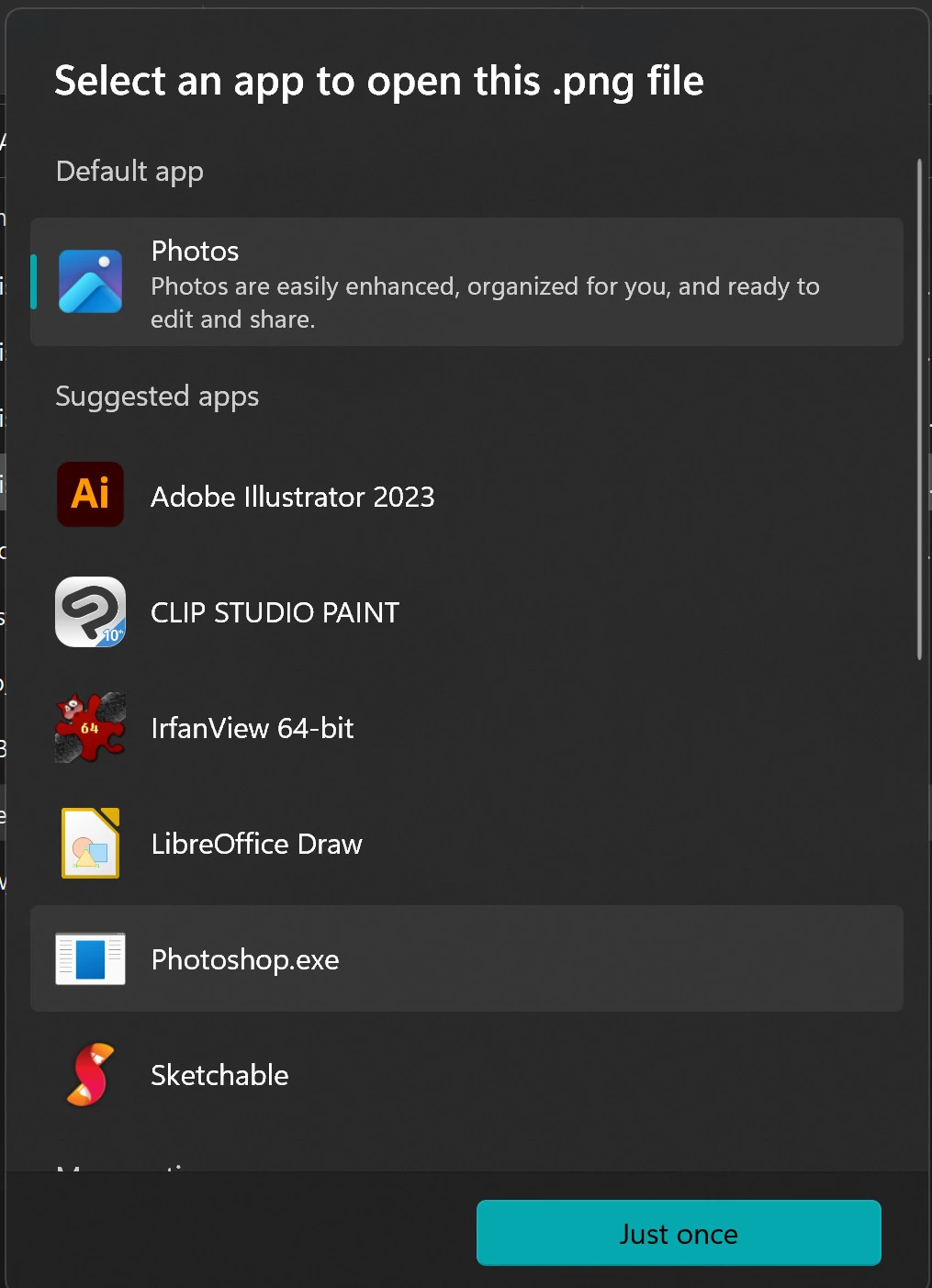
I have tried changing the settings for what default apps open image files, and I even tried editing the registry, but nothing has changed.
Problem two is that the workspace is not faulty. The "Layers" tab is all the way at the bottom right hand of my screen, and is not easily moved into view. Even if I try to edit and safe different workspaces, this inconvenient workspace will always be what appears the next time I restart Photoshop.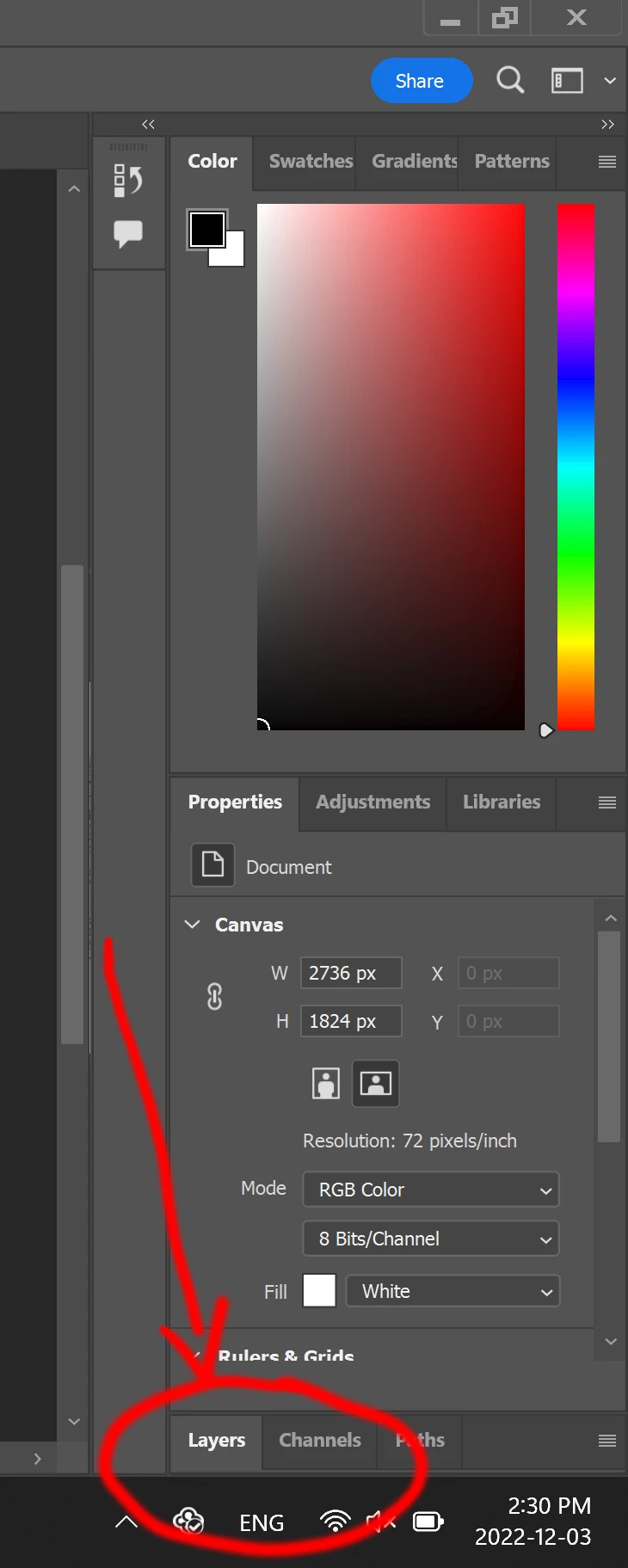
Lastly, the third problem is that sometimes the tools become unusable. I can select a pen or move tool or whatever, but can't actually use them on the canvas.
In short, it seems my installation of Photoshop has become unstable. My installation of Illustrator is working perfectly, this problem seems to be just Photoshop.
I tried uninstalling and reinstalling Photoshop using the Adobe Creative Cloud app, but this did not help. I selected to not keep any settings, but when I re-installed, everything was exactly the same as it was before.
How do I remove Photoshop thoroughly so that all registry settings and/or any and all other relevant configurations can be purged and I can be sure I am starting fresh?
[The word "not" has strikethrough to indicate deletion as per subsequent post.]
 AdChoices