



Question
How to find Legacy Shapes: 🔎 Photoshop Quick Tip

Arrows, talk bubbles, hearts, stars... Heres's how to find them.
Did you know that you can add Legacy Shapes to the list in the Shapes Panel? If you are familiar with Legacy Shapes such as arrows, frames, stars, symbols, and many others from older versions of Photoshop, you may be wondering where they went. If you would like to use them in the current version of Photoshop, simply follow the steps below.
Check this short video on Youtube:

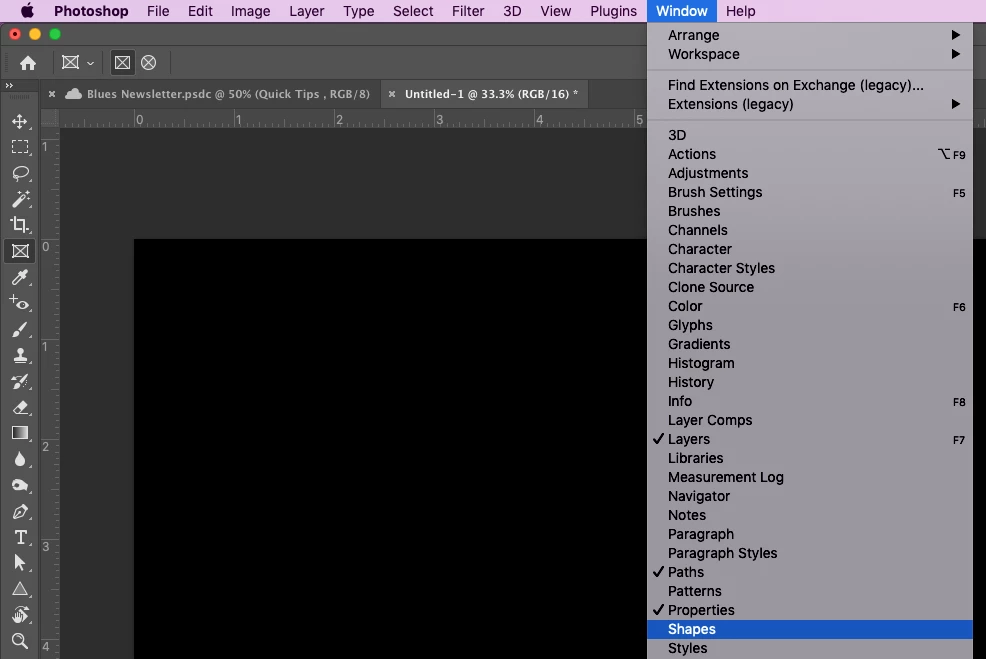
❶ From the main window, select Window > Shapes to open the shapes panel.
❷ Click on the menu icon ( ) in the top-right of the Shapes panel and select Legacy Shapes and More.
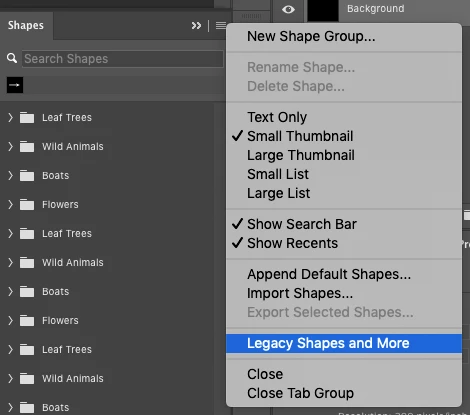
Now you have access to the folders "2019 Shapes", and "All Legacy Default Shapes".

Related Links
 AdChoices